Type text, add images, blackout confidential details, add comments, highlights and more.
02. Sign it in a few clicks
Draw your signature, type it, upload its image, or use your mobile device as a signature pad.
03. Share your form with others
Send customer acknowledgement form via email, link, or fax. You can also download it, export it or print it out.
How to use or fill out Customer Acknowledgement Form with our platform
Ease of Setup
DocHub User Ratings on G2
Ease of Use
DocHub User Ratings on G2
Click ‘Get Form’ to open the Customer Acknowledgement Form in the editor.
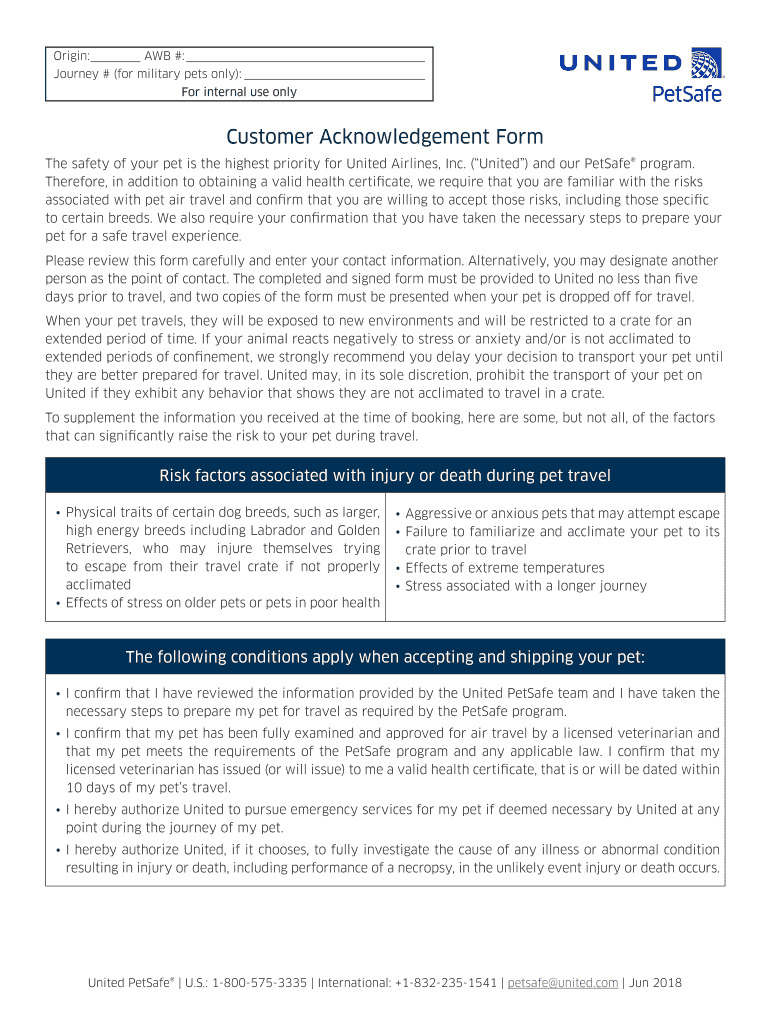
Begin by entering your contact information in the designated fields. This includes your name, email, and phone number. If you wish to designate someone else as a point of contact, provide their details as well.
Carefully review the risk factors associated with pet travel outlined in the form. Ensure you understand these risks before proceeding.
Confirm that you have taken necessary steps to prepare your pet for travel by checking the appropriate boxes regarding health certification and acclimation.
Sign and date the form at the bottom to certify that you agree with all terms and conditions stated. Make sure to print your full name clearly.
Once completed, save your form and ensure two copies are printed for submission when dropping off your pet.
Start filling out your Customer Acknowledgement Form online for free today!
Fill out Customer Acknowledgement Form online It's free
We've got more versions of the Customer Acknowledgement Form form. Select the right Customer Acknowledgement Form version from the list and start editing it straight away!
Acknowledgment Letter for CFTC Regulation 30.7 Customer
You acknowledge that we have opened or will open the above-referenced Account(s) for the purpose of depositing, as applicable, money, securities and otherRead more
When sending an Acknowledgement Request, you can now specify how frequently to maintain it, and it will automatically create an attestation group for you. YouRead more
Cookie consent notice
This site uses cookies to enhance site navigation and personalize your experience.
By using this site you agree to our use of cookies as described in our Privacy Notice.
You can modify your selections by visiting our Cookie and Advertising Notice.