



Here's how it works



How to use or fill out Judgment Creditor - Los Angeles Superior Court

- Click ‘Get Form’ to open it in the editor.
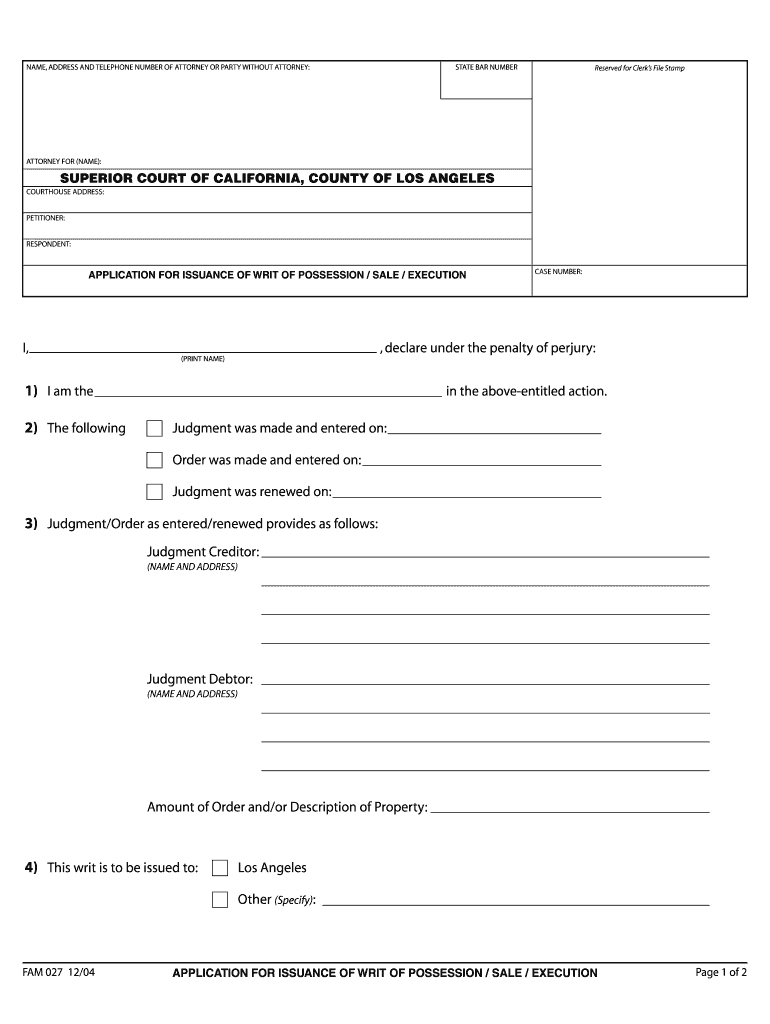
- Begin by entering your name and contact information in the designated fields. This ensures that all correspondence is directed to you.
- Next, provide details about the judgment, including the case number and date of judgment. Accurate information here is crucial for processing your request.
- In the section regarding the debtor's information, fill in their name and address. Double-check for accuracy to avoid delays.
- Review any additional sections that may require your signature or date. Use our platform’s tools to sign electronically if needed.
- Once completed, save your document. You can also print or share it directly from our editor for convenience.
Start using our platform today to streamline your form completion process for free!
It's free
See more Judgment Creditor - Los Angeles Superior Court versions
Got questions?
How do I sign my Judgment Creditor - Los Angeles Superior Court online?
Sign in to your DocHub account and import your Judgment Creditor - Los Angeles Superior Court to our editor using one of its upload options - from your device, cloud storage, protected URL, or your DocHub folders if you have already processed your document before. Open our editor, click the Sign key in the top toolbar, and choose your signing method. You can use a picture of your handwritten signature, draw it, enter your name, or utilize a QR code as an alternative.
How to manage my Judgment Creditor - Los Angeles Superior Court from Gmail?
If your go-to email service is Gmail, you can easily integrate your DocHub editor into your work. Modify your Judgment Creditor - Los Angeles Superior Court with DocHub tools and connect it to your drafts in Gmail. See how effortless it is to exchange files and collaborate with a swift PDF editing solution at hand.
Security and compliance
At DocHub, your data security is our priority. We follow HIPAA, SOC2, GDPR, and other standards, so you can work on your documents with confidence.
Learn more