




01. Edit your form online
Type text, add images, blackout confidential details, add comments, highlights and more.

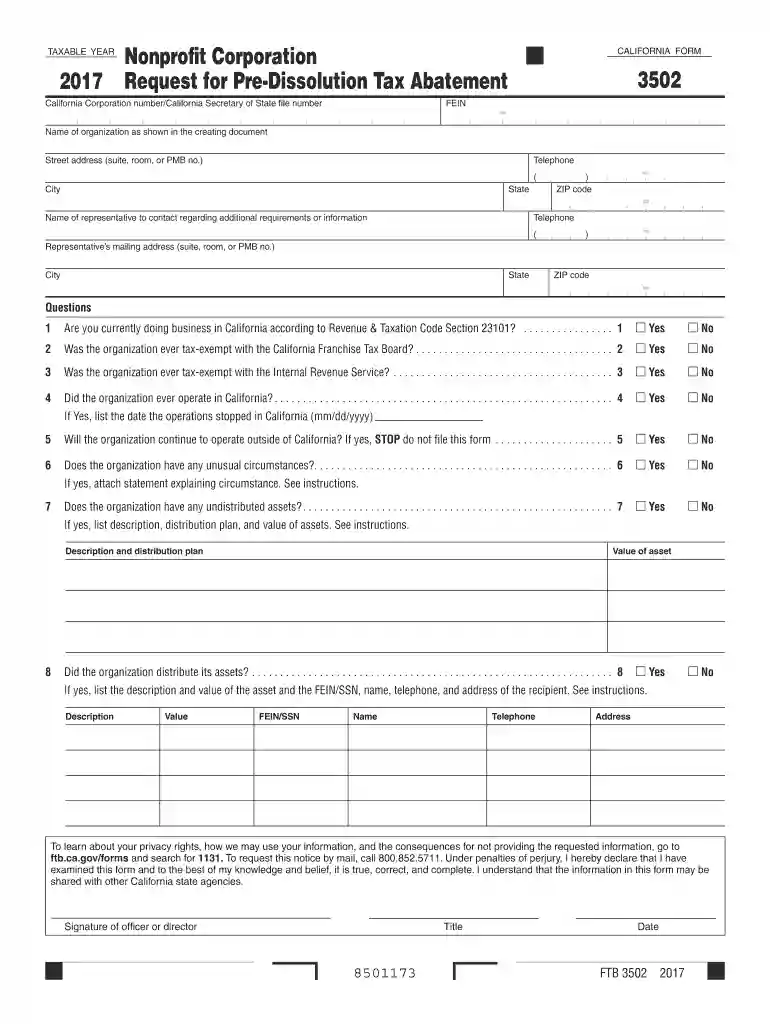
Type text, add images, blackout confidential details, add comments, highlights and more.

Draw your signature, type it, upload its image, or use your mobile device as a signature pad.

Send it via email, link, or fax. You can also download it, export it or print it out.

Start using our platform today to complete your form quickly and efficiently!
We've got more versions of the 2017 Request for Pre-Dissolution Tax Abatement form. Select the right 2017 Request for Pre-Dissolution Tax Abatement version from the list and start editing it straight away!
| Versions | Form popularity | Fillable & printable |
|---|---|---|
| 2025 | 4.4 Satisfied (54 Votes) | |
| 2024 | 4.8 Satisfied (27 Votes) | |
| 2023 | 4.7 Satisfied (33 Votes) | |
| 2022 | 4.9 Satisfied (20 Votes) | |
| 2021 | 4.9 Satisfied (32 Votes) | |
| 2020 | 4.3 Satisfied (199 Votes) | |
| 2019 | 4.3 Satisfied (83 Votes) | |
| 2018 | 4.1 Satisfied (67 Votes) | |
| 2017 | 4.3 Satisfied (48 Votes) | |
| 2016 | 4.4 Satisfied (221 Votes) | |
| 2015 | 4.6 Satisfied (55 Votes) |
At DocHub, your data security is our priority. We follow HIPAA, SOC2, GDPR, and other standards, so you can work on your documents with confidence.
by D MERRIMAN 2018 Cited by 68 The new policy requires governments to disclose the amount of tax revenues forgone through tax abatements, including at least some of those made through TIF
To request this notice by mail, call 800.852.5711. Under penalties of perjury, I hereby declare that I have examined this form and to the best of my knowledgeRead more


