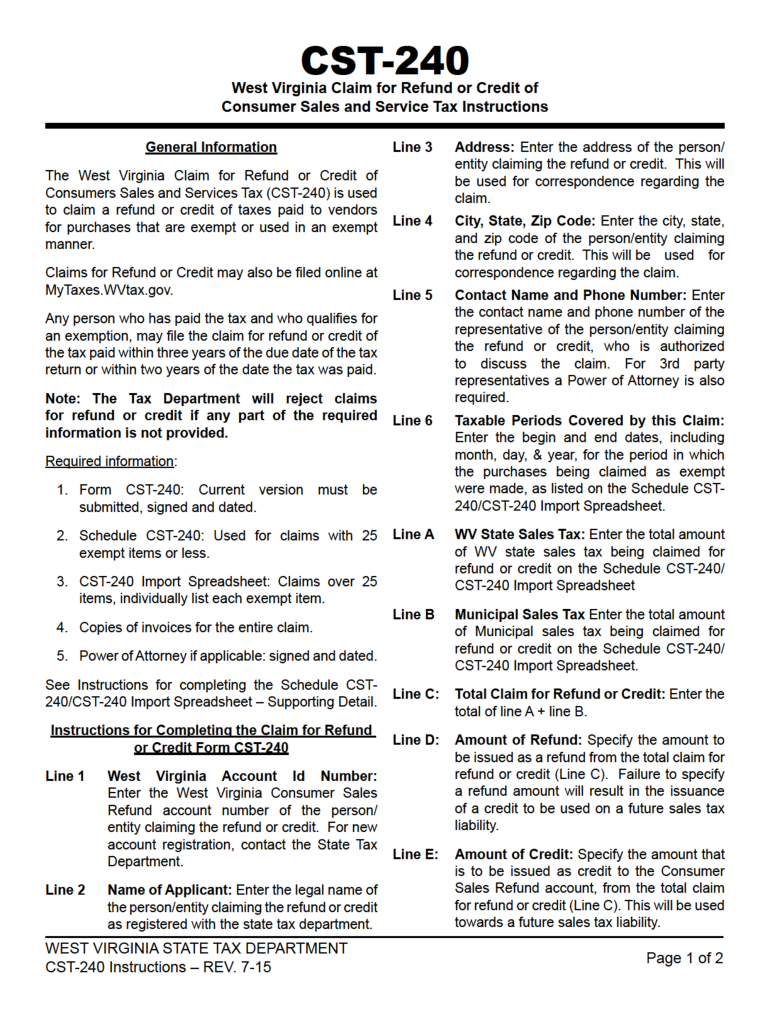
CST-240 - WV State Tax Department - WV.gov 2026

Get Form
mywvtaxes Preview on Page 1

Here's how it works

01. Edit your mywvtaxes online
Type text, add images, blackout confidential details, add comments, highlights and more.
02. Sign it in a few clicks
Draw your signature, type it, upload its image, or use your mobile device as a signature pad.
03. Share your form with others
Send mywvtax via email, link, or fax. You can also download it, export it or print it out.

How to use or fill out CST-240 - WV State Tax Department - WV.gov with DocHub

Form edit decoration
9.5
Ease of Setup
DocHub User Ratings on G2
9.0
Ease of Use
DocHub User Ratings on G2
  1. Click ‘Get Form’ to open it in the editor.
  2. Begin by entering your personal information in the designated fields, including your name, address, and Social Security number. Ensure accuracy to avoid processing delays.
  3. Next, navigate to the income section. Here, input your total income for the year as required. Use our platform's tools to easily calculate and adjust figures if necessary.
  4. Proceed to the deductions section. Carefully review each option and enter any applicable deductions that apply to your situation. This can help reduce your taxable income.
  5. Finally, review all entered information for completeness and accuracy. Utilize our platform’s features to sign electronically before submitting the form.

Start using our platform today for free and simplify your CST-240 form completion!

See more CST-240 - WV State Tax Department - WV.gov versions

We've got more versions of the CST-240 - WV State Tax Department - WV.gov form. Select the right CST-240 - WV State Tax Department - WV.gov version from the list and start editing it straight away!
Versions Form popularity Fillable & printable
2022 4.7 Satisfied (70 Votes)
2016 4.1 Satisfied (86 Votes)
2015 4.4 Satisfied (159 Votes)
2014 4.3 Satisfied (184 Votes)
be ready to get more

Complete this form in 5 minutes or less

Get form

Got questions?

We have answers to the most popular questions from our customers. If you can't find an answer to your question, please contact us.
Contact us
Returns Due a Refund. West Virginia Tax Division. PO Box 1071. Charleston, WV 25324-1071.
If the West Virginia Tax Division needs to verify information reported on your return or request additional information, the process will take longer. Math errors in your return or other adjustments. You used more than one form type to complete your return. Your return was missing information or incomplete.
In addition, there are six regional offices that offer in-person taxpayer assistance across the State. All inquiries about tax returns should be directed to one of the Regional Office Locations listed below or by calling 304-558-3333 or 800-982-8297 during regular business hours.
Property owners must be at least 65 years old, on or before, June 30 of the next calendar year. Proof of age required (e.g. West Virginia Drivers License, Voter Registration Card) upon submission of application. Applicants name must be listed on deed for real estate or title to mobile home.
You may check on your refund on our MyTaxes website, or by going to our website at Tax.WV.Gov and clicking on the Wheres My Refund? banner. You should receive your amended refund within 10-12 weeks from the date the amended return is filed.

Security and compliance

At DocHub, your data security is our priority. We follow HIPAA, SOC2, GDPR, and other standards, so you can work on your documents with confidence.

Learn more
ccpa2
pci-dss
gdpr-compliance
hipaa
soc-compliance

People also ask

Your state and local government tax agencies can explain your rights as a taxpayer. Most also have a taxpayer advocate or ombudsman, who can help you with tax problems and complaints.
Taxpayers can ask questions by phone by calling our Taxpayer Services Division at (304) 558-3333 or toll-free 1- 800-982-8297. Questions can also be sent by email to the following address: TaxHelp@WV.Gov.

wv state tax return status