




Here's how it works

01. Edit your form online
Type text, add images, blackout confidential details, add comments, highlights and more.

02. Sign it in a few clicks
Draw your signature, type it, upload its image, or use your mobile device as a signature pad.

03. Share your form with others
Send it via email, link, or fax. You can also download it, export it or print it out.
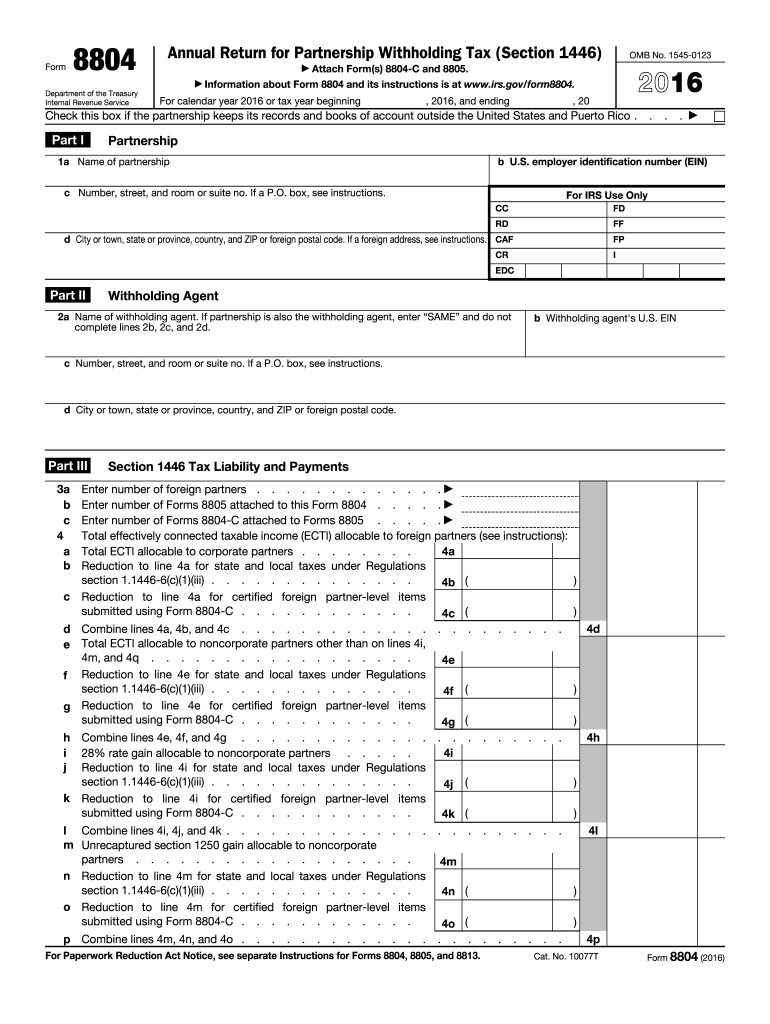
How to use or fill out Annual Return for Partnership Withholding Tax (Section 1446) - irs with DocHub

- Click ‘Get Form’ to open it in the editor.
- Begin by filling out Part I with the partnership's name, U.S. employer identification number (EIN), and address details. Ensure accuracy as this information is crucial for IRS records.
- In Part II, provide the withholding agent's name and EIN. If the partnership is also the withholding agent, simply enter 'SAME' and skip the remaining fields in this section.
- Proceed to Part III where you will detail your Section 1446 tax liability. Enter the number of foreign partners and attach Forms 8805 and 8804-C as required.
- Calculate total effectively connected taxable income (ECTI) allocable to foreign partners in line 4a through 4q, ensuring all reductions are accurately applied.
- Complete payment sections by adding up any taxes paid or withheld during the tax year, ensuring all relevant forms are attached.
- Finally, review your entries for accuracy before signing and submitting your form.
Start using our platform today to easily complete your Annual Return for Partnership Withholding Tax!
Fill out Annual Return for Partnership Withholding Tax (Section 1446) - irs online
It's free
It's free
See more Annual Return for Partnership Withholding Tax (Section 1446) - irs versions
We've got more versions of the Annual Return for Partnership Withholding Tax (Section 1446) - irs form. Select the right Annual Return for Partnership Withholding Tax (Section 1446) - irs version from the list and start editing it straight away!
Security and compliance
At DocHub, your data security is our priority. We follow HIPAA, SOC2, GDPR, and other standards, so you can work on your documents with confidence.
Learn more


Related forms

Form I-800A, Supplement 1, Listing of Adult Member of the Household
The document is USCIS Form I-800A Supplement 1, which requires information about adult members of a household for adopti ...

Boyfriend contract
The document outlines guidelines for dating teens, emphasizing the necessity of parental involvement in discussions abou ...

Faller Trainee Weekly Training Plan and - bcforestsafe
The document outlines a Tailgate Safety Meeting for a company, focusing on occupational health and safety regulations. I ...

Cshp template for small construction projects
The document outlines a safety and health policy template for residential construction projects with two stories or less ...

Student Petition for Practicum Placement Exceptions SUM F17
The document outlines the process for students to petition for exceptions to practicum placements in HDEV 470. It detail ...

Permits for Construction (Forms and Applications)City
The document outlines the application process for obtaining a wrecking permit in Sacramento, detailing required approval ...
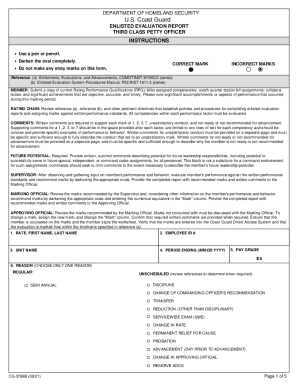
Cg 3788b
The document outlines the procedures and requirements for completing the U.S. Coast Guard Enlisted Evaluation Report for ...

Yavapai county annual report of guardian of an adult pbga921
The document is an Annual Report of Guardian for the guardianship of an adult in Yavapai County, Arizona. It outlines th ...