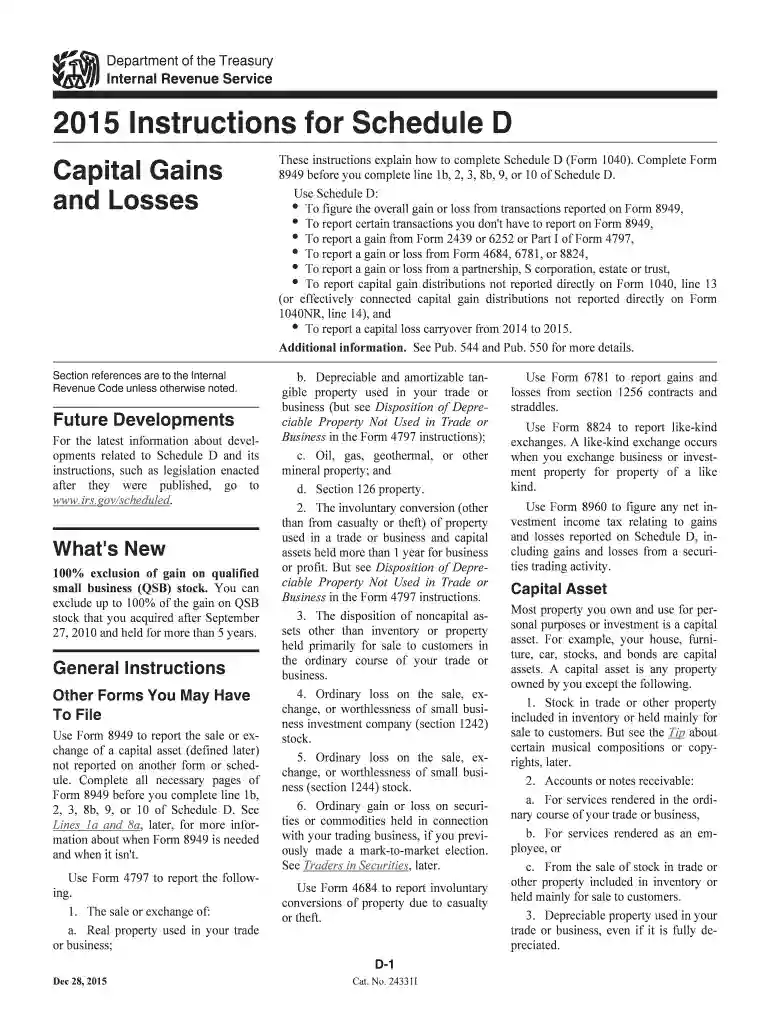
2015 instructions for schedule d form-2026

Get Form
2015 instructions for schedule d form Preview on Page 1

Here's how it works

01. Edit your form online
Type text, add images, blackout confidential details, add comments, highlights and more.

02. Sign it in a few clicks
Draw your signature, type it, upload its image, or use your mobile device as a signature pad.

03. Share your form with others
Send it via email, link, or fax. You can also download it, export it or print it out.

How to use or fill out 2015 instructions for Schedule D form with our platform

Form edit decoration
9.5
Ease of Setup
DocHub User Ratings on G2
9.0
Ease of Use
DocHub User Ratings on G2
  1. Click ‘Get Form’ to open the 2015 Instructions for Schedule D in the editor.
  2. Begin by reviewing the general instructions. Understand that you need to complete Form 8949 before filling out lines 1b, 2, 3, 8b, 9, or 10 of Schedule D.
  3. Fill out Part I for short-term capital gains and losses. Report each transaction's details including date acquired, date sold, proceeds, cost basis, and gain or loss.
  4. For long-term transactions, proceed to Part II. Similar to Part I, enter all relevant information for each transaction held longer than one year.
  5. If applicable, report any capital gain distributions on line 13. Ensure you check the appropriate boxes based on your holding period.
  6. Review your entries carefully. Use our platform’s features to highlight sections and add notes if needed for clarity.

Start editing your Schedule D form today for free with our platform!

See more 2015 instructions for schedule d form versions

We've got more versions of the 2015 instructions for schedule d form form. Select the right 2015 instructions for schedule d form version from the list and start editing it straight away!
Versions Form popularity Fillable & printable
2023 4.4 Satisfied (44 Votes)
2022 4.7 Satisfied (25 Votes)
2021 4.8 Satisfied (90 Votes)
2020 4.3 Satisfied (164 Votes)
2019 4.3 Satisfied (103 Votes)
2018 4.1 Satisfied (69 Votes)
2017 4.3 Satisfied (49 Votes)
2016 4.3 Satisfied (80 Votes)
2015 4.4 Satisfied (138 Votes)
2011 4.4 Satisfied (322 Votes)
be ready to get more

Complete this form in 5 minutes or less

Get form

Got questions?

We have answers to the most popular questions from our customers. If you can't find an answer to your question, please contact us.
Contact us
Detail your transactions Check out the complete list and if any of these apply to your tax situation, it probably would be wise to turn Schedule D and the rest of your tax paperwork over to a professional. These are complicated matters, and it can be easy to make a mistake even with the best intentions.
California Capital Gains Tax Rates RateSingleMarried Filing Jointly 4% $25,500 $40,425 $50,999 $80,490 6% $40,246 $55,866 $80,491 $111,732 8% $55,867 $70,606 $111,733 $141,212 9.3% $70,607 $360,659 $141,213 $721,3185 more rows Jul 27, 2025
Subtract your basis (what you paid) from the realized amount (how much you sold it for) to determine the difference. If you sold your assets for more than you paid, you have realized capital gains amount. If you sold your assets for less than you paid, you have a capital loss.
You and your spouse may list your transactions on separate forms or you may combine them. However, you must include on your Schedule D the totals from all Forms 8949 for both you and your spouse. Corporations and partnerships. Corporations and partnerships use Form 8949 to report the following.
You have a capital gain if you sell the asset for more than your adjusted basis. You have a capital loss if you sell the asset for less than your adjusted basis. Losses from the sale of personal-use property, such as your home or car, arent tax deductible.
be ready to get more

Complete this form in 5 minutes or less

Get form

People also ask

There are, however, limits when deducting a net capital loss from taxable income. This loss deduction is capped at $3,000 per year or $1,500 per year for married filing separately. If your clients losses exceed this amount, they can benefit from carryover losses in subsequent tax years.
To calculate your capital gain or loss, you need to subtract the original cost of the asset and any associated expenses from the selling price.
Use Schedule D (Form 1040) to report the following: The sale or exchange of a capital asset not reported on another form or schedule. Gains from involuntary conversions (other than from casualty or theft) of capital assets not held for business or profit.

Related links