




Here's how it works

01. Edit your appraisal transfer letter online
Type text, add images, blackout confidential details, add comments, highlights and more.

02. Sign it in a few clicks
Draw your signature, type it, upload its image, or use your mobile device as a signature pad.

03. Share your form with others
Send appraisal transfer letter template via email, link, or fax. You can also download it, export it or print it out.
How to use or fill out appraisal transfer letter with our platform

- Click ‘Get Form’ to open the appraisal transfer letter in the editor.
- Begin by entering the Borrower Name in the designated field. This identifies the individual associated with the property.
- Next, fill in the Property Address. Ensure that this is accurate as it relates directly to the appraisal report being transferred.
- In the Date field, input the current date of completion. This is important for record-keeping purposes.
- Identify and enter the Lender's name in the section that states 'Transfer of Appraisal Report from'. This specifies who is transferring ownership of the appraisal.
- Review all entered information for accuracy before finalizing. Once confirmed, you can proceed to sign and save your document.
Start using our platform today to streamline your document editing and signing process for free!
Fill out appraisal transfer letter online
It's free
It's free
See more appraisal transfer letter versions
We've got more versions of the appraisal transfer letter form. Select the right appraisal transfer letter version from the list and start editing it straight away!
| Versions | Form popularity | Fillable & printable |
|---|---|---|
| 2013 | 4 Satisfied (23 Votes) |
Security and compliance
At DocHub, your data security is our priority. We follow HIPAA, SOC2, GDPR, and other standards, so you can work on your documents with confidence.
Learn more


Related forms
Ford roadside assistance online
The document is a customer claim form for Ford Roadside Assistance, requiring personal and vehicle information from the ...
Retention form for students
The document from the Alpine School District outlines the process and considerations for grade level retention of studen ...

Right-of-Way Permit Application - Anne Arundel County - aacounty
The document is an application form for a Right-of-Way Permit from the Anne Arundel County Department of Public Works. I ...

Fire Disclosure 2 doc
The document is a Real Estate Transfer Disclosure Statement for a property in El Dorado County, California, outlining th ...

Figure 4-1 Preparatory Phase Control worksheet
The document is a Preparatory Control Worksheet focused on Concrete Reinforcing, outlining activities, quality control r ...
Myrtle Beach City - Police Department Myrtle Beach opening
The document is a Chauffeurs Permit Application form from the Myrtle Beach Police Department, requiring personal informa ...
Family Reunion Evaluation Form
The document is a Family Reunion Evaluation Form designed to gather feedback from participants about the previous year's ...
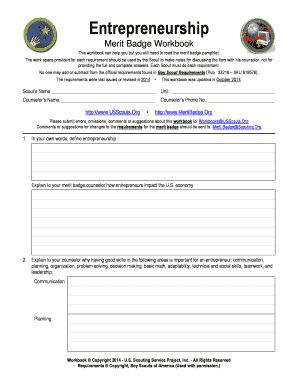
Entrepreneurship WB - US Scouting Service Project
The document is a workbook for the Entrepreneurship merit badge, designed for Scouts to complete various requirements re ...