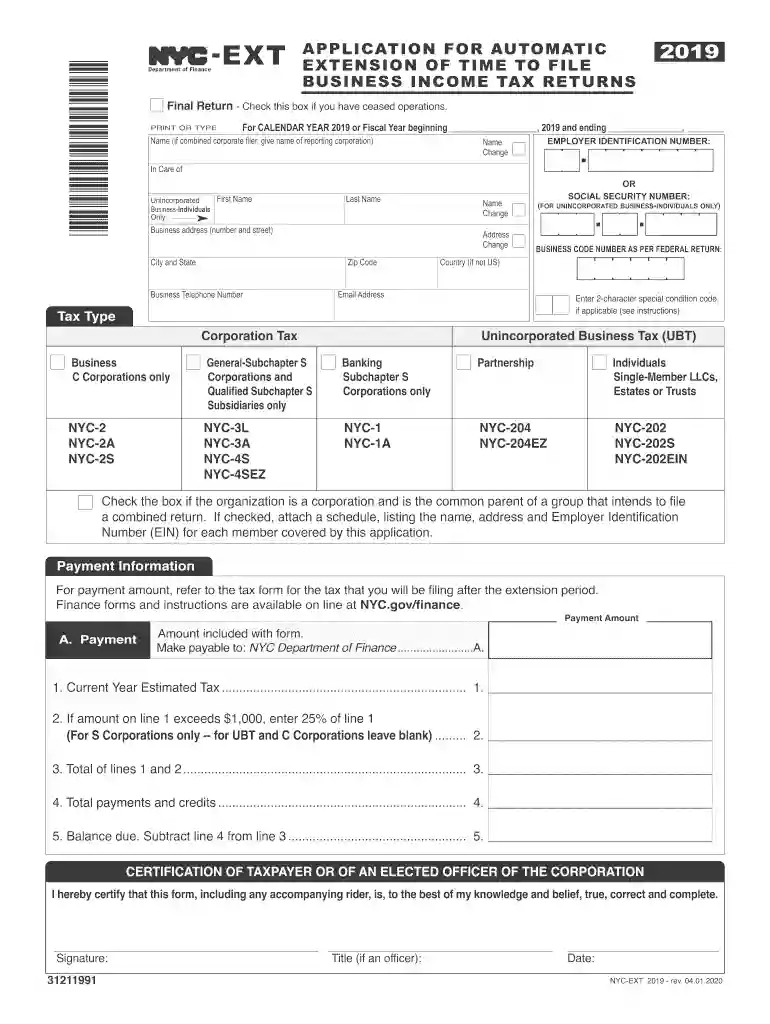
Form 7004 (Rev. December 2018) - Internal Revenue Service Preview on Page 1

Form 7004 (Rev. December 2018) - Internal Revenue Service-2026

Here's how it works

  • 01. Edit your form online

    Type text, add images, blackout confidential details, add comments, highlights and more.

  • 02. Sign it in a few clicks

    Draw your signature, type it, upload its image, or use your mobile device as a signature pad.

  • 03. Share your form with others

    Send it via email, link, or fax. You can also download it, export it or print it out.

How to use or fill out Form 7004 (Rev. December 2018) - Internal Revenue Service with our platform

Form edit decoration
9.5
Ease of Setup
DocHub User Ratings on G2
9.0
Ease of Use
DocHub User Ratings on G2
  1. Click ‘Get Form’ to open it in the editor.
  2. Begin by entering your business name and Employer Identification Number (EIN) in the designated fields. If you are an unincorporated business, provide your Social Security Number instead.
  3. Fill in your business address, including city, state, and zip code. Ensure all information is accurate for proper processing.
  4. Indicate if this is a final return by checking the appropriate box if applicable. This is crucial for compliance.
  5. In the payment information section, enter the estimated tax amount on line 1. If applicable, calculate and enter any additional amounts as instructed.
  6. Finally, certify the form by signing it and providing your title and date of signature at the bottom of the form.

Start using our platform today to streamline your Form 7004 completion process for free!

See more Form 7004 (Rev. December 2018) - Internal Revenue Service versions

We've got more versions of the Form 7004 (Rev. December 2018) - Internal Revenue Service form. Select the right Form 7004 (Rev. December 2018) - Internal Revenue Service version from the list and start editing it straight away!

VersionsForm popularityFillable & printable
20254.6 Satisfied (51 Votes)
20244.3 Satisfied (44 Votes)
20234.7 Satisfied (47 Votes)
20224.2 Satisfied (34 Votes)
20214.9 Satisfied (49 Votes)
20204.1 Satisfied (49 Votes)
20194.9 Satisfied (53 Votes)
20184.2 Satisfied (49 Votes)
20174.3 Satisfied (41 Votes)
20164 Satisfied (33 Votes)
20154.3 Satisfied (55 Votes)
20114.9 Satisfied (57 Votes)

be ready to get more

Complete this form in 5 minutes or less

Got questions?

We have answers to the most popular questions from our customers. If you can't find an answer to your question, please contact us.

For businesses operating on a fiscal tax year or with non-calendar year-end dates, the deadline for filing Form 7004 is the 15th day of the third month following the close of the tax year. For example, if a businesss fiscal year ends on June 30th, the deadline for Form 7004 would be September 15th.
If you miss the October extended tax filing deadline, youll have failure-to-file penalties that are retroactive to your original filing date (typically October 15) and, potentially, failure-to-pay penalties retroactive to the original payment due date (typically April 15) if you still owe taxes.
How to pay the balance due while filing Form 7004 online? While completing step 2, if you have a balance due, you can choose to pay the due amount using the electronic funds withdrawal (EFW) option. You will need to provide your bank account information, such as account number, account type, and routing number.
If you fail to file Form 7004 by the original due date of your business income tax return, you may incur late filing penalties. These penalties are typically calculated as a percentage of the unpaid taxes owed for each month or part of a month that the return is late, up to a maximum penalty amount.
For example, a calendar year corporation can get an extension to October 15, 2025, for its 2024 federal income tax return. Form 7004 must be filed, and any tax due for the tax year must be paid, by the original due date of Form 1120.

Security and compliance

At DocHub, your data security is our priority. We follow HIPAA, SOC2, GDPR, and other standards, so you can work on your documents with confidence.

People also ask

You can request an extension: Online using IRS Free File. When you pay your estimated tax bill. Using IRS Form 4868.
Yes, when you e-file Form 7004 through ExpressExtension, you will receive notifications about the filing status of your extension form via your registered email address. You can track your extension filing status from the Dashboard.

Related links

Instructions for Form 7004 (Rev. December 2025)

Use Form 7004 to request an automatic extension of time to file certain business income tax, information, and other returns. The extension will be granted ifRead more

Learn more
If you believe that this page should be taken down, please follow our DMCA take down process here