State of Oregon: Oregon Department of Revenue - Tax relief ... 2026

Get Form
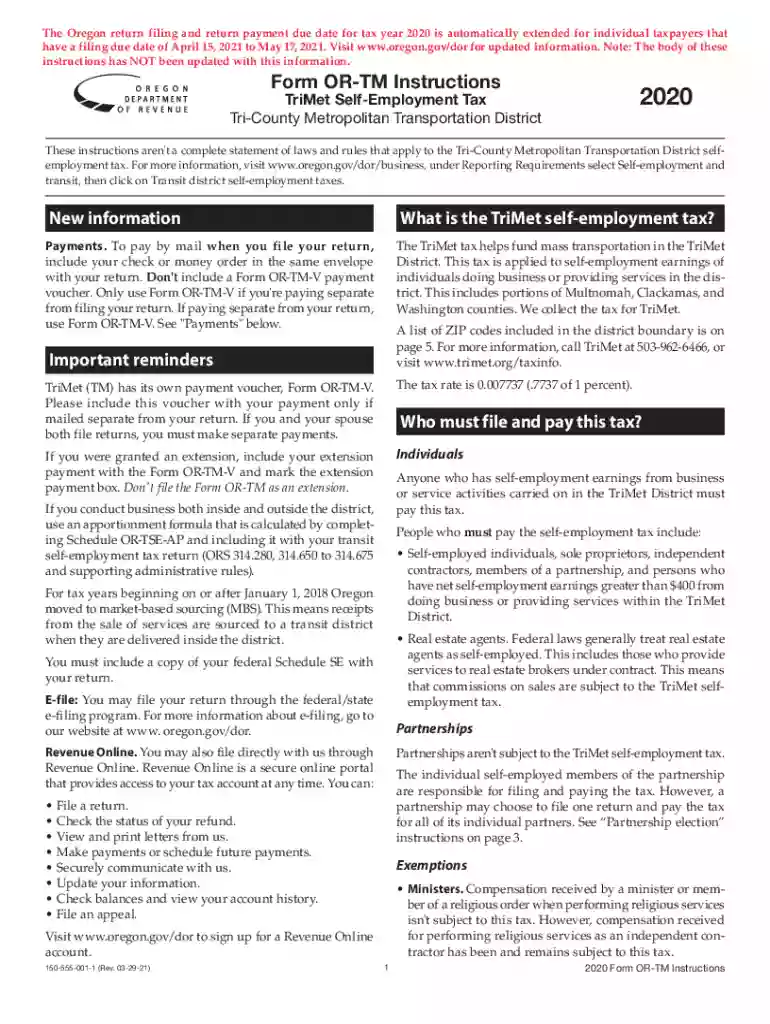
State of Oregon: Oregon Department of Revenue - Tax relief ... Preview on Page 1

Here's how it works

01. Edit your form online
Type text, add images, blackout confidential details, add comments, highlights and more.

02. Sign it in a few clicks
Draw your signature, type it, upload its image, or use your mobile device as a signature pad.

03. Share your form with others
Send it via email, link, or fax. You can also download it, export it or print it out.

How to use or fill out State of Oregon: Oregon Department of Revenue - Tax relief ... with our platform

Form edit decoration
9.5
Ease of Setup
DocHub User Ratings on G2
9.0
Ease of Use
DocHub User Ratings on G2
  1. Click ‘Get Form’ to open the State of Oregon: Oregon Department of Revenue - Tax relief ... in the editor.
  2. Begin by filling in your personal information in the Name and Address section. Ensure you provide your SSN if filing as an individual.
  3. For self-employment earnings, refer to your federal Schedule SE and enter the amount on Line 1. If you have multiple businesses, include a schedule detailing each business's net earnings.
  4. If applicable, complete Schedule OR-TSE-AP for apportionment if your business activities span both inside and outside the TriMet District.
  5. Calculate your tax due on Line 8 based on your self-employment earnings after applying any exclusions. Remember, each taxpayer can claim a maximum exclusion of $400.
  6. Review all entries for accuracy before signing and dating your return. Submit it electronically or via mail as per the instructions provided.

Start using our platform today to streamline your form completion process for free!

See more State of Oregon: Oregon Department of Revenue - Tax relief ... versions

We've got more versions of the State of Oregon: Oregon Department of Revenue - Tax relief ... form. Select the right State of Oregon: Oregon Department of Revenue - Tax relief ... version from the list and start editing it straight away!
Versions Form popularity Fillable & printable
2022 4.1 Satisfied (46 Votes)
2021 4.8 Satisfied (51 Votes)
2020 4.8 Satisfied (29 Votes)
2020 4.3 Satisfied (163 Votes)
2019 4 Satisfied (50 Votes)
2018 4.3 Satisfied (138 Votes)
be ready to get more

Complete this form in 5 minutes or less

Get form

Got questions?

We have answers to the most popular questions from our customers. If you can't find an answer to your question, please contact us.
Contact us
The Oregon Legislatures approved House Bill 4157 will provide a one-time $600 payment to Oregon households who received an Earned Income Tax Credit (EITC) on their 2020 tax filing. The one-time payment will be sent by July 31, 2022.
If all or a portion of your wages are exempt from federal withhold- ing, these wages are also completely or partially exempt from Oregon withholding. Submit federal exemption Form 8233 to your employer to exempt all or part of your wages from Oregon withholding.
The kicker is triggered when Oregons actual revenue for a two-year budget period exceeds the forecasted revenue by more than 2%. When this happens, the surplus is returned to taxpayers in the form of a credit on their state income tax return. The kicker is only available in odd-numbered years (e.g., 2023, 2025).
Disabled or senior homeowners may qualify for Oregons tax deferral program. Refer to the Department of Revenues Senior and Disabled Property Tax Deferral Program webpage for more information about the program and who to contact.

Security and compliance

At DocHub, your data security is our priority. We follow HIPAA, SOC2, GDPR, and other standards, so you can work on your documents with confidence.

Learn more
ccpa2
pci-dss
gdpr-compliance
hipaa
soc-compliance