




Here's how it works

01. Edit your form 8880 2021 online
Type text, add images, blackout confidential details, add comments, highlights and more.

02. Sign it in a few clicks
Draw your signature, type it, upload its image, or use your mobile device as a signature pad.

03. Share your form with others
Send 2021 irs form8880 via email, link, or fax. You can also download it, export it or print it out.
How to use or fill out form credit with our platform

- Click ‘Get Form’ to open it in the editor.
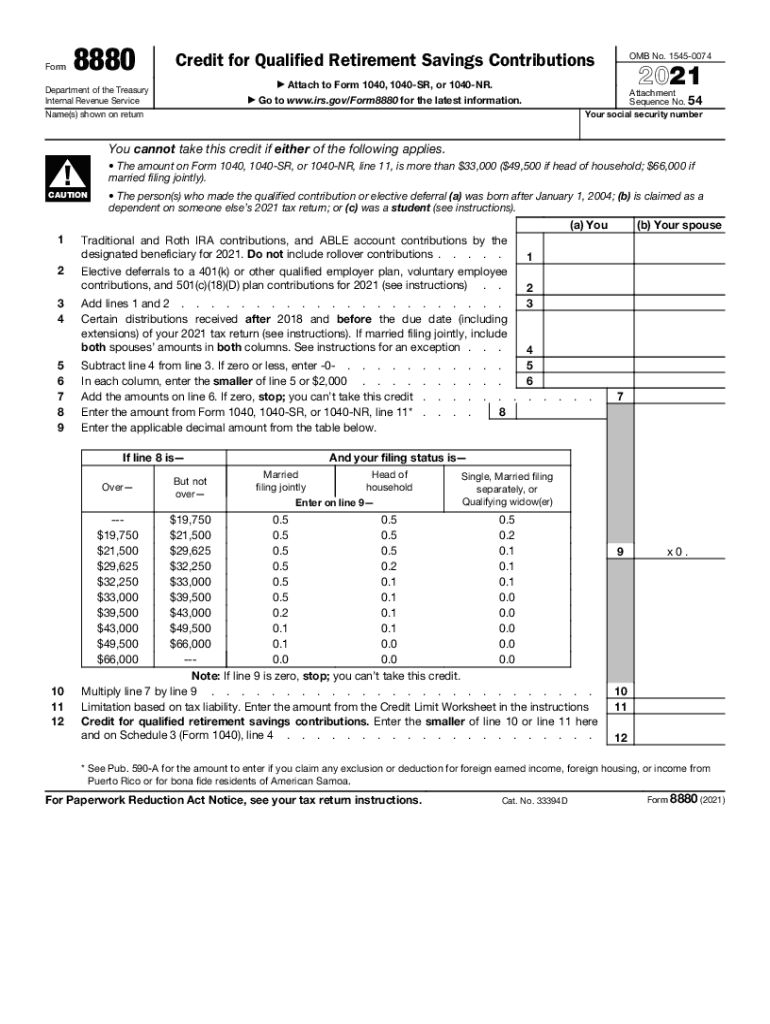
- Enter your social security number and the name(s) shown on your return at the top of the form.
- In Section (a), input your contributions for Traditional and Roth IRAs, as well as ABLE account contributions. Ensure you do not include rollover contributions.
- Next, enter any elective deferrals made to a 401(k) or other qualified employer plans in Section (b).
- Add the totals from lines 1 and 2 and enter this amount on line 3.
- If applicable, report any distributions received after 2018 before your tax return due date in line 4.
- Subtract line 4 from line 3 on line 5. If zero or less, enter -0-. Then, determine the smaller amount between line 5 or $2,000 for line 6.
- Complete lines 8 through 12 by following the instructions provided for calculating your credit based on your filing status.
Start using our platform today to easily fill out your forms online for free!
Fill out form credit online
It's free
See more form credit versions
We've got more versions of the form credit form. Select the right form credit version from the list and start editing it straight away!
| Versions | Form popularity | Fillable & printable |
|---|---|---|
| 2025 | 4.3 Satisfied (21 Votes) | |
| 2024 | 4.7 Satisfied (27 Votes) | |
| 2023 | 4.2 Satisfied (22 Votes) | |
| 2022 | 4.5 Satisfied (32 Votes) | |
| 2021 | 4.8 Satisfied (105 Votes) | |
| 2020 | 4.2 Satisfied (62 Votes) | |
| 2019 | 4.2 Satisfied (132 Votes) | |
| 2018 | 4.2 Satisfied (154 Votes) | |
| 2017 | 4.2 Satisfied (108 Votes) | |
| 2016 | 4.3 Satisfied (189 Votes) | |
| 2015 | 4.3 Satisfied (40 Votes) | |
| 2013 | 4 Satisfied (46 Votes) | |
| 2003 | 4.3 Satisfied (36 Votes) |
Security and compliance
At DocHub, your data security is our priority. We follow HIPAA, SOC2, GDPR, and other standards, so you can work on your documents with confidence.
Learn more


Related forms
19949716, 12D-16 002 - Florida Administrative Rules, Law
The document DR-487 outlines the requirements for taxing authorities in Florida to submit a certification of compliance ...

Application for Critical Need Restriction DS 694 index-ready Form required to apply for a restricted
Application for Critical Need Restriction DS 694 index-ready Form required to apply for a restricted
The document is an application form for a Critical Need Restriction license in California, intended for individuals unde ...
Form 668-A(c)(DO) (Rev 7-2002) Notice of Levy
The document is a Notice of Levy (Form 668-A(c)(DO)) issued by the IRS to collect unpaid taxes from a taxpayer. It infor ...

Sample of affidavit to use the surname of the father
The document is an affidavit from a biological father in Japan, affirming his acknowledgment and recognition of his chil ...

Acces application form for foreign declaring contractors
The document is an application form for foreign declaring contractors seeking secure access to the Belgian social securi ...
Dd form 565
The document is a 'Statement of Recognition of Deceased' form used to officially identify and recognize a deceased indiv ...
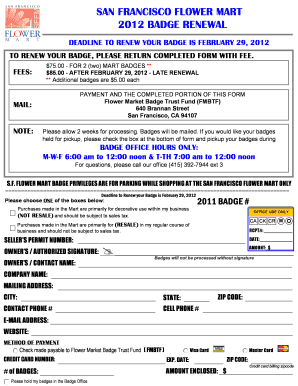
SAN FRANCISCO FLOWER MART 2012 BADGE RENEWAL
The document outlines the renewal process for badges at the San Francisco Flower Mart, with a deadline of February 29, 2 ...
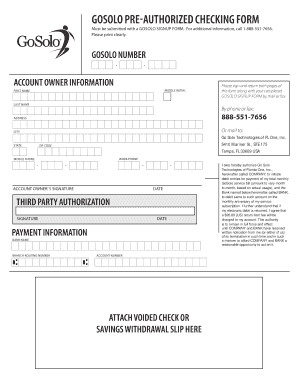
Fpl bill statement pdf
The document is a GoSolo Pre-Authorized Checking Form that must be submitted alongside a GoSolo Signup Form. It authoriz ...