01. Edit your character affidavit for child custody example online
Type text, add images, blackout confidential details, add comments, highlights and more.
02. Sign it in a few clicks
Draw your signature, type it, upload its image, or use your mobile device as a signature pad.
03. Share your form with others
Send examples of character affidavit for child custody via email, link, or fax. You can also download it, export it or print it out.
How to use or fill out custody affidavit with our platform
Ease of Setup
DocHub User Ratings on G2
Ease of Use
DocHub User Ratings on G2
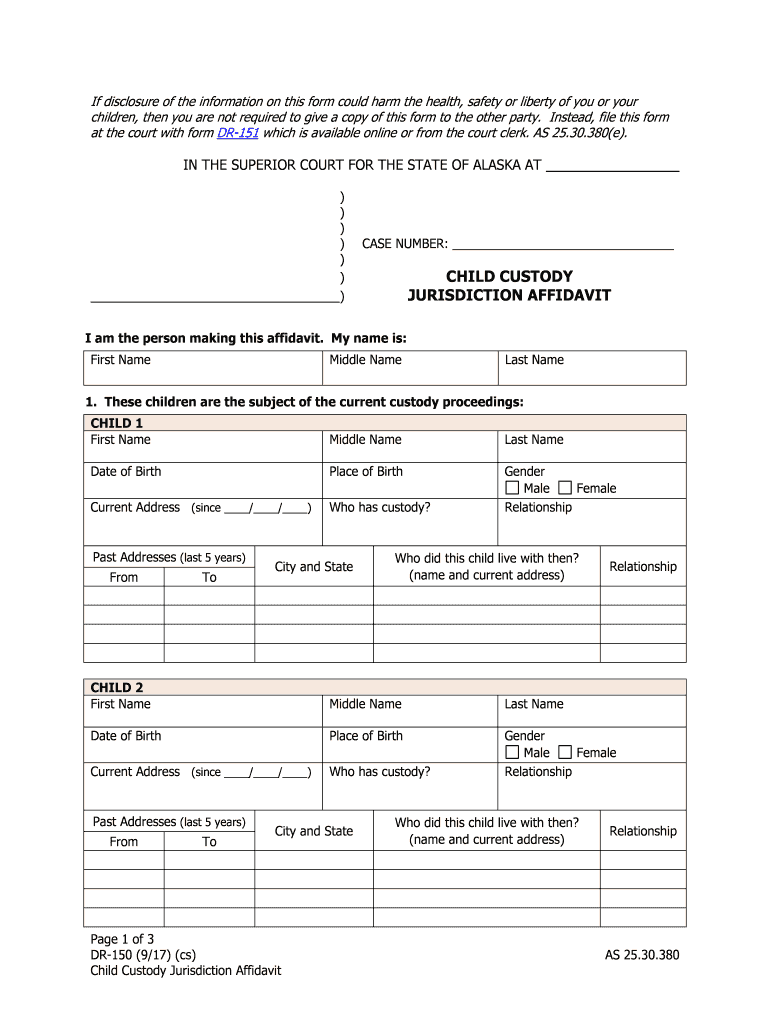
Click ‘Get Form’ to open the custody affidavit in the editor.
Begin by entering your full name in the designated fields at the top of the form. This identifies you as the affiant.
For each child involved, fill out their first name, middle name, last name, date of birth, place of birth, and current address. Ensure accuracy as this information is crucial for custody proceedings.
Indicate who currently has custody of each child and select their gender from the options provided.
List past addresses for each child over the last five years. Include details about who they lived with during that time to provide context for their living situation.
Answer questions regarding any previous custody proceedings or other legal matters that may affect this case. Provide detailed descriptions where necessary.
Finally, sign the affidavit in front of a notary public and ensure all required copies are distributed as per court instructions.
Start using our platform today to complete your custody affidavit easily and efficiently!
Child custody affidavit examplesChild custody affidavit PDFChild Care or Custody Disclosure AffidavitSupplemental child care of custody disclosure affidavitTemporary custody AffidavitSample affidavit for child custody for a friendChild custody affidavit alabamaHealth insurance affidavit form 4
Security and compliance
At DocHub, your data security is our priority. We follow HIPAA, SOC2, GDPR, and other standards, so you can work on your documents with confidence.
Use this form if you are asking the court to make any orders in a case involving a child (a person under the age of 18). You must fill in and file this form.Read more
Cookie consent notice
This site uses cookies to enhance site navigation and personalize your experience.
By using this site you agree to our use of cookies as described in our Privacy Notice.
You can modify your selections by visiting our Cookie and Advertising Notice.