




01. Edit your mass lottery claim form online
Type text, add images, blackout confidential details, add comments, highlights and more.

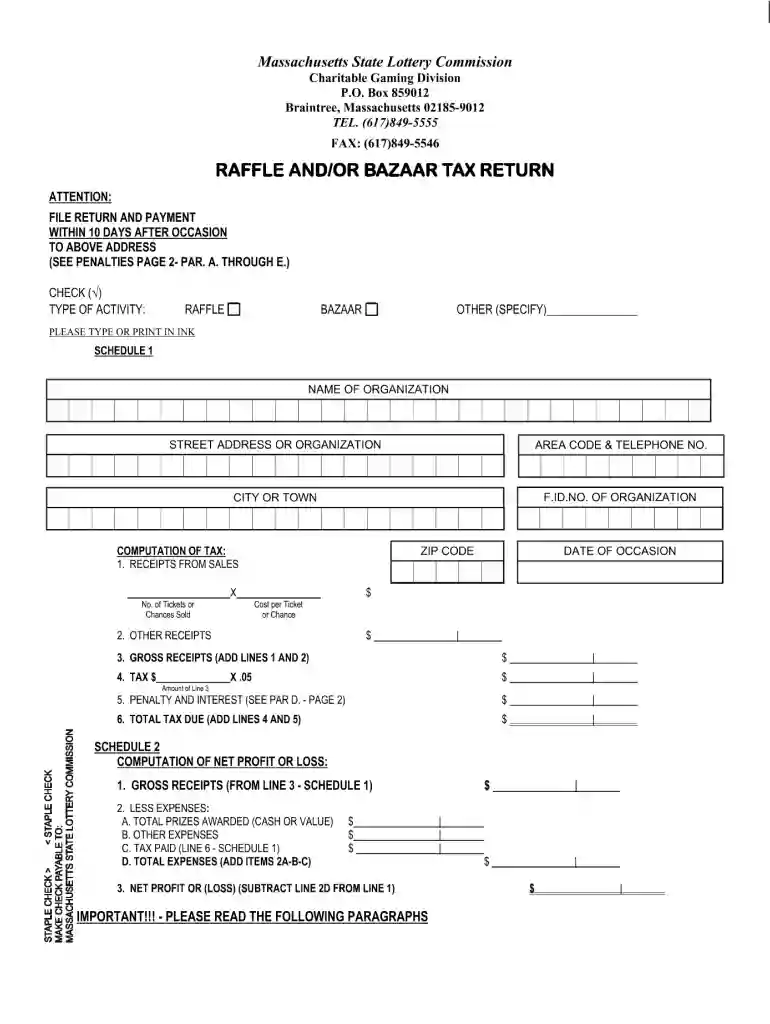
Type text, add images, blackout confidential details, add comments, highlights and more.

Draw your signature, type it, upload its image, or use your mobile device as a signature pad.

Send lottery form online via email, link, or fax. You can also download it, export it or print it out.

Start filling out your Massachusetts Lottery Commission form online for free today!
At DocHub, your data security is our priority. We follow HIPAA, SOC2, GDPR, and other standards, so you can work on your documents with confidence.
A Sales Agents license may be revoked, suspended or an application may be denied or its renewal rejected by the Director, or Sales Agents privilege toRead more
150 Mount Vernon Street, Dorchester, MA 02125-3573 Directions Phone Dorchester Lottery Headquarters (781) 849-5555 more less contact infoRead more
by S PREUSSISCHER Advisory Commission has sought to revise history with respect to the treatment of Jews in Germany in 1935, disqualifying any notion that Germany makes fair andRead more


