




Here's how it works

01. Edit your tb test exemption form online
Type text, add images, blackout confidential details, add comments, highlights and more.

02. Sign it in a few clicks
Draw your signature, type it, upload its image, or use your mobile device as a signature pad.

03. Share your form with others
Send tb exemption form via email, link, or fax. You can also download it, export it or print it out.
How to use or fill out tb test waiver form with our platform

- Click ‘Get Form’ to open the tb test waiver form in the editor.
- Begin by filling out your personal information in the designated fields, including your name, phone number, organization name, and address. This ensures that your order is processed efficiently.
- Select the number of pamphlets you wish to order from the options provided (50, 100, etc.). Make sure to check the specific types of pamphlets you need, such as General TB or TB Skin Test.
- If applicable, indicate how many sheets of TB chart labels you require. Remember that each sheet contains ten labels.
- For any additional materials like posters or videos, specify the quantity needed in the respective sections.
- Finally, review all entered information for accuracy before submitting. Once complete, fax your order form using the provided fax number for timely delivery.
Start using our platform today to streamline your tb test waiver form completion for free!
Fill out tb test waiver form online
It's free
See more tb test waiver form versions
We've got more versions of the tb test waiver form form. Select the right tb test waiver form version from the list and start editing it straight away!
| Versions | Form popularity | Fillable & printable |
|---|---|---|
| 2014 | 4 Satisfied (51 Votes) |
Security and compliance
At DocHub, your data security is our priority. We follow HIPAA, SOC2, GDPR, and other standards, so you can work on your documents with confidence.
Learn more


Related forms
Fillable Online Interest Guideline Form - International
The document outlines the Interest Guideline Form for the International Student Entrepreneur Pilot under the Manitoba Pr ...

The Process of Writing a Case Report - AAP
The document is a clinical case analysis template designed for healthcare professionals to systematically gather and int ...

How refunds and returns work on a credit card - Chase
The document provides a FAQ section regarding the return and refund process for Parkiteer access cards. It outlines the ...

Debtor Creation form This form is to record debtor details in the finance system so that an invoice
Debtor Creation form This form is to record debtor details in the finance system so that an invoice
The document is a Debtor Creation Form used by Comcare to collect and record debtor details such as name, contact inform ...
Pch health wa mediaAFFIX PATIENT IDENTIFICATION LABEL HERE AND OVERLEAF
The document is a specialist referral form for Children's Health Queensland, designed for new patients under 16 years ol ...
Wellingtonpark au assets EventpermitEVENT GROUP ACTIVITY APPLICATION FORM
The document is an Event/Group Activity Application Form for organizing events in Wellington Park, requiring a permit fr ...
New south wales lease
The document is a form for the variation of a lease under the New South Wales Real Property Act 1900. It includes sectio ...
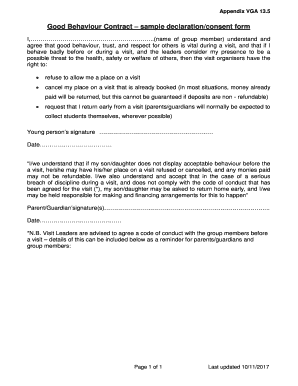
Declaration document sample
The document is a sample Good Behaviour Contract that outlines the expectations for group members regarding their conduc ...