




Here's how it works

01. Edit your horace mann surrender online
Type text, add images, blackout confidential details, add comments, highlights and more.

02. Sign it in a few clicks
Draw your signature, type it, upload its image, or use your mobile device as a signature pad.

03. Share your form with others
Send horace mann withdrawal form via email, link, or fax. You can also download it, export it or print it out.
How to use or fill out Annuity surrender/withdrawal request with our platform

- Click ‘Get Form’ to open the Annuity surrender/withdrawal request in the editor.
- Begin by filling out Section C, 'Your information.' Enter your name, contract number, address, phone numbers, and last four digits of your SSN.
- In Section D, 'Your requested amount,' select whether you want to surrender your contract or make a net or gross withdrawal. Specify the amount and method of withdrawal.
- Complete Section E by indicating the reason for your request. Choose from options like cash value on account or disability.
- In Section F, make your tax withholding elections. Decide if you want federal and state income tax withheld from your payment.
- Fill out Section G with your preferred delivery method for the proceeds—either check or direct deposit. Provide necessary bank details if applicable.
- Finally, sign in Section H to certify that you have read all notices and understand the implications of this transaction.
Start using our platform today to easily complete your Annuity surrender/withdrawal request online for free!
Fill out Annuity surrenderwithdrawal request online
It's free
It's free
See more Annuity surrenderwithdrawal request versions
We've got more versions of the Annuity surrenderwithdrawal request form. Select the right Annuity surrenderwithdrawal request version from the list and start editing it straight away!
Security and compliance
At DocHub, your data security is our priority. We follow HIPAA, SOC2, GDPR, and other standards, so you can work on your documents with confidence.
Learn more


Related forms
Hire and reward insurance
The document is a Pleasure Craft Insurance Proposal Form for individuals or corporations seeking insurance coverage for ...

Wv dmv odometer statement
The document is an Odometer Certification form used in West Virginia to certify the odometer reading of a vehicle at the ...

Ecrv worksheet there are additional
The document provides a detailed guide for submitting an electronic Certificate of Real Estate Value (eCRV) in Minnesota ...

Course Repetition Request Form - lbcc
The document is a form for students to request permission to repeat courses they have previously completed or withdrawn ...
Marywood university transcripts
The document outlines the process for requesting transcripts from Marywood University, including fees for official and u ...
Sign-In Sign-Out Sheet DHMH 568doc - dhmh maryland
The document outlines the absence codes and related procedures for employees of the Maryland State Department of Health ...
South Carolina Tax Power of Attorney (Form SC-2848)
The document is a Power of Attorney form (SC2848) issued by the South Carolina Department of Revenue, allowing taxpayers ...
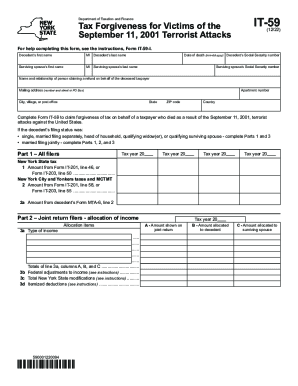
Form IT-59 Tax Forgiveness for Victims of the - Tax NY
The document outlines the process for claiming tax forgiveness for individuals who died as a result of the September 11, ...