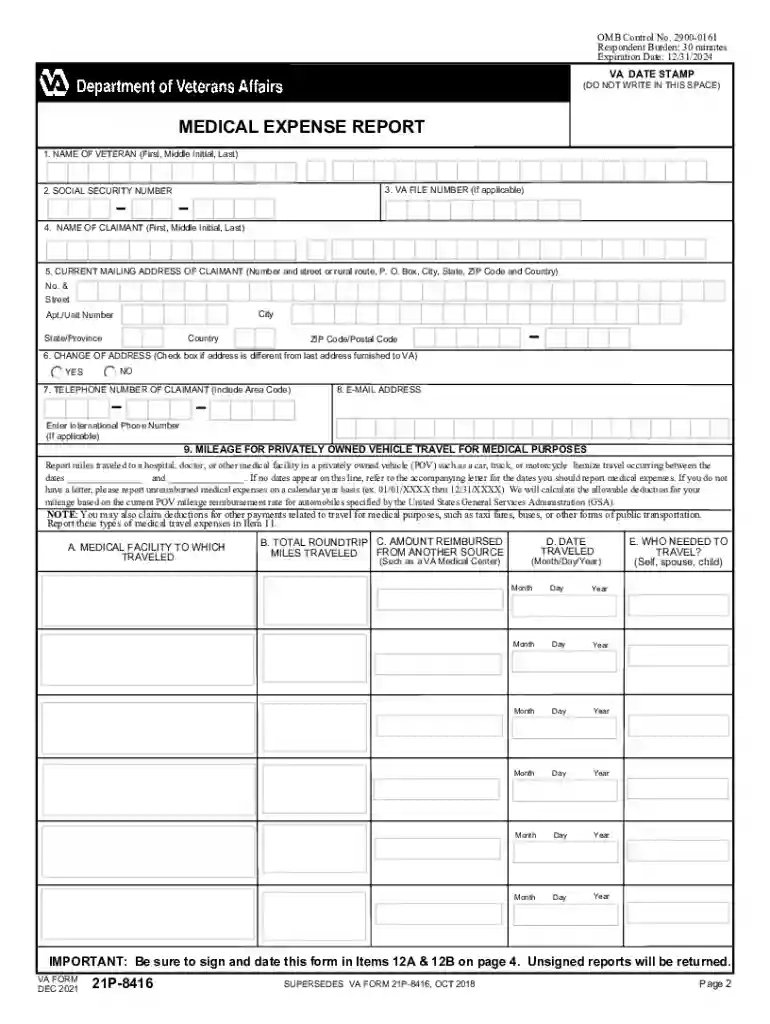
Va form 21p 8416-2026

Get Form
department of veterans affairs forms Preview on Page 1

Here's how it works

01. Edit your department of veterans affairs forms online
Type text, add images, blackout confidential details, add comments, highlights and more.

02. Sign it in a few clicks
Draw your signature, type it, upload its image, or use your mobile device as a signature pad.

03. Share your form with others
Send va 21p 0969 via email, link, or fax. You can also download it, export it or print it out.

How to use or fill out VA Form 21P-8416 with our platform

Form edit decoration
9.5
Ease of Setup
DocHub User Ratings on G2
9.0
Ease of Use
DocHub User Ratings on G2
  1. Click ‘Get Form’ to open VA Form 21P-8416 in the editor.
  2. Begin by entering the veteran's name and social security number in the designated fields. Ensure accuracy as this information is crucial for processing.
  3. Fill in the claimant's details, including their mailing address and contact information. If there’s a change of address, check the appropriate box.
  4. In section 9, report mileage for medical travel. Itemize trips by entering the medical facility name, total miles traveled, and any reimbursements received.
  5. For in-home attendant expenses, complete section 10 by providing the provider's name, hourly rate, amount paid, and date paid. Remember to attach the In-Home Attendant Worksheet if applicable.
  6. In section 11, itemize all medical expenses incurred. Include details such as the type of expense, amount paid, date paid, and provider's name.
  7. Finally, ensure you sign and date the form in items 12A & 12B before submitting it to avoid delays.

Start using our platform today to fill out your VA Form 21P-8416 easily and for free!

See more va form 21p 8416 versions

We've got more versions of the va form 21p 8416 form. Select the right va form 21p 8416 version from the list and start editing it straight away!
Versions Form popularity Fillable & printable
2023 4.4 Satisfied (46 Votes)
2021 4.8 Satisfied (105 Votes)
2018 4.8 Satisfied (47 Votes)
2017 4 Satisfied (26 Votes)
2012 4.2 Satisfied (69 Votes)
2011 4.1 Satisfied (60 Votes)
be ready to get more

Complete this form in 5 minutes or less

Get form

Security and compliance

At DocHub, your data security is our priority. We follow HIPAA, SOC2, GDPR, and other standards, so you can work on your documents with confidence.

Learn more
ccpa2
pci-dss
gdpr-compliance
hipaa
soc-compliance
be ready to get more

Complete this form in 5 minutes or less

Get form