




Here's how it works

01. Edit your siop lesson plan template online
Type text, add images, blackout confidential details, add comments, highlights and more.

02. Sign it in a few clicks
Draw your signature, type it, upload its image, or use your mobile device as a signature pad.

03. Share your form with others
Send siop lesson plan template google docs via email, link, or fax. You can also download it, export it or print it out.
How to use or fill out siop lesson plan template with our platform

- Click ‘Get Form’ to open the SIOP® Lesson Plan Template in the editor.
- Begin by filling in the 'STANDARDS' section. Clearly outline the educational standards that your lesson aligns with, ensuring they are relevant to your objectives.
- Next, specify the 'THEME' and 'LESSON TOPIC'. This helps provide context for your lesson and guides students on what to expect.
- In the 'OBJECTIVES' section, detail both language and content objectives. Be specific about what students should achieve by the end of the lesson.
- Fill out 'LEARNING STRATEGIES' and 'KEY VOCABULARY'. Identify strategies that will support student learning and list essential vocabulary terms that will be introduced.
- Under 'MATERIALS', list all resources needed for your lesson. This ensures you are prepared for effective delivery.
- 'MOTIVATION' is crucial; describe how you will engage students at the start of the lesson to pique their interest.
- 'PRESENTATION' requires detailing how you will present language and content objectives, including methods for providing comprehensible input and interaction opportunities.
- 'PRACTICE AND APPLICATION' should include meaningful activities where students can apply what they've learned through interaction and feedback mechanisms.
- 'REVIEW AND ASSESSMENT' is where you summarize key points and assess student understanding of objectives and vocabulary.
- 'EXTENSION' allows you to suggest further activities or applications of knowledge beyond this lesson, enhancing learning continuity.
Start using our platform today to effortlessly complete your SIOP® Lesson Plan Template online for free!
Fill out siop lesson plan template online
It's free
Security and compliance
At DocHub, your data security is our priority. We follow HIPAA, SOC2, GDPR, and other standards, so you can work on your documents with confidence.
Learn more


Related forms
Guardianship Investigation Intake questionnaire
The document is an intake questionnaire for guardianship investigations conducted by the Madera Superior Court's Family ...
Grand Jury Application Questionnaire
The document is a questionnaire for prospective grand jurors in Inyo County, California. It outlines the voluntary natur ...
Monthly Club Reporting Form
The document is a Monthly Club Reporting Form for the Prince William 4-H Club, designed to collect and summarize key inf ...
FormsWarrenton, VA
The document outlines the submission requirements and application process for a Land Disturbance Permit in the Town of W ...
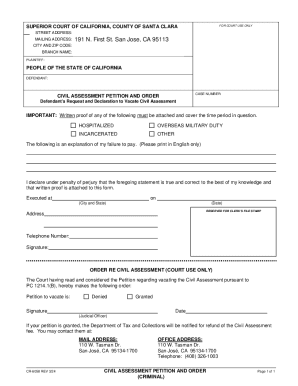
Civil Assessment Petition and Order
The document is a petition form from the Superior Court of California, County of Santa Clara, allowing defendants to req ...

DSS Street Address: Case Number: Worker: Date Notice Sent
The document is a notice from the North Carolina Department of Health and Human Services informing a client that their h ...

EA-109 Notice of Court Hearing (Elder or Dependent Adult Abuse) Judicial Council Form
The document EA-109 is a Notice of Court Hearing related to requests for restraining orders aimed at protecting elders o ...
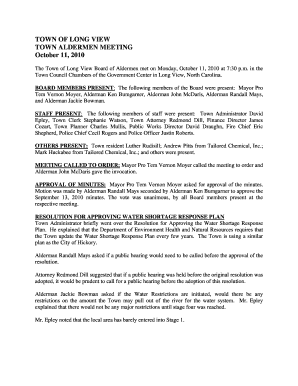
The Town of Long View Board of Aldermen met on Monday, October 11, 2010 at 730 p - ci longview nc
The Town of Long View Board of Aldermen met on Monday, October 11, 2010 at 730 p - ci longview nc
The Town of Long View Board of Aldermen held a meeting on October 11, 2010, where they discussed various departmental re ...