




Here's how it works

01. Edit your employee credit card agreement online
Type text, add images, blackout confidential details, add comments, highlights and more.

02. Sign it in a few clicks
Draw your signature, type it, upload its image, or use your mobile device as a signature pad.

03. Share your form with others
Send dochub com fillable form via email, link, or fax. You can also download it, export it or print it out.
How to use or fill out employee credit card agreement with our platform

- Click ‘Get Form’ to open the employee credit card agreement in the editor.
- Begin by entering your Printed Full Name and Employee ID/Student ID in the designated fields. This information is crucial for identification purposes.
- Next, provide your Daytime Phone number and Department Name. Ensure that these details are accurate to facilitate communication.
- Review the agreement carefully, ensuring you understand the confidentiality obligations regarding credit card information as outlined in the document.
- Sign the form in the Employee Signature field and include the date. This signifies your commitment to uphold the security standards mentioned.
- Have your Supervisor sign and date the form as well, confirming their acknowledgment of your responsibilities.
- Finally, route or fax this completed form to Customer Account Services at Ceres Hall 302 using the provided contact details.
Start using our platform today for free to streamline your document editing and signing process!
Fill out employee credit card agreement online
It's free
It's free
See more employee credit card agreement versions
We've got more versions of the employee credit card agreement form. Select the right employee credit card agreement version from the list and start editing it straight away!
| Versions | Form popularity | Fillable & printable |
|---|---|---|
| 2015 | 4 Satisfied (23 Votes) |
Security and compliance
At DocHub, your data security is our priority. We follow HIPAA, SOC2, GDPR, and other standards, so you can work on your documents with confidence.
Learn more


Related forms

Request form raleigh
The Infill Verification Request Form is designed to assess whether a property complies with the Residential Infill Compa ...
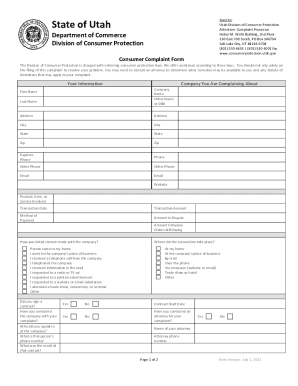
Utah consumer complaint form
The document is a consumer complaint form from the Utah Division of Consumer Protection, which outlines the process for ...

Missouri community bases setting form
The Missouri HCBS Statewide Transition Plan outlines the state's strategy to comply with the federal Home and Community- ...

9p 10 workers
This document is a notice informing workers' compensation claimants that they may be held responsible for medical costs ...
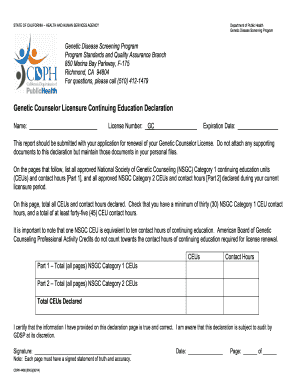
California continuing declaration form
The document outlines the requirements for Genetic Counselor Licensure Continuing Education Declaration in California. I ...

Written application certified
The document is an application form for obtaining an unrestricted certified copy of a birth record in California. It req ...

Soc 838
The document is a request form from the California Department of Social Services for In-Home Supportive Services (IHSS) ...

Eligibility Requirements If you have transitioned through the HOME Choice program after July 2019, y
Eligibility Requirements If you have transitioned through the HOME Choice program after July 2019, y
The document is an application form for the Ohio HOME Choice program, which assists individuals transitioning from long- ...