




Here's how it works

01. Edit your e 595e online
Type text, add images, blackout confidential details, add comments, highlights and more.

02. Sign it in a few clicks
Draw your signature, type it, upload its image, or use your mobile device as a signature pad.

03. Share your form with others
Send e 595e example via email, link, or fax. You can also download it, export it or print it out.
How to use or fill out e 595e 2009 form with our platform

- Click ‘Get Form’ to open the e 595e 2009 form in the editor.
- Begin by checking if you are attaching the Multistate Supplemental form. If not, enter the two-letter postal abbreviation for your state claiming exemption.
- Indicate if this certificate is for a single purchase and provide the related invoice or purchase order number.
- Fill in your name, business address, city, state, zip code, and tax ID number. If you do not have a tax ID, provide your FEIN or driver's license number.
- Select the type of business that best describes your operations by checking the corresponding number.
- Choose the reason for exemption by checking the appropriate letter that identifies your reason.
- Sign and date the form to declare that all information provided is correct and complete.
Start using our platform today to fill out your e 595e 2009 form easily and for free!
Fill out e 595e 2009 form online
It's free
It's free
See more e 595e 2009 form versions
We've got more versions of the e 595e 2009 form form. Select the right e 595e 2009 form version from the list and start editing it straight away!
Security and compliance
At DocHub, your data security is our priority. We follow HIPAA, SOC2, GDPR, and other standards, so you can work on your documents with confidence.
Learn more


Related forms
Court Telephone Numbers and Email Addresses
The document is an application and order form for the payment of attorney fees and costs related to children's counsel i ...
Resolved, That the Senate honors and celebrates the life and accomplishments of
The document is a record from the Congressional Senate dated June 20, 2006, which includes various resolutions, amendmen ...
ThePitandthePendulum doc - oocities
The document explores the themes and mechanics of Edgar Allan Poe's short story 'The Pit and the Pendulum', focusing on ...
Kathy Pucci (excused)
The minutes from the Brooklyn City Council meeting on April 9, 2012, detail discussions on various topics including the ...

Singapore Local National Application Continuation Form (
The document provides instructions for completing the Singapore Local National Application Form for federal jobs. It emp ...
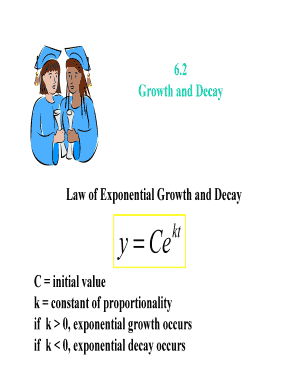
Growth and Decay
The document discusses the concepts of exponential growth and decay, presenting the mathematical model y = Ce^(kt) where ...
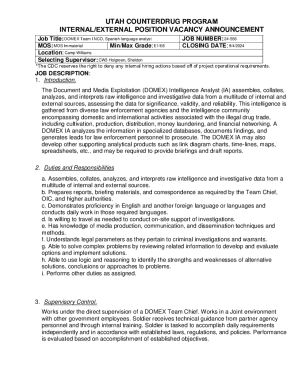
Job Title: DOMEX Team I NCO, Spanish language analyst
The document is a vacancy announcement for the position of DOMEX Team I NCO, Spanish language analyst within the Utah Co ...
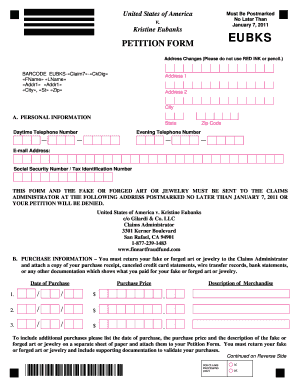
V4 EUBKS Petition Form FINAL 101210 pub