Type text, add images, blackout confidential details, add comments, highlights and more.
02. Sign it in a few clicks
Draw your signature, type it, upload its image, or use your mobile device as a signature pad.
03. Share your form with others
Send it via email, link, or fax. You can also download it, export it or print it out.
How to use or fill out withdrawal form from school with DocHub
Ease of Setup
DocHub User Ratings on G2
Ease of Use
DocHub User Ratings on G2
Click ‘Get Form’ to open the withdrawal form in our editor.
Begin by filling in your personal information in the 'Student Information' section. Clearly print your name, Social Security Number (SSN), address, phone number, and email.
Indicate the withdrawal amount by selecting either 'Entire Account Balance' or specifying a 'Partial Withdrawal' amount. If unsure, consult with your Financial Aid Advisor.
Circle 'Yes' or 'No' regarding whether you have filed the FAFSA. If not, you can file online at www.fafsa.ed.gov.
Provide details about your high school graduation year and the name, city, and state of the last high school attended.
Sign and date the form to certify that you have received a high school diploma and authorize your college to release necessary information.
If applicable, have a college official complete their section by certifying your enrollment and providing their contact information.
Start using our platform today to easily fill out your withdrawal form for free!
Fill out withdrawal form from school online It's free
We've got more versions of the withdrawal form from school form. Select the right withdrawal form from school version from the list and start editing it straight away!
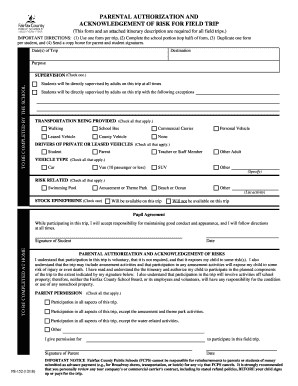
Sample withdrawal form from schoolWithdrawal form from school onlineWithdrawal form from school pdfFree withdrawal form from schoolHow to get a withdrawal form from schoolHow to withdraw student from public schoolTUSD withdrawal formOfficial notice of pupil withdrawal form
Security and compliance
At DocHub, your data security is our priority. We follow HIPAA, SOC2, GDPR, and other standards, so you can work on your documents with confidence.
Cookie consent notice
This site uses cookies to enhance site navigation and personalize your experience.
By using this site you agree to our use of cookies as described in our Privacy Notice.
You can modify your selections by visiting our Cookie and Advertising Notice.