Drainage easement right 2026

Get Form
drainage easement right Preview on Page 1

Here's how it works

01. Edit your form online
Type text, add images, blackout confidential details, add comments, highlights and more.
02. Sign it in a few clicks
Draw your signature, type it, upload its image, or use your mobile device as a signature pad.
03. Share your form with others
Send it via email, link, or fax. You can also download it, export it or print it out.

How to use or fill out drainage easement right with our platform

Form edit decoration
9.5
Ease of Setup
DocHub User Ratings on G2
9.0
Ease of Use
DocHub User Ratings on G2
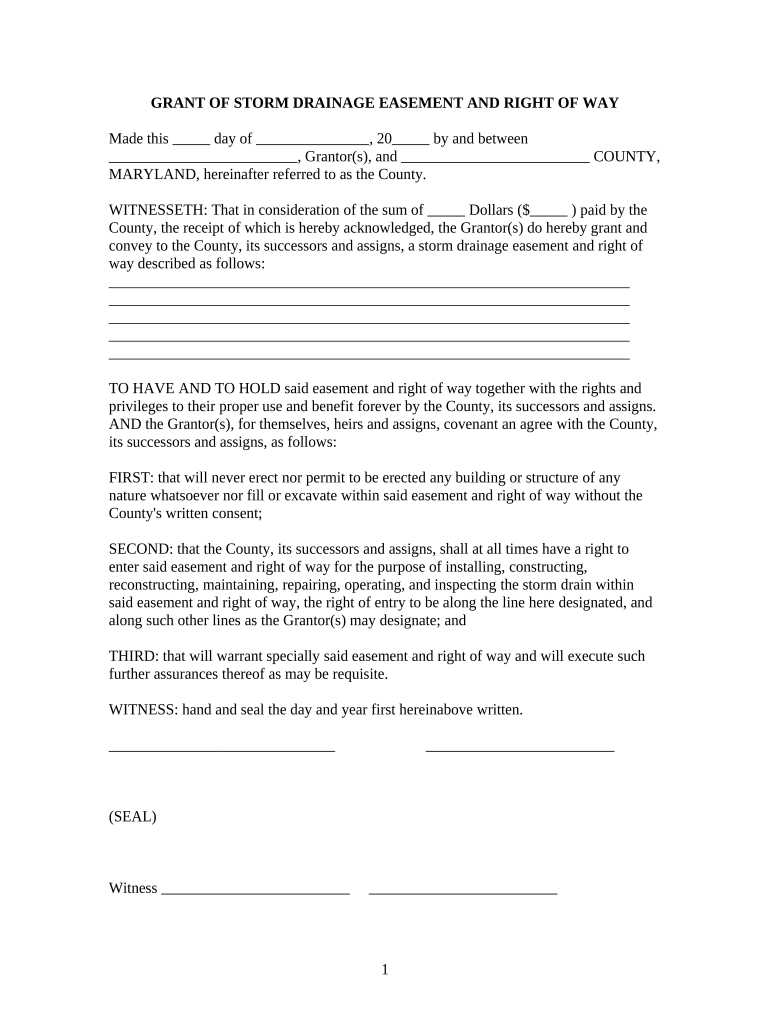
  1. Click ‘Get Form’ to open the drainage easement right document in the editor.
  2. Begin by entering the date at the top of the form. This is essential for establishing the timeline of the agreement.
  3. Fill in your name as Grantor(s) and specify the County's name where indicated. Ensure accuracy to avoid any legal issues.
  4. In the consideration section, input the amount paid by the County. This confirms that a transaction has taken place.
  5. Describe the storm drainage easement and right of way clearly in the designated area. Be specific about its location and dimensions.
  6. Review and agree to the covenants listed, ensuring you understand your obligations regarding construction and maintenance within the easement.
  7. Sign and date at the bottom of the form, ensuring you have witnesses present if required by your jurisdiction.
  8. Finally, if necessary, complete any notary requirements to validate your document before submission.

Start using our platform today for free to streamline your document editing and signing process!

be ready to get more

Complete this form in 5 minutes or less

Get form

Got questions?

We have answers to the most popular questions from our customers. If you can't find an answer to your question, please contact us.
Contact us

Signing documents on a mobile device is quick, simple, and doesn’t require software installation when you have an account with DocHub. Sign in from any browser, complete your empty fields with your data, and click on Sign → Create your signature. You can draw your eSignature the same way you usually do on paper, add its picture to your drainage easement right, or type in your name and stylize its look. No matter what option you choose, your documentation will be valid.

You may get and edit your drainage easement right online with the help of DocHub. Its simple yet feature-rich design enables you to start effective work right after you sign up your account. Create your profile and add your document, then our user interface will guide you via our stress-free form completion experience.

Security and compliance

At DocHub, your data security is our priority. We follow HIPAA, SOC2, GDPR, and other standards, so you can work on your documents with confidence.

Learn more
ccpa2
pci-dss
gdpr-compliance
hipaa
soc-compliance
be ready to get more

Complete this form in 5 minutes or less

Get form