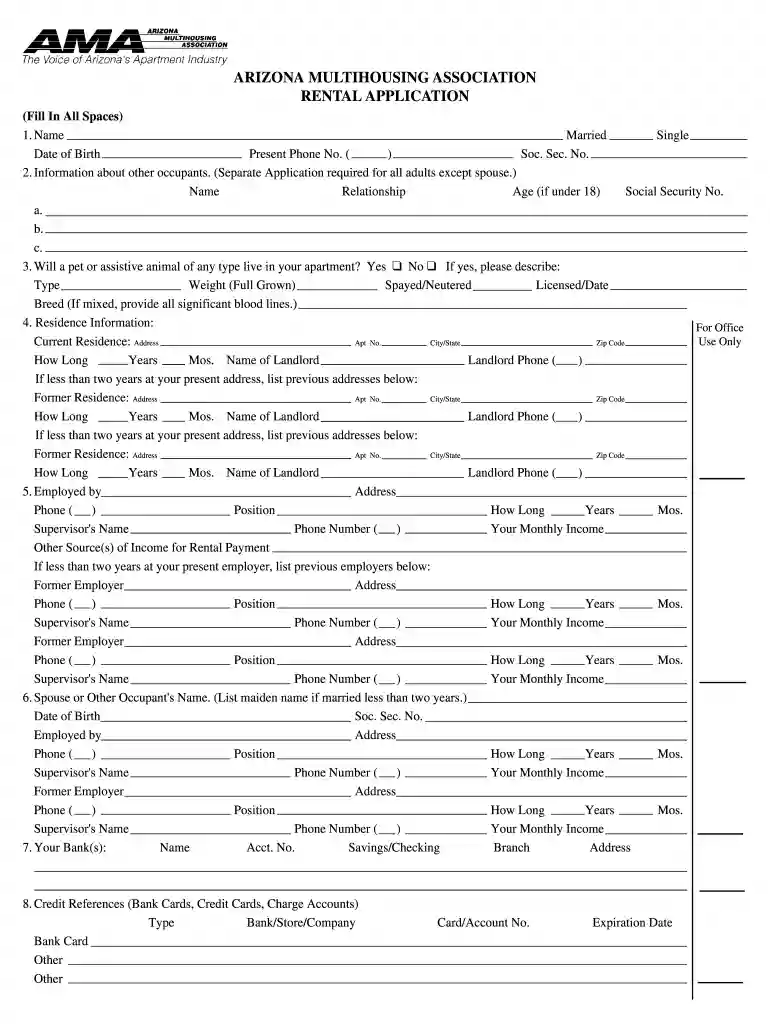
Arizona multihousing association rental application 2025

Get Form
ama multihousing Preview on Page 1

Here's how it works

01. Edit your ama multihousing online
Type text, add images, blackout confidential details, add comments, highlights and more.

02. Sign it in a few clicks
Draw your signature, type it, upload its image, or use your mobile device as a signature pad.

03. Share your form with others
Send arizona multifamily association via email, link, or fax. You can also download it, export it or print it out.

How to use or fill out Arizona Multihousing Association Rental Application

Form edit decoration
9.5
Ease of Setup
DocHub User Ratings on G2
9.0
Ease of Use
DocHub User Ratings on G2
  1. Click ‘Get Form’ to open the Arizona Multihousing Association Rental Application in our editor.
  2. Begin by filling in your personal information, including your name, marital status, date of birth, and contact details. Ensure all fields are completed accurately.
  3. Provide details about other occupants if applicable. Remember that a separate application is required for all adults except your spouse.
  4. Indicate whether you have a pet or assistive animal. If yes, describe the type, weight, and breed.
  5. Complete the residence information section with your current address and previous addresses if you've lived there for less than two years.
  6. Fill out employment details, including your employer's name, position, and income. List any previous employers as needed.
  7. Provide banking information and credit references to support your application.
  8. Review all sections carefully before submitting to ensure accuracy and completeness.

Start using our platform today to fill out your rental application quickly and efficiently!

be ready to get more

Complete this form in 5 minutes or less

Get form

Got questions?

We have answers to the most popular questions from our customers. If you can't find an answer to your question, please contact us.
Contact us

As outlined by eSignature regulations, forms approved electronically have the same validity as those approved with pen and paper. You can electronically sign almost any business and personal documentation. Four types of paperwork still demand handwritten signatures only - wills and testamentary trusts, court orders and other court papers, state statutes governing divorce, adoption, or other family law, and notice of cancellation of utility services. If you follow the regulations and utilize a secure and compliant software solution, like DocHub, you can eSign your national apartment association forms without printing it.

If your go-to email service is Gmail, it is simple to incorporate your DocHub editor in your work. Edit your arizona multihousing association rental application with DocHub instruments and attach it to your drafts in Gmail. See how straightforward it can be to exchange files and work together having a swift PDF editing solution at hand.

Landlords are prohibited from harassing or retaliating against tenants who exercise their rights. In Arizona, the landlord cannot terminate a lease, refuse to renew a lease, or raise the rent on a tenant who has: Exercised a legal right.
Founded over 50 years ago, the Arizona Multihousing Association is the statewide trade association for the apartment industry, representing more than 2,000 members in legislative, legal and regulatory matters.