Oklahoma copy 2026

Get Form
oklahoma copy Preview on Page 1

Here's how it works

01. Edit your form online
Type text, add images, blackout confidential details, add comments, highlights and more.
02. Sign it in a few clicks
Draw your signature, type it, upload its image, or use your mobile device as a signature pad.
03. Share your form with others
Send it via email, link, or fax. You can also download it, export it or print it out.

How to use or fill out oklahoma copy with our platform

Form edit decoration
9.5
Ease of Setup
DocHub User Ratings on G2
9.0
Ease of Use
DocHub User Ratings on G2
  1. Click ‘Get Form’ to open the oklahoma copy in the editor.
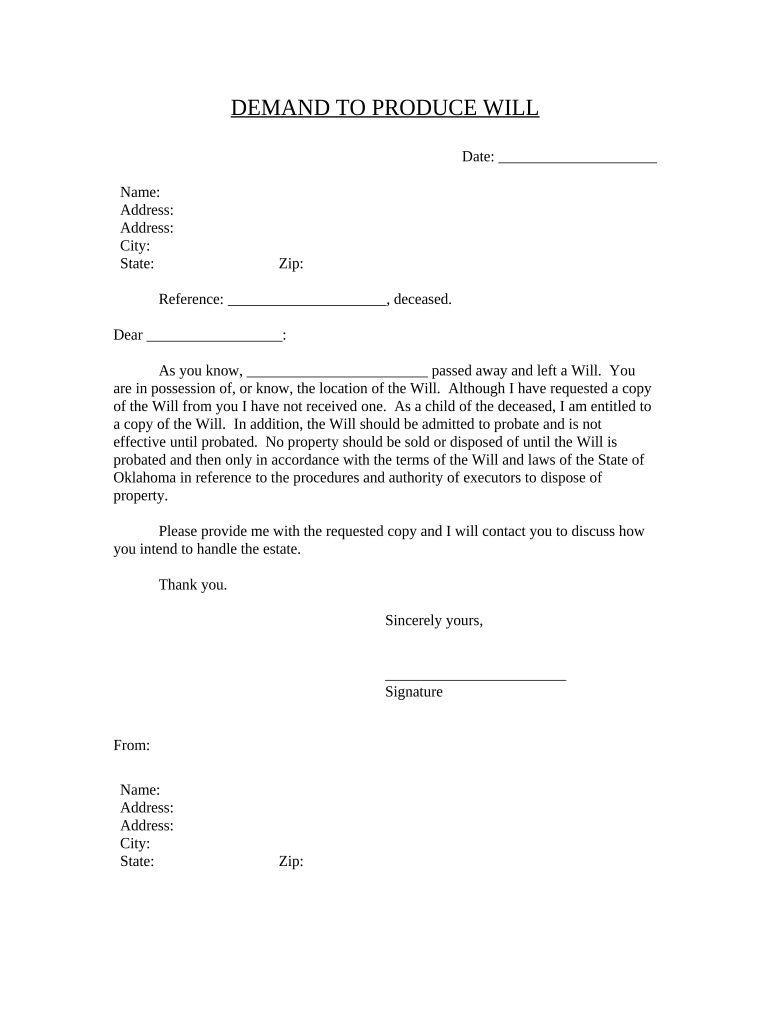
  2. Begin by entering the date in the designated field at the top of the form. This is important for record-keeping purposes.
  3. Fill in your name and address details accurately. Ensure that you provide both your primary and secondary addresses if applicable.
  4. In the 'Reference' section, input the name of the deceased individual whose Will you are requesting. This helps clarify which document you are referring to.
  5. Address the letter by filling in the recipient's name, ensuring it is directed to the person who holds or knows about the Will's location.
  6. Conclude by signing your name at the bottom of the form, along with your contact information to facilitate further communication regarding the estate.

Start using our platform today for free to streamline your document editing and signing process!

be ready to get more

Complete this form in 5 minutes or less

Get form

Got questions?

We have answers to the most popular questions from our customers. If you can't find an answer to your question, please contact us.
Contact us
ONLINE/PHONE ORDERS VitalChek Online. Birth and Death Certificates issued to eligible birth and death applicants. VitalChek Phone Orders. You can process phone requests for birth and death records through our partner VitalChek at 405-426-8880.
If you visit the link you can receive a copy of your registration.
of $15 includes the issuance of one certified copy if the record is found; additional copies are $15 each. If no record is found, the fee will not be refunded. Should you receive a request for more information, please respond promptly as all fees will expire one year after the date paid.

Security and compliance

At DocHub, your data security is our priority. We follow HIPAA, SOC2, GDPR, and other standards, so you can work on your documents with confidence.

Learn more
ccpa2
pci-dss
gdpr-compliance
hipaa
soc-compliance