




Here's how it works

01. Edit your ohio inheritance tax waiver form online
Type text, add images, blackout confidential details, add comments, highlights and more.

02. Sign it in a few clicks
Draw your signature, type it, upload its image, or use your mobile device as a signature pad.

03. Share your form with others
Send certificate of service ohio via email, link, or fax. You can also download it, export it or print it out.
How to use or fill out ohio estates with our platform

- Click ‘Get Form’ to open the ohio estates document in the editor.
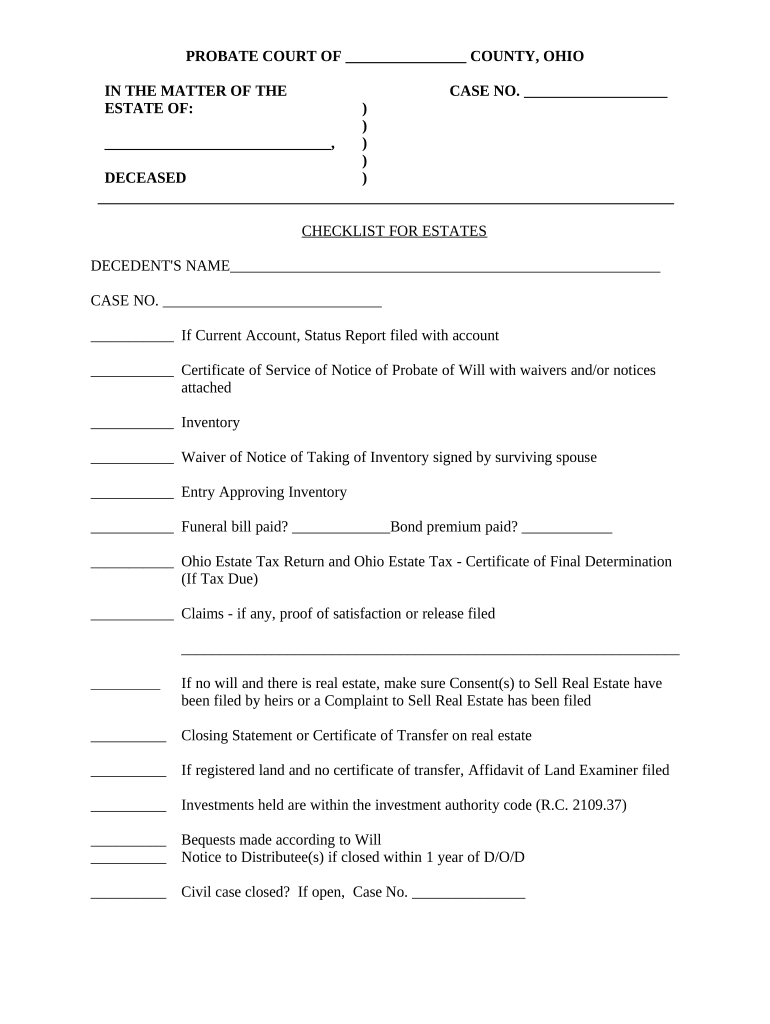
- Begin by entering the decedent's name and case number at the top of the form. This information is crucial for identifying the estate.
- Proceed to check off items on the checklist, starting with whether a current account status report has been filed. Ensure all necessary documents are attached as indicated.
- Fill out sections regarding inventory and waivers. If applicable, include signatures from the surviving spouse for any waivers of notice.
- Complete financial obligations such as funeral bills and bond premiums, ensuring that all claims are satisfied or released as required.
- If there is real estate involved, confirm that consent forms have been filed by heirs or a complaint to sell real estate has been submitted.
- Finalize by reviewing all entries for accuracy before saving your completed form. Utilize our platform’s features to easily share or print your document.
Start using our platform today to streamline your ohio estates documentation process for free!
Fill out ohio estates online
It's free
It's free
Security and compliance
At DocHub, your data security is our priority. We follow HIPAA, SOC2, GDPR, and other standards, so you can work on your documents with confidence.
Learn more


