Ohio southern district bankruptcy 2026

Get Form
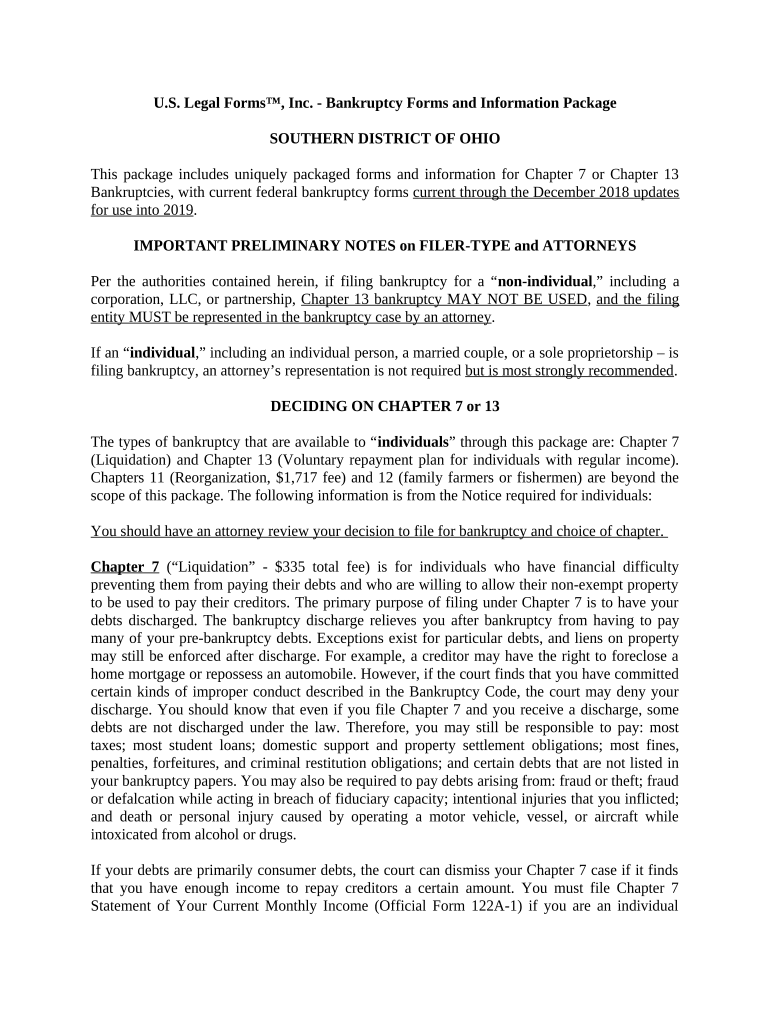
ohio bankruptcy Preview on Page 1

Here's how it works

01. Edit your ohio bankruptcy online
Type text, add images, blackout confidential details, add comments, highlights and more.
02. Sign it in a few clicks
Draw your signature, type it, upload its image, or use your mobile device as a signature pad.
03. Share your form with others
Send it via email, link, or fax. You can also download it, export it or print it out.

How to use or fill out Ohio Southern District Bankruptcy with our platform

Form edit decoration
9.5
Ease of Setup
DocHub User Ratings on G2
9.0
Ease of Use
DocHub User Ratings on G2
  1. Click ‘Get Form’ to open the Ohio Southern District Bankruptcy form in the editor.
  2. Begin by selecting the appropriate chapter for your bankruptcy: Chapter 7 for liquidation or Chapter 13 for a repayment plan. Ensure you understand the implications of each option.
  3. Fill out your personal information in the designated fields, including your name, address, and contact details. Accuracy is crucial here.
  4. For Chapter 7, complete the 'Statement of Your Current Monthly Income' (Official Form 122A-1) to determine if you meet income requirements. If necessary, proceed to fill out the 'Means Test Calculation' (Official Form 122A-2).
  5. If filing under Chapter 13, draft your repayment plan detailing how you intend to pay off your debts over time. Include all required financial information.
  6. Review all entries carefully before submitting. Use our platform’s editing tools to make any necessary adjustments easily.

Start using our platform today to streamline your bankruptcy form completion process for free!

be ready to get more

Complete this form in 5 minutes or less

Get form

Got questions?

We have answers to the most popular questions from our customers. If you can't find an answer to your question, please contact us.
Contact us
Multi-court Voice Case Information System (McVCIS) McVCIS provides public access to bankruptcy case information over the telephone by calling (866) 222-8029. Say Ohio to identify the desired state.
Records kept by the Ohio Court of Claims are available for inspection and copying. Heres how to request public records: Be clear when identifying the requested records. If the request is not clear, we will contact you for clarification.
Bankruptcy court records may also be accessed via the Multi-court Voice Case Information System (McVCIS). The McVIS facilitates the retrieval of case information over the phone without charge by calling the number - (866) 222-8029.
Details of every bankruptcy are recorded on the Individual Insolvency Register. This is a database that can be viewed by the public.
Pension and Retirement Exemptions These retirement accounts include 401(K)s, 403(b)s, profit-sharing and money purchase plans, SEP and SIMPLE IRAs, and traditional and Roth IRAs to $1,711,975 per person for cases filed between April 1, 2025, and March 31, 2028.

Security and compliance

At DocHub, your data security is our priority. We follow HIPAA, SOC2, GDPR, and other standards, so you can work on your documents with confidence.

Learn more
ccpa2
pci-dss
gdpr-compliance
hipaa
soc-compliance

People also ask

Bankruptcy is considered a public record in Ohio. However, to access someones bankruptcy case, there are steps that need to be taken within your courthouse to find it out. But this fear should not stop you from filing bankruptcy as discrimination for filing for bankruptcy is illegal in Ohio.
The United States District Court for the Southern District of Ohio is one of 94 United States district courts. When decisions of the court are appealed, they are appealed to the United States Court of Appeals for the Sixth Circuit based in downtown Cincinnati at the Potter A. Stewart Federal Courthouse and Building.

Related links