Type text, add images, blackout confidential details, add comments, highlights and more.
02. Sign it in a few clicks
Draw your signature, type it, upload its image, or use your mobile device as a signature pad.
03. Share your form with others
Send it via email, link, or fax. You can also download it, export it or print it out.
How to use or fill out New York Form NY with our platform
Ease of Setup
DocHub User Ratings on G2
Ease of Use
DocHub User Ratings on G2
Click ‘Get Form’ to open it in the editor.
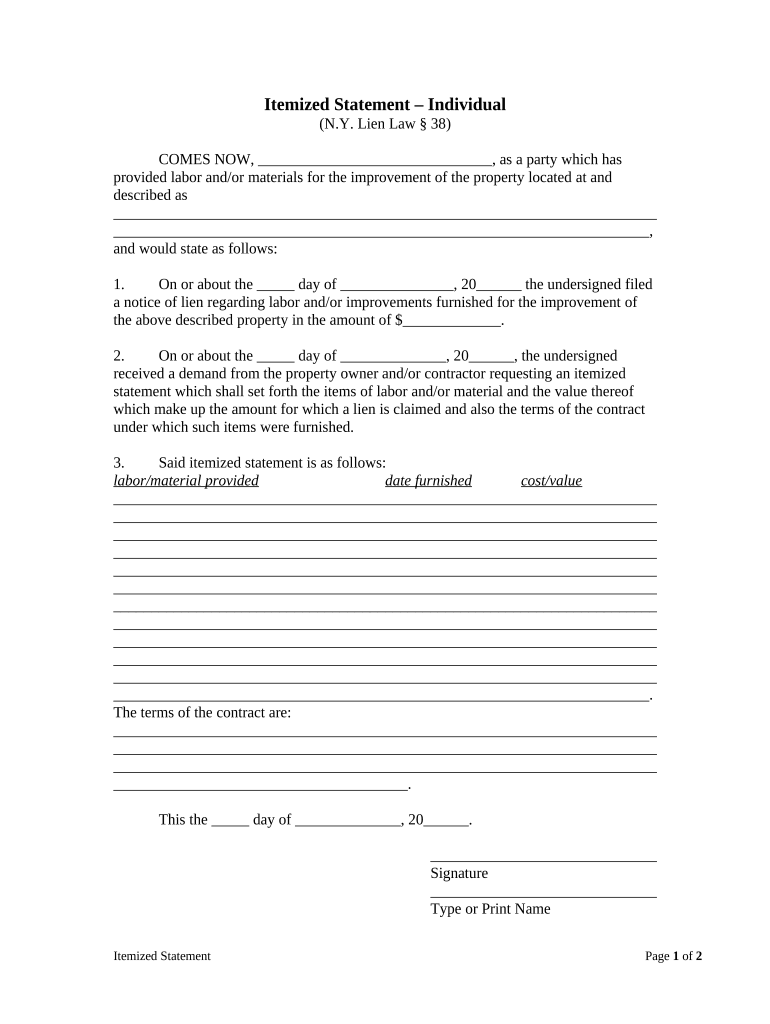
Begin by entering your name in the first blank space, identifying yourself as the party providing labor and/or materials.
In the next section, provide the property address where the improvements were made. Ensure all details are accurate for clarity.
Fill in the date you filed a notice of lien and specify the amount claimed for labor and/or improvements.
Respond to any demands from the property owner or contractor by detailing each item of labor/material provided, including dates and costs in the designated fields.
Outline the terms of your contract clearly in the provided space to ensure all parties understand their obligations.
Finally, sign and date the form at the bottom, ensuring your name is printed clearly beneath your signature.
Start using our platform today to complete your New York Form NY easily and for free!
NYS tax Form IT-201NYS tax Form IT-2104Ny state tax form pdfNys tax form it 201 instructionsNYS tax Form IT-201 PDFNY State tax Form 2026Printable nys tax formsNys tax form for employees
Security and compliance
At DocHub, your data security is our priority. We follow HIPAA, SOC2, GDPR, and other standards, so you can work on your documents with confidence.
Cookie consent notice
This site uses cookies to enhance site navigation and personalize your experience.
By using this site you agree to our use of cookies as described in our Privacy Notice.
You can modify your selections by visiting our Cookie and Advertising Notice.