Type text, add images, blackout confidential details, add comments, highlights and more.
02. Sign it in a few clicks
Draw your signature, type it, upload its image, or use your mobile device as a signature pad.
03. Share your form with others
Send it via email, link, or fax. You can also download it, export it or print it out.
How to use or fill out ny permanent with our platform
Ease of Setup
DocHub User Ratings on G2
Ease of Use
DocHub User Ratings on G2
Click ‘Get Form’ to open it in the editor.
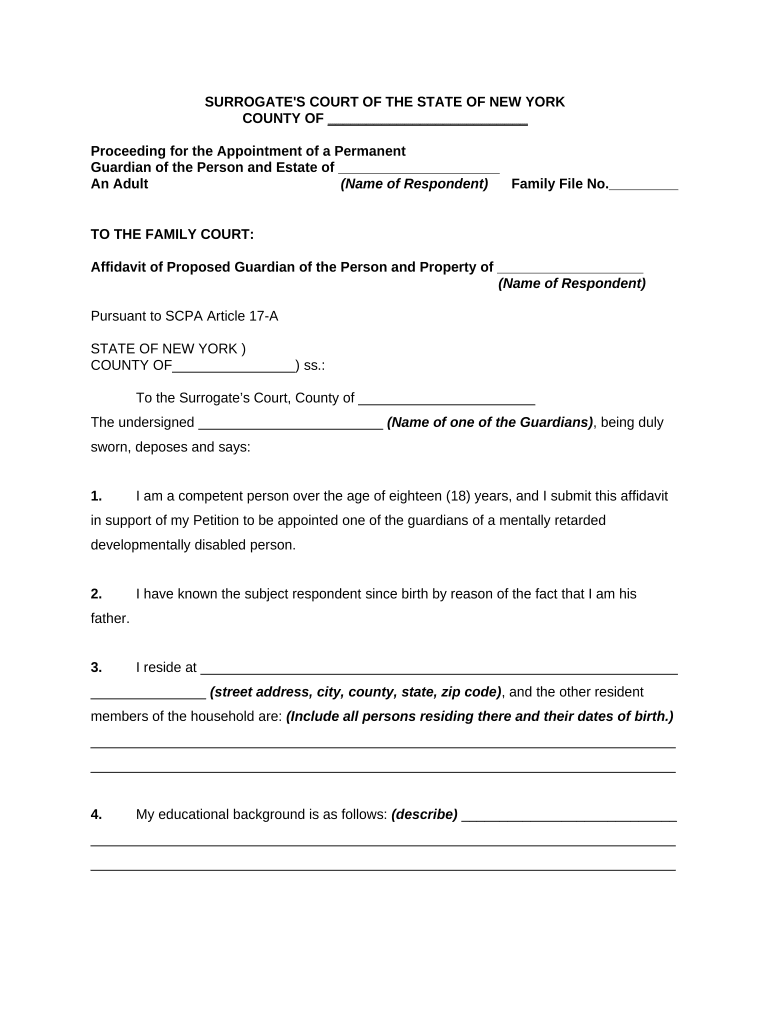
Begin by entering the name of the respondent in the designated field. This is crucial as it identifies the individual for whom guardianship is being sought.
Fill in your personal information, including your name and address. Ensure that all details are accurate to avoid any delays in processing.
Provide a brief description of your educational background. This helps establish your qualifications as a proposed guardian.
Answer questions regarding any past criminal convictions or charges. Transparency is key here; ensure you provide truthful responses.
State your willingness and ability to care for the respondent, emphasizing your commitment to their well-being.
Finally, articulate why you believe your appointment as guardian would be in the best interests of the respondent. This section allows you to express your motivations clearly.
Start filling out your ny permanent form today for free on our platform!
Apr 7, 2026 This bulletin explains what is meant by the term permanent place of abode and what it means to maintain a permanent place of abode.Read more
New York City Under Permanent Personal Registration
New York adopted permanent registration in 1954. Laws of N.Y.. 1954, c. 531-32. 34 See Schenectady Bureau of Municipal Research, supra note 33. 35 Ibid. 36 N.Y.Read more
Cookie consent notice
This site uses cookies to enhance site navigation and personalize your experience.
By using this site you agree to our use of cookies as described in our Privacy Notice.
You can modify your selections by visiting our Cookie and Advertising Notice.