Type text, add images, blackout confidential details, add comments, highlights and more.
02. Sign it in a few clicks
Draw your signature, type it, upload its image, or use your mobile device as a signature pad.
03. Share your form with others
Send it via email, link, or fax. You can also download it, export it or print it out.
How to use or fill out cash receipt with our platform
Ease of Setup
DocHub User Ratings on G2
Ease of Use
DocHub User Ratings on G2
Click ‘Get Form’ to open the cash receipt in the editor.
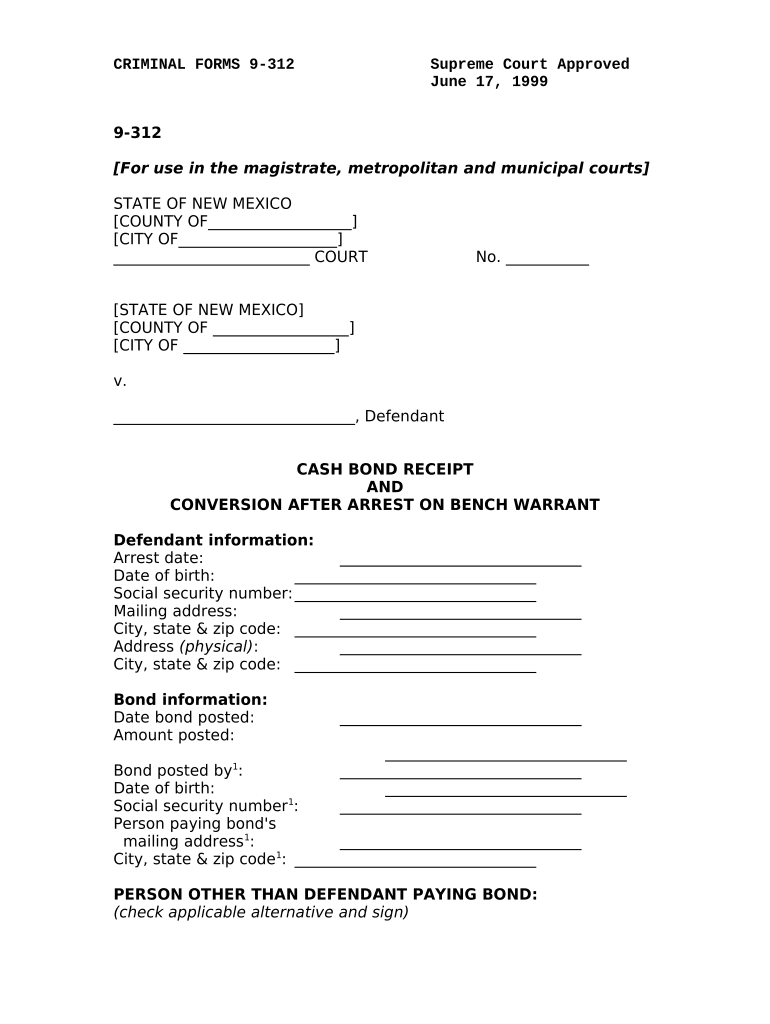
Begin by entering the defendant's information, including their name, arrest date, date of birth, and social security number. Ensure accuracy for legal purposes.
Fill in the mailing address and physical address of the defendant. This is crucial for any future correspondence from the court.
Next, provide bond information such as the date bond was posted and the amount. This section is vital for tracking financial transactions related to the case.
If someone other than the defendant is paying the bond, complete their details including name, date of birth, social security number, and mailing address.
Check the applicable box regarding agreement on how bond money may be used and ensure that all parties sign where indicated.
Finally, have a court employee sign off on receiving payment to complete the process.
Start using our platform today to streamline your cash receipt process for free!
A Cash Receipt Form (Form FRMS-7) is used for deposits to the State Treasury and will be completed in triplicate. The department submits all three copies ofRead more
Jul 12, 2019 The receipt of checks or cash will be recorded in the accounting system. All other checks or cash will be immediately forwarded to theRead more
Cookie consent notice
This site uses cookies to enhance site navigation and personalize your experience.
By using this site you agree to our use of cookies as described in our Privacy Notice.
You can modify your selections by visiting our Cookie and Advertising Notice.