Type text, add images, blackout confidential details, add comments, highlights and more.
02. Sign it in a few clicks
Draw your signature, type it, upload its image, or use your mobile device as a signature pad.
03. Share your form with others
Send correction deed via email, link, or fax. You can also download it, export it or print it out.
How to use or fill out correction deed colorado with our platform
Ease of Setup
DocHub User Ratings on G2
Ease of Use
DocHub User Ratings on G2
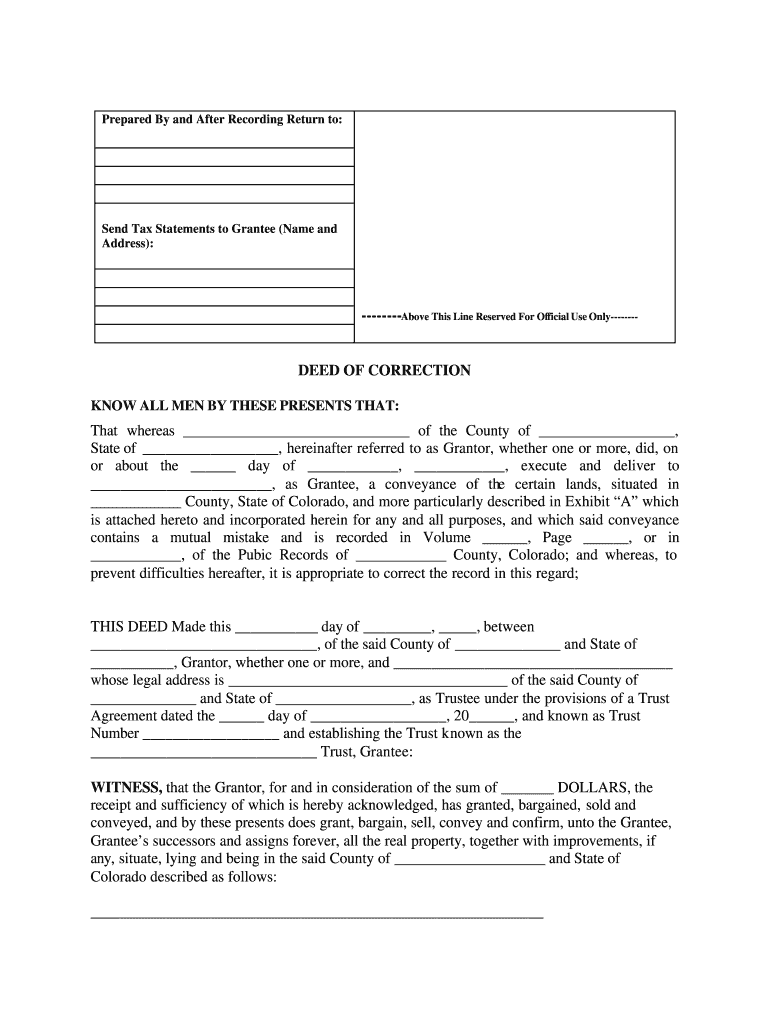
Click ‘Get Form’ to open the correction deed in the editor.
Begin by filling in the Grantor's name and county in the designated fields. Ensure accuracy as this identifies the party making the correction.
Next, enter the Grantee's name and address. This is crucial for identifying who will receive the corrected deed.
In the section regarding the original conveyance, specify the date of execution and details of the property being corrected, including its description as per Exhibit 'A'.
Indicate any consideration amount in dollars that was acknowledged during this transaction.
Complete all necessary notary sections at the end of the document to ensure legal validity. This includes signing and dating where indicated.
Start using our platform today to easily complete your correction deed for free!
Fill out correction deed colorado online It's free
Terminology Common to Estate and Business Succession
Aug 2, 2024 Correction deed - A document used to correct an error in a previously recorded deed. 2. Deed restrictions - Provisions placed in deeds toRead more
By addressing the project risks at appropriate time during the remedy implementation, the progress toward meeting remediation goals moves forward. A well-Read more
Cookie consent notice
This site uses cookies to enhance site navigation and personalize your experience.
By using this site you agree to our use of cookies as described in our Privacy Notice.
You can modify your selections by visiting our Cookie and Advertising Notice.