




Here's how it works

01. Edit your printable medication reconciliation form template online
Type text, add images, blackout confidential details, add comments, highlights and more.

02. Sign it in a few clicks
Draw your signature, type it, upload its image, or use your mobile device as a signature pad.

03. Share your form with others
Send medication reconciliation form via email, link, or fax. You can also download it, export it or print it out.
How to use or fill out medication erber with our platform

- Click ‘Get Form’ to open the medication reconciliation form in the editor.
- Begin by entering the patient's name and date of birth (DOB) at the top of the form. This information is crucial for accurate identification.
- In the 'Drug Allergies/Describe Reaction' section, list any known allergies along with a brief description of reactions experienced. This ensures safety during treatment.
- Next, fill out the section listing all medications prior to admission, including over-the-counter and herbal medications. For each entry, provide the name of the medication, dosage, route/frequency, date stopped, reason for stopping, and MD name.
- If there are new medications added, document them in the designated area with their respective details including date and dosage.
- Indicate the source of the medication list by checking one or more options provided in that section.
- Finally, ensure all sections are reviewed and signed off by appropriate personnel with dates noted for accountability.
Start using our platform today to streamline your medication reconciliation process for free!
Fill out medication erber online
It's free
See more medication erber versions
We've got more versions of the medication erber form. Select the right medication erber version from the list and start editing it straight away!
| Versions | Form popularity | Fillable & printable |
|---|---|---|
| 2008 | 4.8 Satisfied (25 Votes) |
Security and compliance
At DocHub, your data security is our priority. We follow HIPAA, SOC2, GDPR, and other standards, so you can work on your documents with confidence.
Learn more


Related forms

2015 ACC Health Policy Statement on Cardiovascular Team
The document is a comprehensive manual for the Children's Special Health Care Services (CSHCS) program, detailing its mi ...

New Jersey Department of Health Office of Certificate of Need
The document provides comprehensive guidelines and requirements for starting and operating a licensed child care center ...

Hvac delaware ohio
The document is an Annual Contractor Registration Application for various construction-related services in the City of D ...

New Jersey Health Officer
The document is a checklist for applicants seeking to take the New Jersey Health Officer examination. It outlines the ne ...
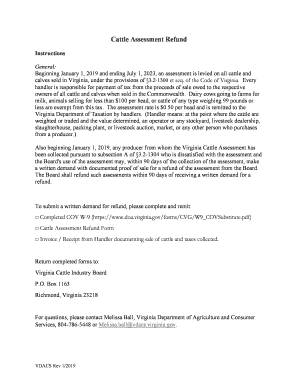
Cattle Assessment Refund Form Draft
The document outlines the Virginia Cattle Assessment Refund process, which applies to cattle and calves sold in Virginia ...

Cdph8679
The document is an application form for obtaining a Home Medical Device Retailer License from the California Department ...
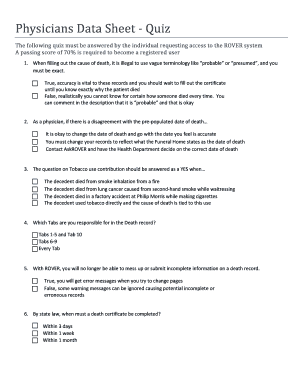
Physicians Data Sheet - Quiz
The document is a Physicians Data Sheet quiz designed for individuals requesting access to the ROVER system, requiring a ...

ARKANSAS DEPARTMENT OF HEALTH TRAUMA AWIN RADIO APPLICATION
The document is an application form for the Arkansas Department of Health regarding the installation or repair of radios ...