Landlord Tenant Closing Statement to Reconcile Security Deposit - North Dakota 2026

Get Form
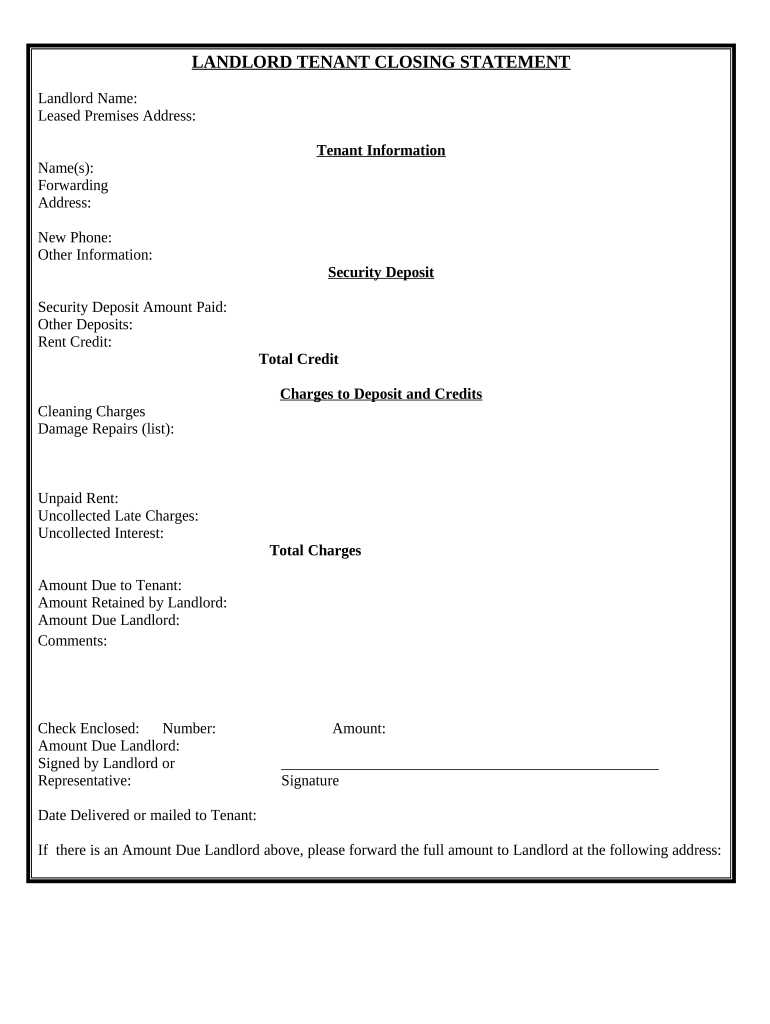
Landlord Tenant Closing Statement to Reconcile Security Deposit - North Dakota Preview on Page 1

Here's how it works

01. Edit your form online
Type text, add images, blackout confidential details, add comments, highlights and more.
02. Sign it in a few clicks
Draw your signature, type it, upload its image, or use your mobile device as a signature pad.
03. Share your form with others
Send it via email, link, or fax. You can also download it, export it or print it out.

How to use or fill out Landlord Tenant Closing Statement to Reconcile Security Deposit - North Dakota with our platform

Form edit decoration
9.5
Ease of Setup
DocHub User Ratings on G2
9.0
Ease of Use
DocHub User Ratings on G2
  1. Click ‘Get Form’ to open the Landlord Tenant Closing Statement in the editor.
  2. Begin by entering the Landlord's name and the leased premises address at the top of the form. This establishes who is responsible for the security deposit.
  3. Fill in the tenant information, including names, forwarding address, and new phone number. This ensures that all parties are correctly identified.
  4. In the Security Deposit section, input the amount paid, any other deposits made, and any rent credits applicable. This will help calculate total credits.
  5. List any charges against the deposit under 'Charges to Deposit and Credits', including cleaning charges and damage repairs. Be specific to avoid disputes.
  6. Calculate total charges such as unpaid rent and uncollected late charges. Ensure accuracy for a fair reconciliation.
  7. Finally, indicate amounts due to both tenant and landlord, add comments if necessary, and ensure signatures are completed before sending it off.

Start using our platform today for free to streamline your document editing and signing process!

be ready to get more

Complete this form in 5 minutes or less

Get form

Got questions?

We have answers to the most popular questions from our customers. If you can't find an answer to your question, please contact us.
Contact us
Key Takeaways. The accounting entry for the security deposit receipt includes a debit to Cash and credit to Security Deposit (liability) in lessors books. On the other hand, the entry for the security deposit payment consists of a debit to Security Deposit (asset) and a credit to Cash in lessees books.
The person paying the security deposit would credit the asset account Cash and would debit the asset account Security Deposits. The person receiving the security deposit would debit the asset account Cash and would credit the liability account Security Deposits Returnable.
In a real estate closing statement, security deposits are typically listed as a credit to the Buyer. This is because the security deposit functions as a form of assurance that the buyer will meet their obligations, such as making timely rental payments or maintaining the property.
Some FAQs on Security Deposit Accounting Security deposits are typically listed under current assets if theyre expected to be returned within a year. If they will be held for more than a year, they might be listed under long-term assets.
The security deposit and an itemized list of deductions must be returned to you within 30 days of moving out. The landlord can deduct for damages to the property or unpaid rent but not for normal wear and tear.

Security and compliance

At DocHub, your data security is our priority. We follow HIPAA, SOC2, GDPR, and other standards, so you can work on your documents with confidence.

Learn more
ccpa2
pci-dss
gdpr-compliance
hipaa
soc-compliance

People also ask

Its essential to know what cannot be deducted from a tenants security deposit. Prohibited deductions include: Normal Wear and Tear: Deductions for minor wear and tear, such as small scuffs on walls or loose doorknobs, are not permitted.
Security deposits should be listed on a closing statement as a credit to the Buyer. This represents the buyer receiving the funds back as they fulfill their contractual obligations.

Related links