




Here's how it works

01. Edit your 941r online
Type text, add images, blackout confidential details, add comments, highlights and more.

02. Sign it in a few clicks
Draw your signature, type it, upload its image, or use your mobile device as a signature pad.

03. Share your form with others
Send it via email, link, or fax. You can also download it, export it or print it out.
How to use or fill out tc 941r 2009 form with our platform

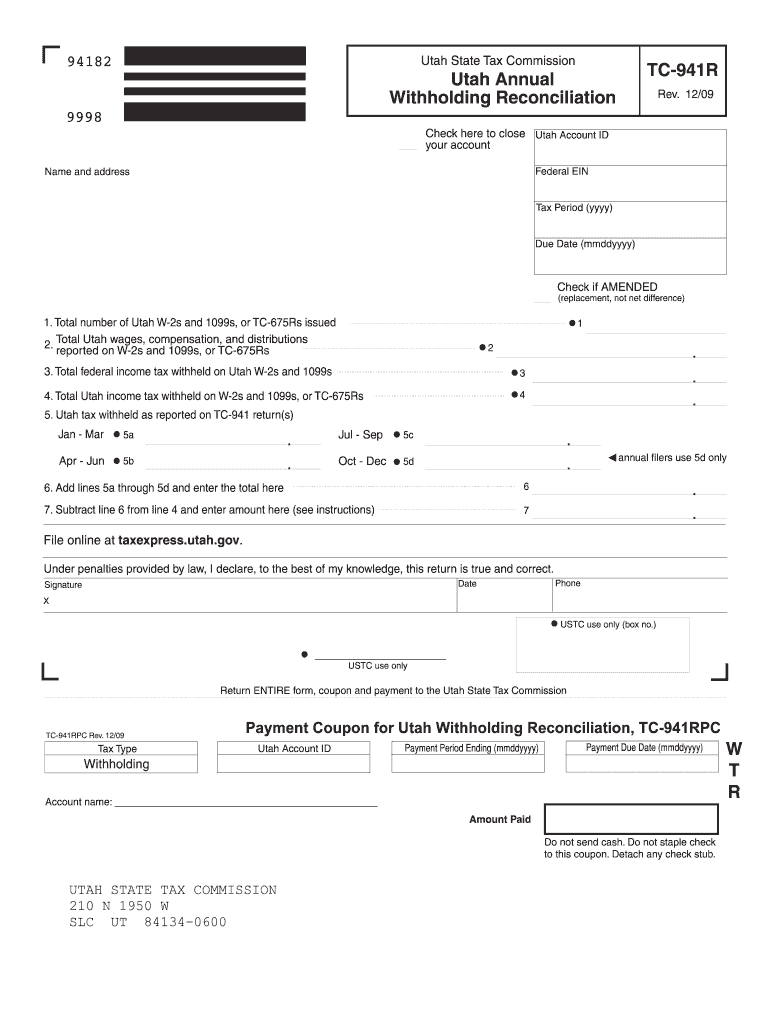
- Click ‘Get Form’ to open the TC-941R in the editor.
- Begin by entering your Federal EIN, name, and address at the top of the form. Ensure that all information is accurate for proper processing.
- Indicate the tax period and due date. If this is an amended return, check the appropriate box.
- Fill in Line 1 with the total number of Utah W-2s and 1099s issued. This is crucial for reconciling your withholding tax.
- On Line 2, report the total Utah wages and compensation from those forms. This figure should reflect all payments made during the year.
- Complete Lines 3 and 4 by entering federal income tax withheld and Utah income tax withheld respectively, ensuring these figures match your records.
- For Lines 5a through 5d, input amounts from each quarterly return submitted throughout the year. Add these totals on Line 6.
- Finally, subtract Line 6 from Line 4 on Line 7 to determine any discrepancies. If not zero, further action may be required as per instructions.
Start using our platform today to easily complete your TC-941R form online for free!
Fill out tc 941r 2009 form online
It's free
See more tc 941r 2009 form versions
We've got more versions of the tc 941r 2009 form form. Select the right tc 941r 2009 form version from the list and start editing it straight away!
Security and compliance
At DocHub, your data security is our priority. We follow HIPAA, SOC2, GDPR, and other standards, so you can work on your documents with confidence.
Learn more


Related forms
NHDES R-WD-08-1P
The 2007 Hooksett Tributaries Water Quality Report, prepared by the New Hampshire Volunteer River Assessment Program (VR ...

Matter of Fludd v New York State Dept of Correctional Servs
The document is a memorandum and judgment from the New York State Supreme Court, Appellate Division, regarding the case ...

$SUBSTITUTE FORM W-9 AGCY SUBMI - Office of the New York
The document is a form for adding or changing a vendor's address in the New York State Vendor File. It includes sections ...

, Peters, Mugglin, Rose and Kane, JJ - decisions courts state ny
The document is a memorandum and order from the New York State Supreme Court, Appellate Division, regarding an appeal by ...
District Attorney NY County v Premier Med Care, PC - Unified Court - courts state ny
The document is a court opinion from the Supreme Court of New York regarding a civil forfeiture action initiated by the ...
FAST TRACK STRUCTURES, INC - decisions courts state ny
The document is a memorandum and order from the New York Supreme Court, Appellate Division, regarding the appeal of Domi ...
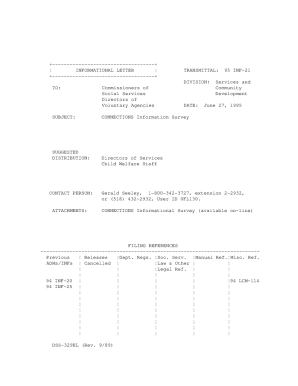
95-INF-21 CONNECTIONS Information Survey The New York State Department of Social Services continues
95-INF-21 CONNECTIONS Information Survey The New York State Department of Social Services continues
The document is an informational letter from the New York State Department of Social Services regarding the development ...
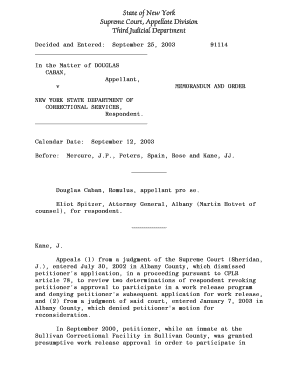
In the Matter of DOUGLAS - decisions courts state ny
The document is a memorandum and order from the New York State Supreme Court, Appellate Division, regarding the appeal o ...