Type text, add images, blackout confidential details, add comments, highlights and more.
02. Sign it in a few clicks
Draw your signature, type it, upload its image, or use your mobile device as a signature pad.
03. Share your form with others
Send it via email, link, or fax. You can also download it, export it or print it out.
How to use or fill out 2006 Alabama Form with DocHub
Ease of Setup
DocHub User Ratings on G2
Ease of Use
DocHub User Ratings on G2
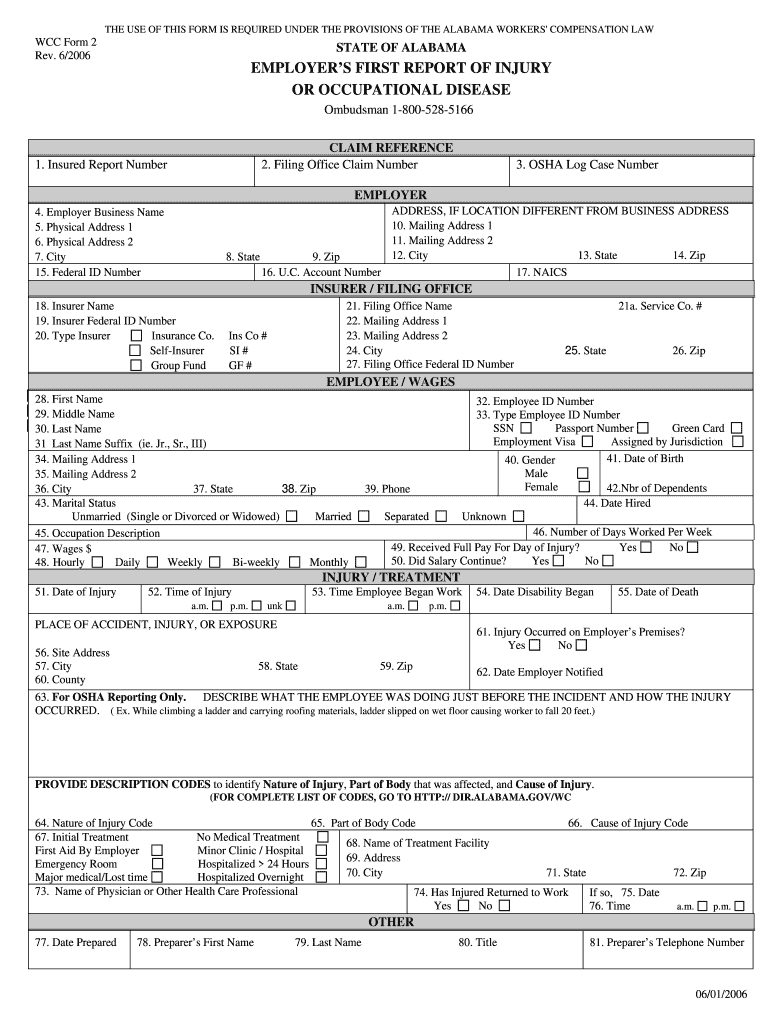
Click ‘Get Form’ to open the 2006 Alabama form in our editor.
Begin by entering the Employer’s information. Fill in the Employer Business Name, Physical Address, and Mailing Address as required.
Next, provide details about the Insurer. Include the Insurer Name, Federal ID Number, and select the type of insurer from the options provided.
Move on to Employee details. Enter the employee's full name, ID number, date of birth, marital status, occupation description, and wages.
Document the injury specifics by filling in the Date of Injury, Time of Injury, and Place of Accident. Be sure to describe what led to the incident in detail.
Finally, complete any additional sections such as Initial Treatment and Preparer’s information before saving your work.
Start using our platform today for free to streamline your form completion process!
-- SOUTHcat record with links to reports from FY 2006/2007 to present. County Government Bond Financing Review Form Dos and Donts:A Handbook for AlabamaRead more
Jun 6, 2006 Nine Inch Nails performed on June 6, 2006, at the Verizon Wireless Amphitheatre in Birmingham, Alabama. Limited-edition lithograph form thisRead more
Cookie consent notice
This site uses cookies to enhance site navigation and personalize your experience.
By using this site you agree to our use of cookies as described in our Privacy Notice.
You can modify your selections by visiting our Cookie and Advertising Notice.