Minnesota easement 2026

Get Form
easement agreement Preview on Page 1

Here's how it works

01. Edit your easement agreement online
Type text, add images, blackout confidential details, add comments, highlights and more.
02. Sign it in a few clicks
Draw your signature, type it, upload its image, or use your mobile device as a signature pad.
03. Share your form with others
Send easement form via email, link, or fax. You can also download it, export it or print it out.

How to use or fill out Minnesota Easement with Our Platform

Form edit decoration
9.5
Ease of Setup
DocHub User Ratings on G2
9.0
Ease of Use
DocHub User Ratings on G2
  1. Click ‘Get Form’ to open the Minnesota Easement document in the editor.
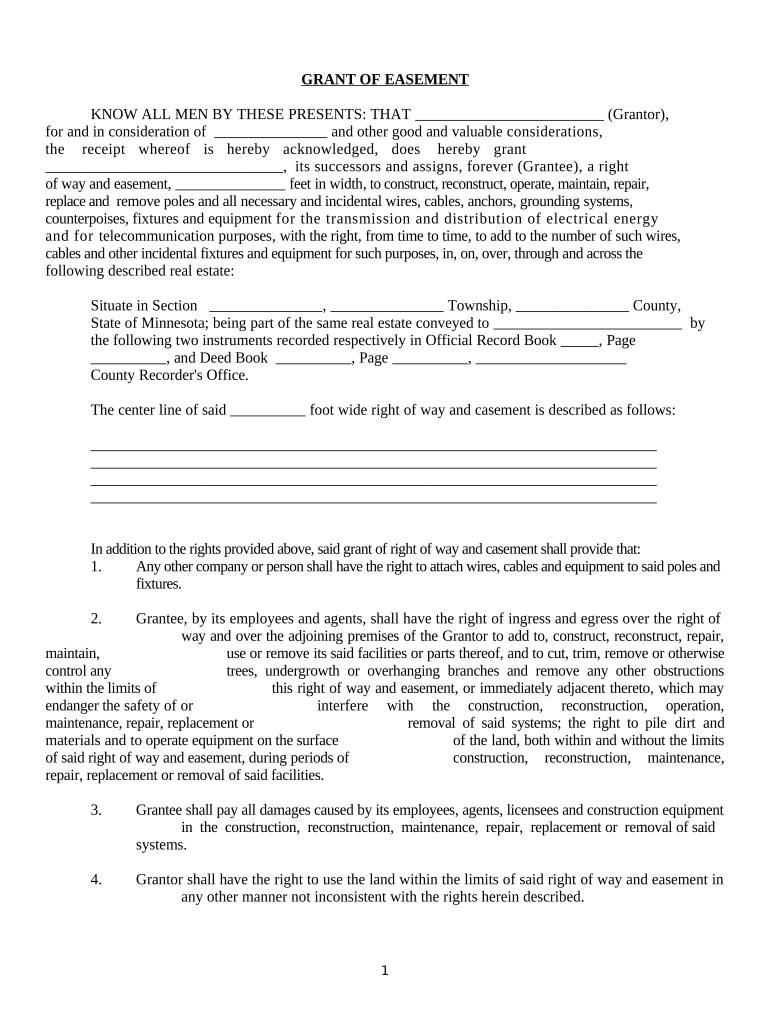
  2. Begin by filling in the Grantor's name and the Grantee's name. Ensure that you accurately represent both parties involved in the easement agreement.
  3. Specify the width of the easement in feet, which is crucial for defining the area of access granted to the Grantee.
  4. Detail the location of the easement by providing information about the section, township, and county as required. This ensures clarity on where the easement applies.
  5. Review and complete any additional rights or conditions outlined in the document, such as rights of ingress and egress, and responsibilities regarding damages.
  6. Sign and date the document at the designated areas. Make sure to have a notary public present for acknowledgment if required.

Start using our platform today to easily fill out your Minnesota Easement form online for free!

be ready to get more

Complete this form in 5 minutes or less

Get form

Got questions?

We have answers to the most popular questions from our customers. If you can't find an answer to your question, please contact us.
Contact us
Whereas an easement is an agreed-upon use of land by someone other than the landowner, possibly for a utility, a right of way allows anyone to pass through a portion of property as though it was public land. Most rights of ways are acquired in fee for transportation infrastructure.
In California, easements are subject to specific rules and regulations, and property owners generally cannot unilaterally block or obstruct established easements. Property owners should seek legal advice to navigate the complexities of easement disputes and to comply with California Law.
Easements Written An easement must be in writing in order to satisfy the requirements of the Statute of Frauds a legal concept which may be satisfied when: the intention of identified parties is properly expressed in the easement document, and. the property subject to the easement is properly described.
Owners are generally prohibited from building over or too close to an easement or must obtain approval from the authority who owns the easement to do so. If a structure is built over an easement without permission or where permission is denied, then the owner will be legally required to remove the structure.
Future Development Limitations If theres an easement on your property, it could restrict your ability to make future changes or developments that would conflict with the easements purpose.

Security and compliance

At DocHub, your data security is our priority. We follow HIPAA, SOC2, GDPR, and other standards, so you can work on your documents with confidence.

Learn more
ccpa2
pci-dss
gdpr-compliance
hipaa
soc-compliance
be ready to get more

Complete this form in 5 minutes or less

Get form

People also ask

The most common form of easement in a residential area is a drainage and utility easement. This easement is normally 5 to 20 feet wide and runs on all sides of a property. This allows for uses such as drinking water, drainage, and sewer conveyance as well as private utilities such as phone, gas, and cable.

gliks intranet