




Here's how it works

01. Edit your wage garnishment letter template online
Type text, add images, blackout confidential details, add comments, highlights and more.

02. Sign it in a few clicks
Draw your signature, type it, upload its image, or use your mobile device as a signature pad.

03. Share your form with others
Send wage garnishment paycheck deduction example via email, link, or fax. You can also download it, export it or print it out.
How to use or fill out wages garnishment with our platform

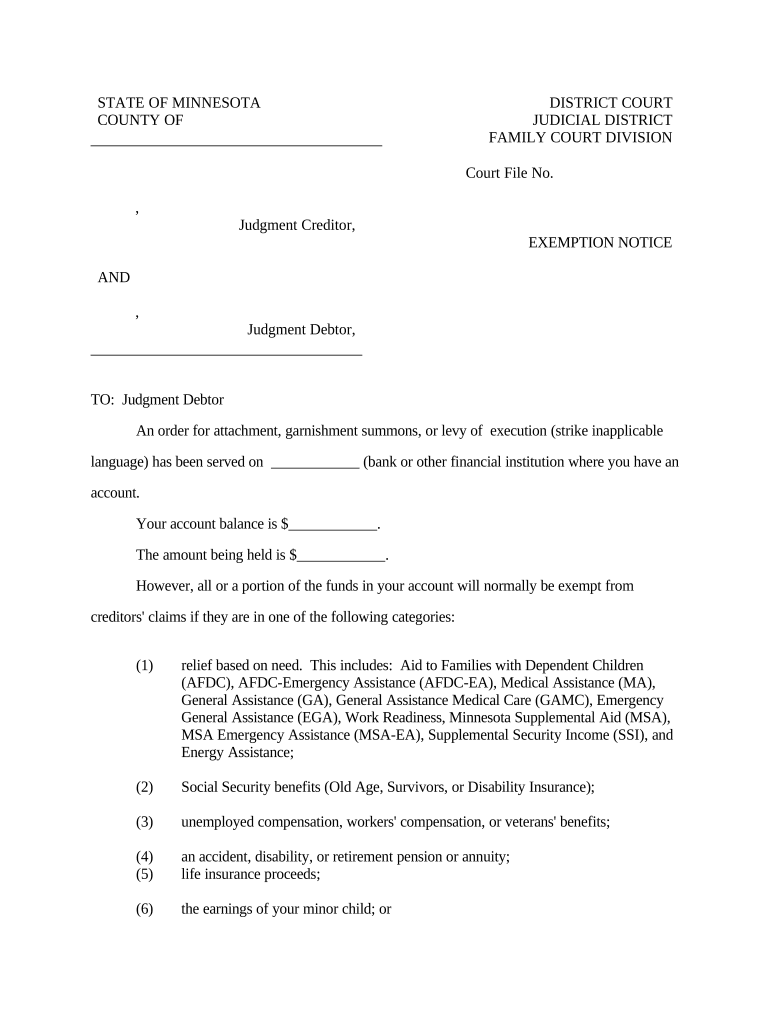
- Click ‘Get Form’ to open the wages garnishment document in the editor.
- Begin by entering your personal information in the designated fields, including your name, address, and contact details. Ensure accuracy to avoid any delays.
- In the exemption section, indicate whether you claim all or some of the funds being held as exempt. If claiming a specific amount, fill in the exempt amount field.
- Select the applicable category for your exemption from the provided list. You may choose multiple categories if they apply to your situation.
- If applicable, provide additional details regarding the source of your exempt funds. This may include case numbers or other relevant information.
- Review all entered information for accuracy before signing and dating the form at the bottom.
- Finally, save your completed form and follow instructions to mail or deliver copies to both the financial institution and judgment creditor's attorney.
Start using our platform today for free to efficiently manage your wages garnishment forms!
Fill out wages garnishment online
It's free
Security and compliance
At DocHub, your data security is our priority. We follow HIPAA, SOC2, GDPR, and other standards, so you can work on your documents with confidence.
Learn more


Related forms
Partial Release of Property From Deed of Trust for Corporation - Mississippi
The document is a Partial Release from Deed of Trust for a property in Mississippi, detailing the release of certain rea ...