Mn complaint 2026

Get Form
mn dhs complaints Preview on Page 1

Here's how it works

01. Edit your mn dhs complaints online
Type text, add images, blackout confidential details, add comments, highlights and more.
02. Sign it in a few clicks
Draw your signature, type it, upload its image, or use your mobile device as a signature pad.
03. Share your form with others
Send dhs complaint form via email, link, or fax. You can also download it, export it or print it out.

How to use or fill out mn complaint with our platform

Form edit decoration
9.5
Ease of Setup
DocHub User Ratings on G2
9.0
Ease of Use
DocHub User Ratings on G2
  1. Click ‘Get Form’ to open the mn complaint in the editor.
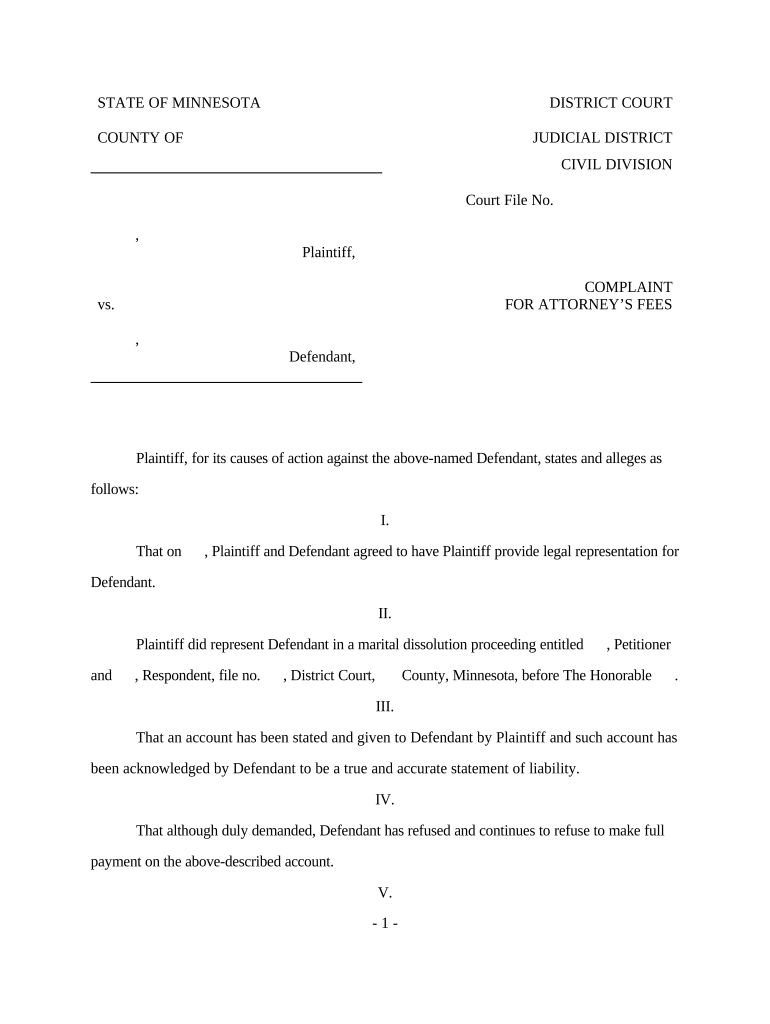
  2. Begin by filling in the 'Court File No.' section at the top of the form. This number is essential for identifying your case.
  3. In the Plaintiff and Defendant sections, enter the names of both parties involved in the complaint. Ensure accuracy to avoid any legal issues.
  4. Proceed to Section I, where you will detail the agreement between Plaintiff and Defendant regarding legal representation. Include relevant dates and specifics.
  5. In Section II, provide information about the marital dissolution proceeding, including case titles and court details. This establishes context for your claim.
  6. Section III requires you to summarize the account stated. Clearly outline any amounts owed and ensure that this aligns with previous communications with the Defendant.
  7. Finally, complete Section V by stating the total amount owed, including interest and attorney's fees. Review all entries for accuracy before submission.

Start using our platform today to fill out your mn complaint easily and efficiently!

be ready to get more

Complete this form in 5 minutes or less

Get form

Got questions?

We have answers to the most popular questions from our customers. If you can't find an answer to your question, please contact us.
Contact us
To file a complaint, select a topic below. Email consumer.protection@state.mn.us or call 651-539-1600 or 800-657-3602.
You can complain by phone, in person, or in writing by email or mail. Phone or email first to tell the company about the problem and to try to resolve it. You should be able to learn pretty quickly whether the problem will be resolved.
File a complaint with government or consumer programs File a complaint with your local consumer protection office. Notify the Better Business Bureau (BBB) in your area about your problem. Report scams and suspicious communications to the Federal Trade Commission.
How to File a Complaint Contact a Regional Ombudsman for the county the person is in. Use the Regional Map or the Regional Ombudsman by County list. Call the OMHDD: 651-757-1800 or 1-800-657-3506. Email the OMHDD:ombudsman.mhdd@state.mn.us. Fax the OMHDD: 651-797-1950. Send us a letter by US postal mail:
Step 1: Collecting Necessary Documents and Evidence. Step 2: Intimation via Notice. Step 4: Identifying the Jurisdiction of the Forum. Step 5: Pay Requisite Court Fees. Step 6: Submit an Affidavit. Step 7: Submission of the Complaint. Step 8: Judicial Process.

Security and compliance

At DocHub, your data security is our priority. We follow HIPAA, SOC2, GDPR, and other standards, so you can work on your documents with confidence.

Learn more
ccpa2
pci-dss
gdpr-compliance
hipaa
soc-compliance
be ready to get more

Complete this form in 5 minutes or less

Get form

People also ask

Explain your problem to the company by calling, web chatting, or sending them a formal complaint letter. Use this sample complaint letter as a guide to help you explain the problem and what you want done to resolve it. Then send it to: A salesperson or customer service representative.

Related links