Cdc attestation form 2026

Get Form
centers disease control prevention Preview on Page 1

Here's how it works

01. Edit your centers disease control prevention online
Type text, add images, blackout confidential details, add comments, highlights and more.

02. Sign it in a few clicks
Draw your signature, type it, upload its image, or use your mobile device as a signature pad.

03. Share your form with others
Send cdc attestation form via email, link, or fax. You can also download it, export it or print it out.

How to use or fill out the CDC Attestation Form with DocHub

Form edit decoration
9.5
Ease of Setup
DocHub User Ratings on G2
9.0
Ease of Use
DocHub User Ratings on G2
  1. Click ‘Get Form’ to open the CDC Attestation Form in our editor.
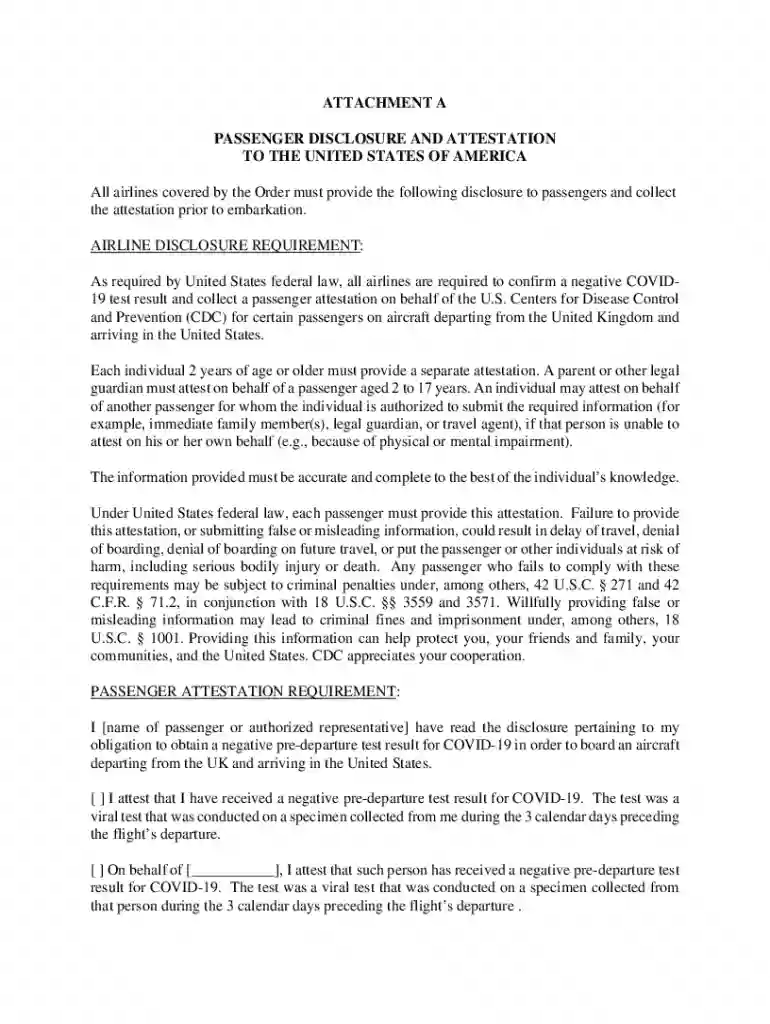
  2. Begin by entering your name or the name of the authorized representative in the designated field. This is crucial for identifying who is attesting.
  3. Next, check the box indicating whether you have received a negative pre-departure COVID-19 test result. Ensure that this test was conducted within three calendar days prior to your flight.
  4. If you are attesting on behalf of another individual, fill in their name in the provided space and confirm that they have also received a negative test result.
  5. Finally, sign and date the form at the bottom. This signature confirms that all information provided is accurate and complete to the best of your knowledge.

Start filling out your CDC Attestation Form online for free today with our platform!

be ready to get more

Complete this form in 5 minutes or less

Get form

Got questions?

We have answers to the most popular questions from our customers. If you can't find an answer to your question, please contact us.
Contact us
The attestation statement can be sent to a remote party, such as a server or a network administrator, who can use it to verify the devices identity and integrity. This can help detect and prevent unauthorized access, malware infections, or other security threats.
Attestation is a kind of testimony or confirmation. It is customary to sign a deed, make a will or sign other written documents in the presence of a witness who also signs the document to attest to its contents and the authenticity of the partys signature.
What should I write in attestation? Provide the facts or information to which you attest. Depending on your reasons for writing, this may be a sentence, or it may stretch to several pages. Stick to the facts, and keep your writing as clear and concise as possible using active voice.
To enter the US, all passengers 2 years or older will need to complete a US Passenger Disclosure form before boarding their flight, including visitors as well as US citizens and permanent residents. We will send you an email 48 hours before departure with a personalised form you can complete online.
This attestation is a legal and binding document and is fully enforceable in a court of competent jurisdiction.

Security and compliance

At DocHub, your data security is our priority. We follow HIPAA, SOC2, GDPR, and other standards, so you can work on your documents with confidence.

Learn more

People also ask

An attestation form is a way of legally confirming that an accompanying document, such as a will, is authentic and that all relevant legal processes were followed in the making of it.
I , hereby attest that this information is true, accurate and complete to the best of my knowledge and I understand that any falsification, omission, or concealment of material fact may subject me to administrative, civil, or criminal liability.

delta attestation form