Drainage Contract for Contractor - North Carolina 2026

Get Form
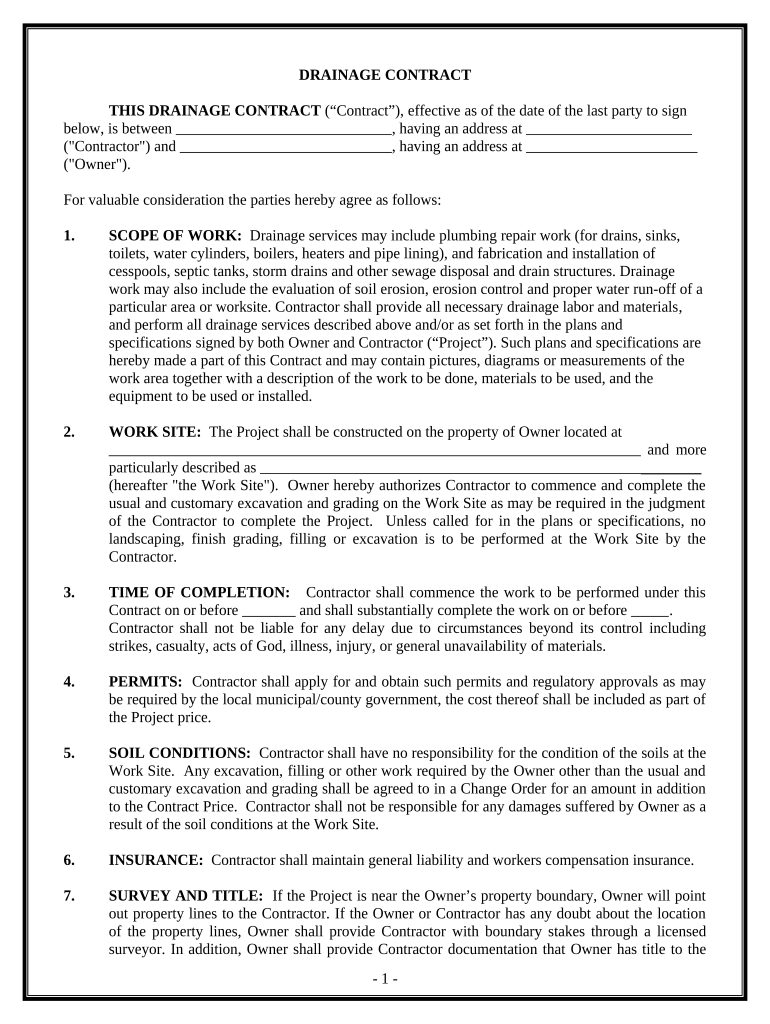
Drainage Contract for Contractor - North Carolina Preview on Page 1

Here's how it works

01. Edit your form online
Type text, add images, blackout confidential details, add comments, highlights and more.
02. Sign it in a few clicks
Draw your signature, type it, upload its image, or use your mobile device as a signature pad.
03. Share your form with others
Send it via email, link, or fax. You can also download it, export it or print it out.

How to use or fill out Drainage Contract for Contractor - North Carolina

Form edit decoration
9.5
Ease of Setup
DocHub User Ratings on G2
9.0
Ease of Use
DocHub User Ratings on G2
  1. Click ‘Get Form’ to open it in the editor.
  2. Begin by entering the Contractor's name and address in the designated fields at the top of the form.
  3. Next, fill in the Owner's name and address. Ensure accuracy as this information is crucial for contract validity.
  4. In the 'SCOPE OF WORK' section, clearly outline the drainage services to be provided. This may include plumbing repairs and installation details.
  5. Specify the 'WORK SITE' by providing the property address where services will be performed.
  6. Indicate the 'TIME OF COMPLETION' by filling in start and completion dates, ensuring they are realistic and agreed upon.
  7. Complete sections on permits, soil conditions, insurance, and any changes to scope of work as necessary.
  8. Finally, review all entries for accuracy before signing. Both parties should sign and date at the end of the document.

Start using our platform today to streamline your contract editing process for free!

be ready to get more

Complete this form in 5 minutes or less

Get form

Got questions?

We have answers to the most popular questions from our customers. If you can't find an answer to your question, please contact us.
Contact us
Because the state does not require a handyman license, NC workers in this profession can take on a wide variety of projects as long the value of each job stays below $40,000. Handypeople usually work on minor repairs and maintenance, like fixture replacements, furniture assembly and small carpentry tasks.
A contractor cant legally do work on your property without your approval. If they start work without getting your go-ahead, it can be seen as unauthorized, which could lead to legal issues.
The N.C.G.S. 87-1 defines a general contractor as a person, firm or corporation who manages or oversees construction projects where the cost of the project is $40,000 or greater. The State General Contractors License is not required if a project is under $40,000.
Current laws in North Carolina define general contractors as persons, firms or corporations who bid upon, contract or construct construction projects involving the construction of any building, highway, public utilities, grading or any improvement or structure costing $40,000 or more.
You must answer 63 questions correctly in order to obtain a passing score of 70%. The current pass rate state-wide is less than 40% on the first attempt. The Construction Institutes students pass rate is in the high 90th percentile on the first attempt.

Security and compliance

At DocHub, your data security is our priority. We follow HIPAA, SOC2, GDPR, and other standards, so you can work on your documents with confidence.

Learn more
ccpa2
pci-dss
gdpr-compliance
hipaa
soc-compliance
be ready to get more

Complete this form in 5 minutes or less

Get form

People also ask

North Carolina does not issue handyman licenses. Handyman professionals are required to apply for a general contractor license in order to work on projects that exceed $30,000. The North Carolina licensing board restricts the types of services that handyman professionals are authorized to provide.
In North Carolina, general contractors must carry one of three bonds, depending on the size of the project. A limited license bond is $175,000, an intermediary license is $500,000, and an unlimited license is $1,000,000. Although these bond amounts are high, you only have to pay a fraction of the total.
North Carolina General Statute 87-1 establishes the mandatory licensing requirements for general contractors. ing to this statute, any construction project that costs $40,000 or more requires the contractor to hold a valid general contractors license.

Related links