Type text, add images, blackout confidential details, add comments, highlights and more.
02. Sign it in a few clicks
Draw your signature, type it, upload its image, or use your mobile device as a signature pad.
03. Share your form with others
Send it via email, link, or fax. You can also download it, export it or print it out.
How to use or fill out Quitclaim Deed from Individual to Corporation - Montana
Ease of Setup
DocHub User Ratings on G2
Ease of Use
DocHub User Ratings on G2
Click ‘Get Form’ to open it in the editor.
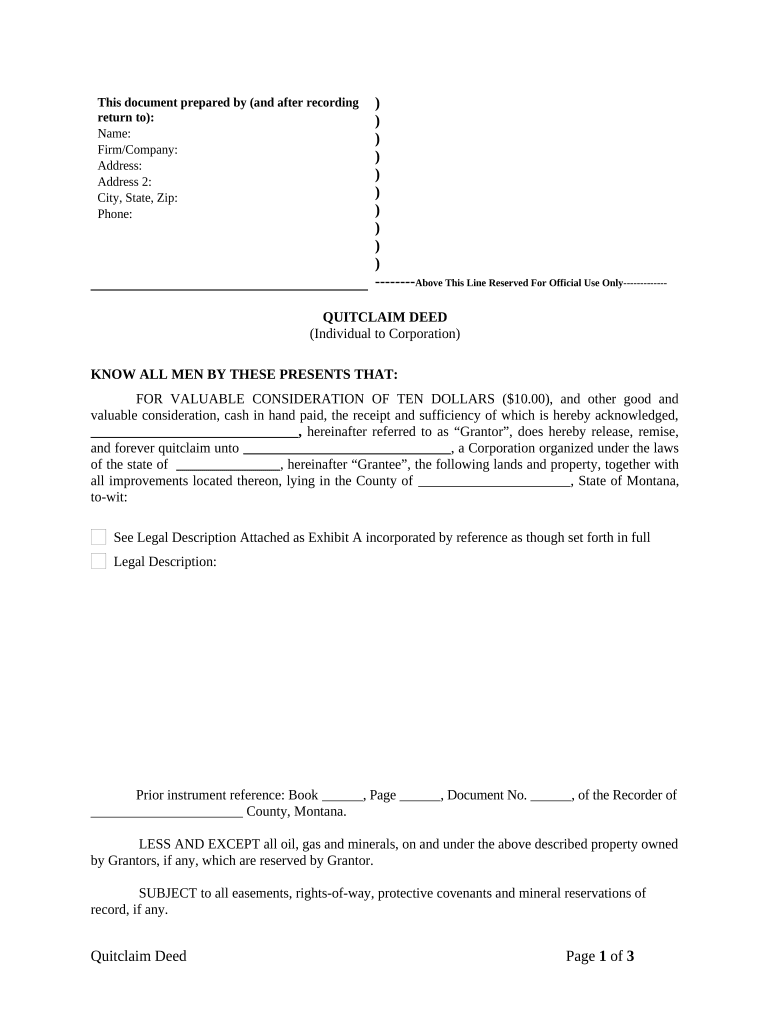
Begin by filling in the 'Prepared by' section with your name, firm/company, address, and contact information. This ensures proper identification of the parties involved.
In the main body of the deed, enter the Grantor's name and the Grantee's name (the corporation) along with its state of incorporation. This identifies who is transferring and receiving the property.
Provide a detailed legal description of the property being transferred. If you have an attachment (Exhibit A), ensure it is referenced correctly.
Fill in any prior instrument references if applicable, which helps trace ownership history.
Complete the signature section for all Grantors and any required witnesses. Ensure that each person signs and prints their name clearly.
Finally, include notary details at the bottom to validate the document legally. This may require a notary public's signature and seal.
Start using our platform today to effortlessly complete your Quitclaim Deed!
Fill out Quitclaim Deed from Individual to Corporation - Montana online It's free
Quitclaim deed from individual to corporation montana templateQuitclaim deed from individual to corporation montana sampleQuitclaim deed from individual to corporation montana pdfQuitclaim deed from individual to corporation montana onlineQuitclaim deed from individual to corporation montana formQuitclaim deed from individual to corporation montana exampleQuitclaim deed from individual to corporation montana costQuitclaim deed template
Security and compliance
At DocHub, your data security is our priority. We follow HIPAA, SOC2, GDPR, and other standards, so you can work on your documents with confidence.
Any person transferring real property with a quitclaim deed in Montana must file a Realty Transfer Certificate (Form 448) that is available from the MontanaRead more
Cookie consent notice
This site uses cookies to enhance site navigation and personalize your experience.
By using this site you agree to our use of cookies as described in our Privacy Notice.
You can modify your selections by visiting our Cookie and Advertising Notice.