




01. Edit your insolvency worksheet online
Type text, add images, blackout confidential details, add comments, highlights and more.

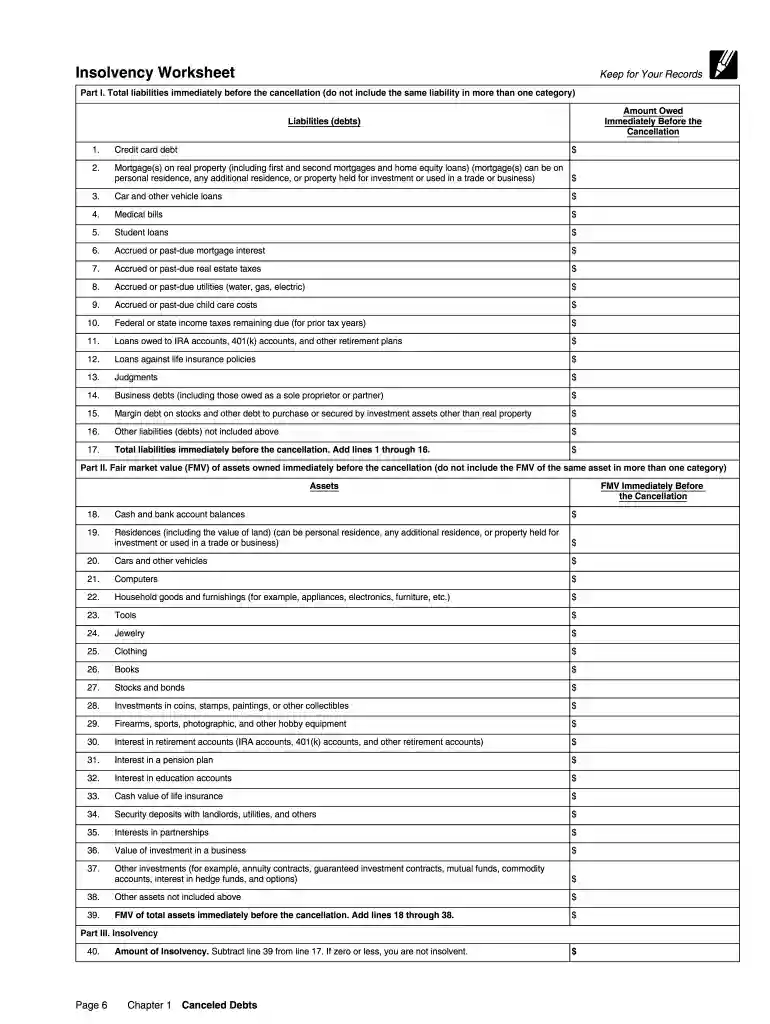
Type text, add images, blackout confidential details, add comments, highlights and more.

Draw your signature, type it, upload its image, or use your mobile device as a signature pad.

Send how to complete insolvency worksheet via email, link, or fax. You can also download it, export it or print it out.

Start using our platform today to easily complete your form and streamline your insolvency process for free!
At DocHub, your data security is our priority. We follow HIPAA, SOC2, GDPR, and other standards, so you can work on your documents with confidence.
Feb 25, 2021 Name of each exchange on which registered. Common Shares, par value CHF 24.15 per share. CB. New York Stock Exchange.Read more
Form 982 is used to find the discharged indebtedness amount that can be excluded from gross income. You were insolvent, if your liabilities (the total amount of
Dec 16, 2021 You must file Form 982 to report the exclusion and the reduction of certain tax attributes either dollar for dollar or 331/3 cents per dollar (Read more


