




Here's how it works

01. Edit your oregon workers compensation verification online
Type text, add images, blackout confidential details, add comments, highlights and more.

02. Sign it in a few clicks
Draw your signature, type it, upload its image, or use your mobile device as a signature pad.

03. Share your form with others
Send it via email, link, or fax. You can also download it, export it or print it out.
How to use or fill out Oregon Workers Compensation with our platform

- Click ‘Get Form’ to open the Oregon Workers Compensation form in the editor.
- Begin by filling out the Requester Information section. Enter your name, company name, mailing address, city, state, ZIP code, phone number, fax number, and email. Clearly state your reason for requesting information.
- Next, provide Worker Information. Fill in the worker's name, date of birth, social security number (required for claim history requests), insurer name, WCD file number, date of injury, and insurer claim number.
- Select the Request Type by checking the appropriate box for claim history, entire file, certified reconsideration record, hearing date if known, or specific documents.
- Finally, sign and date the form to certify your eligibility to receive workers' compensation claims information. Ensure you understand the legal implications of using this information.
Start using our platform today to streamline your Oregon Workers Compensation form completion for free!
Fill out oregon workers compensation online
It's free
It's free
Security and compliance
At DocHub, your data security is our priority. We follow HIPAA, SOC2, GDPR, and other standards, so you can work on your documents with confidence.
Learn more


Related forms
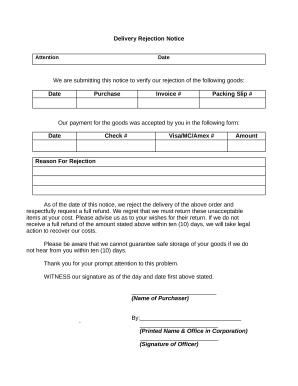
Delivery rejection
The document is a Delivery Rejection Notice informing the supplier of the rejection of specific goods, requesting a full ...


