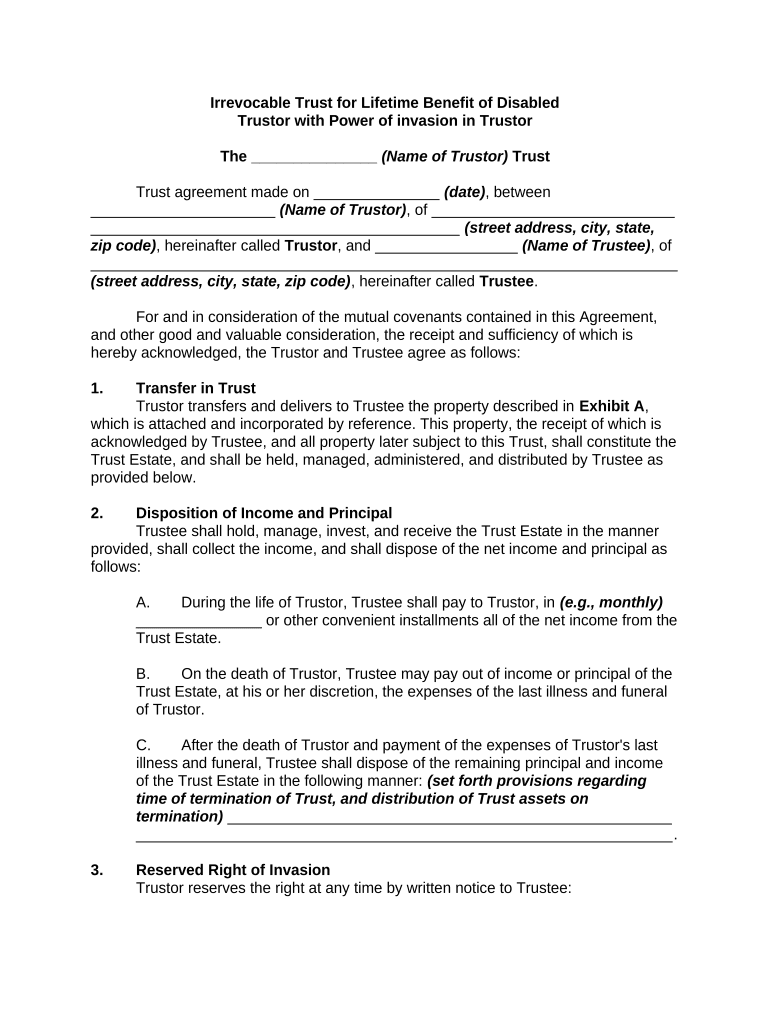
Irrevocable Trust for Lifetime Benefit of Disabled Trustor with Power of Invasion in Trustor - Oregon 2026

Get Form
income cap trust oregon form Preview on Page 1

Here's how it works

01. Edit your income cap trust oregon form online
Type text, add images, blackout confidential details, add comments, highlights and more.
02. Sign it in a few clicks
Draw your signature, type it, upload its image, or use your mobile device as a signature pad.
03. Share your form with others
Send oregon income cap trust form via email, link, or fax. You can also download it, export it or print it out.

How to use or fill out Irrevocable Trust for Lifetime Benefit of Disabled Trustor with Power of Invasion in Trustor - Oregon

Form edit decoration
9.5
Ease of Setup
DocHub User Ratings on G2
9.0
Ease of Use
DocHub User Ratings on G2
  1. Click ‘Get Form’ to open it in the editor.
  2. Begin by entering the name of the Trustor and the date of the trust agreement at the top of the form.
  3. Fill in the Trustee's name and address, ensuring all details are accurate for proper identification.
  4. In Section 1, describe the property being transferred into trust as outlined in Exhibit A. Ensure this is detailed and clear.
  5. For Section 2, specify how income and principal will be distributed during and after the Trustor's lifetime, including payment frequency.
  6. In Section 3, outline any reserved rights of invasion, detailing withdrawal limits and conditions clearly.
  7. Complete Sections 4 through 12 by following prompts for additions to trust, irrevocability clauses, trustee powers, accounting methods, and successor trustee designations.
  8. Finally, ensure all parties sign where indicated and attach any necessary exhibits before finalizing your document.

Start using our platform today to easily complete your Irrevocable Trust form online for free!

be ready to get more

Complete this form in 5 minutes or less

Get form

Got questions?

We have answers to the most popular questions from our customers. If you can't find an answer to your question, please contact us.
Contact us

Upload your trustor to DocHub (once you’ve set up an account for this). If you need to fill out fields in it, use proper tools from the upper pane. For example, add Signature Fields, assign each to a particular person, and click on Sign → Request signatures from others. Personalize your message for your recipients and click Send Request. You can also send your document by fax or as a Signing link instead of using email (you’ll locate these options by navigating to the Menu → Send)

With DocHub, there are several convenient methods to edit your Irrevocable Trust for Lifetime Benefit of Disabled Trustor with Power of Invasion in Trustor - Oregon online. You can drag and drop the form and edit it directly at the DocHub site or use our browser extension to fill out your form right away. Additionally, you can edit your PDF on your smartphone, as DocHub is compatible with all the available mobile platforms.

In particular, you may wish to consider a third-party special-needs trust, which can be established by anyone other than the beneficiary to help provide for someone with a disability. If you create the trust during your lifetime, it can receive gifts from any third party, such as a family member or friend.
Special Considerations in Irrevocable Trusts Trustees may be authorized to: Make or withhold distributions. Invest in certain types of assets. Terminate the trust under specified conditions.
A qualified disability trust (QDisT) is a type of trust that qualifies for tax exemptions and applies to most trusts set up for someone with special needs. Normally, you must pay income tax on the income you receive from trusts, and that requirement formerly included special needs trusts.

Security and compliance

At DocHub, your data security is our priority. We follow HIPAA, SOC2, GDPR, and other standards, so you can work on your documents with confidence.

Learn more
ccpa2
pci-dss
gdpr-compliance
hipaa
soc-compliance
be ready to get more

Complete this form in 5 minutes or less

Get form

People also ask

A Special Disability Trust (SDT) is a trust that may be set up to assist families to make private financial provision for the current and future care and accommodation needs of a family member with severe disabilities.
A Discretionary Trust and a Disabled Person Trust can be set up by any person during their lifetime by creating a Trust Deed, or on death, under the terms of their Will. This decision needs to be discussed as it will depend on a number of factors.
A revocable trust can also become irrevocable during the grantors lifetime if they become incapacitated in some way. In this case, the successor trustee will carry out the grantors wishes regarding the assets in the trust, just as they would if the grantor had passed away.
Special Needs Trust. A Special Needs Trust (SNT) allows for a disabled person to maintain his or her eligibility for public assistance benefits, despite having assets that would otherwise make the person ineligible for those benefits. There are two types of SNTs: First Party and Third Party funded.
When you set up an irrevocable trust, you are creating a document you cannot change easily, and the property you transfer to the trust is no longer in your control.

Related links