01. Edit your employment contract signature page online
Type text, add images, blackout confidential details, add comments, highlights and more.
02. Sign it in a few clicks
Draw your signature, type it, upload its image, or use your mobile device as a signature pad.
03. Share your form with others
Send it via email, link, or fax. You can also download it, export it or print it out.
How to use or fill out employment agreement of template with our platform
Ease of Setup
DocHub User Ratings on G2
Ease of Use
DocHub User Ratings on G2
Click ‘Get Form’ to open the employment agreement template in the editor.
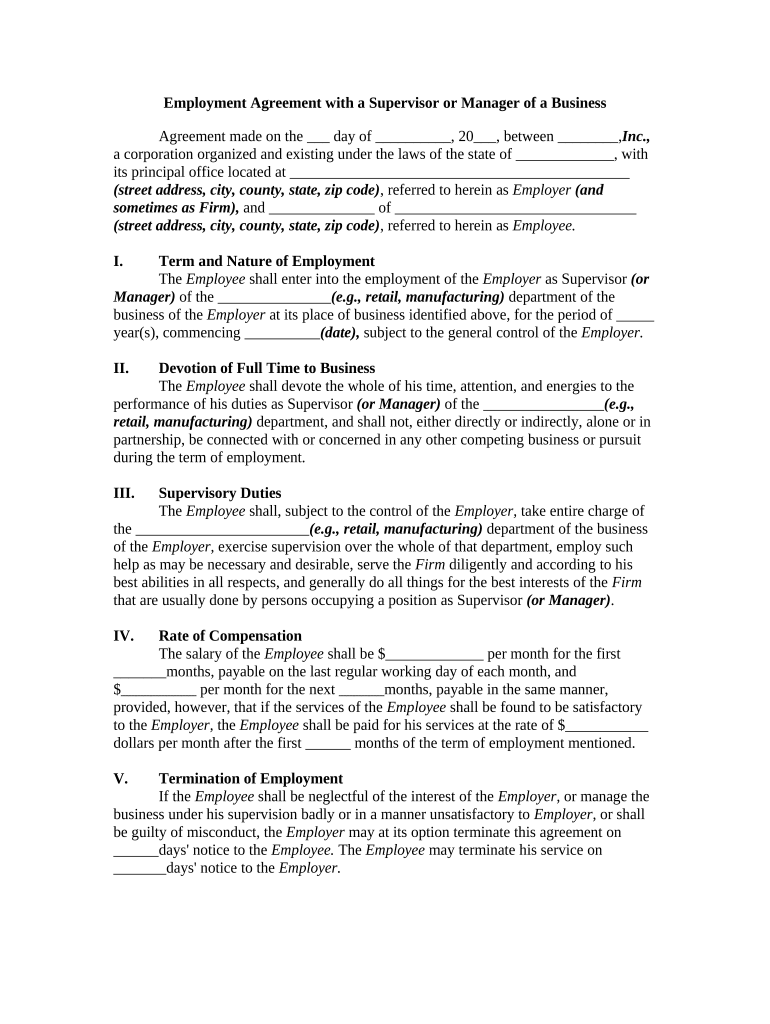
Begin by filling in the date and the names of both the Employer and Employee at the top of the document. Ensure all addresses are complete for clarity.
In Section I, specify the term and nature of employment by entering the position title and duration of employment. This sets clear expectations from the start.
Section II requires you to confirm that the Employee will devote full time to their role. Review this section carefully to ensure it aligns with your business needs.
For Section III, outline specific supervisory duties expected from the Employee. This helps in defining responsibilities clearly.
In Section IV, enter salary details for both initial and subsequent periods. Be precise about payment schedules to avoid confusion later.
Sections V through IX cover termination, confidentiality, and arbitration clauses. Review these sections thoroughly to ensure they meet legal standards and protect both parties.
Finally, have both parties sign at the bottom of the document. Use our platform’s signature feature for a seamless signing experience.
Start using our platform today for free to streamline your employment agreements!
Fill out employment agreement of template online It's free
Updated 5 June 2025. Employment contracts help to outline the agreement between an employer and an employee. A detailed contract includes the obligations and responsibilities of both parties, including salaries, job description, schedule, benefits and duration.
Does an employment agreement need to be docHubd?
Generally, contracts dont need to be docHubd, as the signed contract itself is legally binding. However, if a potential legal dispute arises between the parties, having the contract docHubd can be very beneficial. Having a notary will provide proof of the parties entering into the contract.
How to write an agreement between employer and employee?
How to write an employment contract? Give the contract a title. Determine the parties. Create a list of the terms and conditions. Describe the duties and responsibilities of the position. Include information on compensation. Use contract words that are specific. Seek legal advice from an employment attorney.
What is a standard employment agreement?
A typical written employment agreement addresses these items: The legal name of the employer and the employee. The position that the employee will hold (e.g., labor, cashier, waitress, management). The duties and responsibilities of the employee. The place and hours of work.
How do you write a contract for beginners?
The contract should be written in clear, plain language thats easy to understand. This will help everyone know what they are agreeing to. Describe what things of value are being exchanged. Write clearly what one party is promising to deliver and what the other agrees to pay or do in exchange.
Related Searches
Employment agreement of template pdfEmployment agreement of template wordSimple employment agreement of templateEmployment contract sample PDFemployment contract template - wordEmployment agreement of template freeEmployment contract template freeSimple employment contract sample PDF
Security and compliance
At DocHub, your data security is our priority. We follow HIPAA, SOC2, GDPR, and other standards, so you can work on your documents with confidence.
Some examples of simple contracts are common types of contracts like service agreements (e.g., hiring a freelancer), NDAs, loan agreements, sales agreements (e.g., vendor/supplier deals), and rental agreements (e.g., camera rental terms).
How do you write a simple employment contract?
Here are some steps you may use to guide you when you write an employment contract: Title the employment contract. Identify the parties. List the term and conditions. Outline the job responsibilities. Include compensation details. Use specific contract terms. Consult with an employment lawyer. Employment.
What is an employment contract template?
An employee contract is a formal agreement between an employer and an employee that outlines both parties rights, duties, and obligations. It is crucial for establishing clear expectations, promoting transparency, and protecting both the employer and employee in the event of disputes.
Related links
Employment Agreement
Employment Agreement. THIS AGREEMENT, made this day of , 20 (the Execution Date), and effective as of , 20 (the Effective Date
Sep 5, 2015 A comprehensive examination of an organisations policies and practices to identify and permit removal of systemic and attitudinal barriers to employment
Cookie consent notice
This site uses cookies to enhance site navigation and personalize your experience.
By using this site you agree to our use of cookies as described in our Privacy Notice.
You can modify your selections by visiting our Cookie and Advertising Notice.