



01. Edit your ssa form 150 online
Type text, add images, blackout confidential details, add comments, highlights and more.

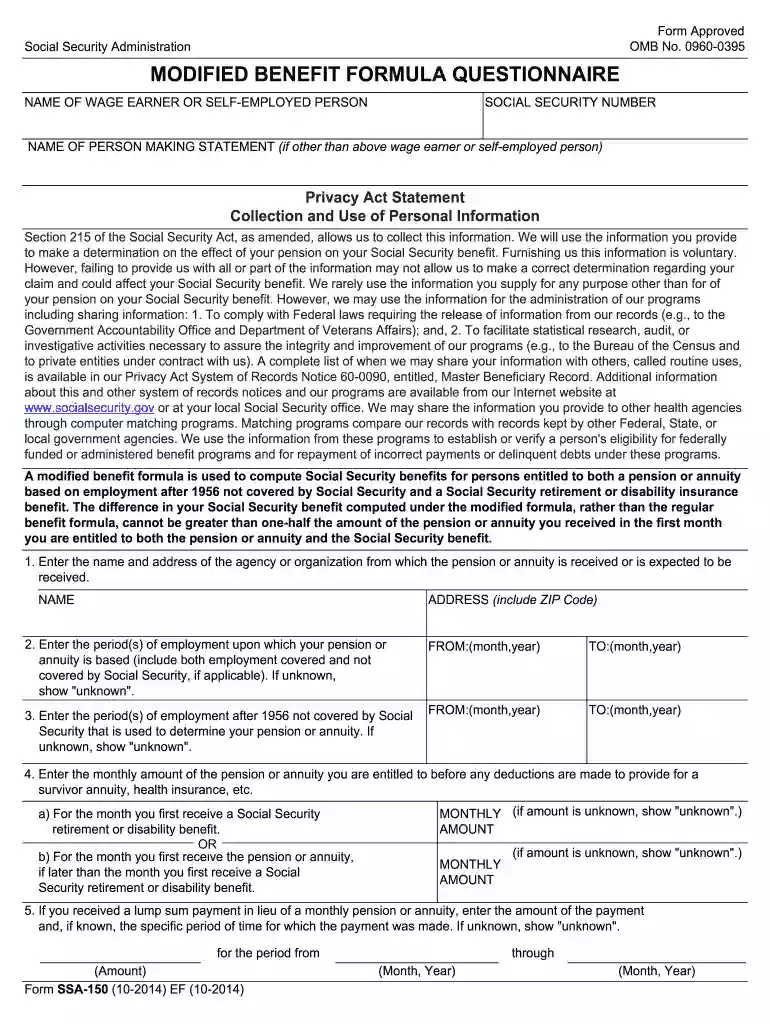
Type text, add images, blackout confidential details, add comments, highlights and more.

Draw your signature, type it, upload its image, or use your mobile device as a signature pad.

Send form ssa 150 via email, link, or fax. You can also download it, export it or print it out.

Start filling out your SSA 150 form online for free today!
We've got more versions of the ssa form 150 form. Select the right ssa form 150 version from the list and start editing it straight away!
Yes, a typed name is accepted as a legitimate electronic signature when you create it on your document utilizing a compliant solution like DocHub. Simply add your ssa 150 to our editor, click Sign in the top tool pane → Create your signature → Type your name in the appropriate tab, and decide how it will look on your document.
If you are looking for a state-specific ssa 58 sample, you will find it in our DocHub Forms & Templates catalog. Use the search field, enter your form’s name, and search through the results for your state. You can also filter out irrelevant results while browsing our catalog by groups.
At DocHub, your data security is our priority. We follow HIPAA, SOC2, GDPR, and other standards, so you can work on your documents with confidence.
Forms ; SSA-150, Modified Benefits Formula Questionnaire ; SSA-199, Vocational Rehabilitation Provider Claim ; SSA-263, Waiver of Supplemental Security Income ...
The Social Security System is a state-run, social insurance program in the Philippines to workers in the private, professional and informal sectors.
11 Mar 2022 — The Solaris 150 can process up to 152.4mm substrates at a temperature range from RT- 1250 degrees. The unique temperature measurement system of ...


