






Definition & Meaning
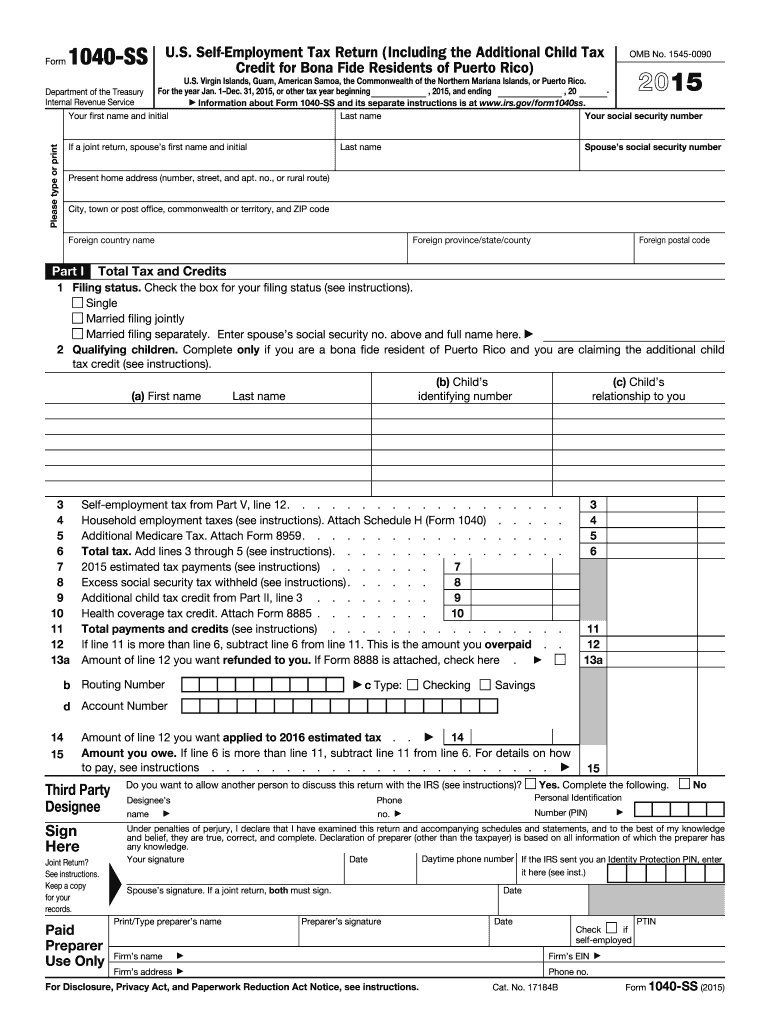
The 2015 Form 1040 is a comprehensive document used by U.S. taxpayers to file their annual income tax returns with the Internal Revenue Service (IRS). It serves as a pivotal data collection tool to determine if individuals owe additional taxes or are eligible for refunds. This form requires a detailed disclosure of all income sources and applicable deductions and credits, ensuring taxpayers meet their legal obligations under U.S. tax law.
How to Use the 2015 Form 1040
To use the 2015 Form 1040, taxpayers should first gather all necessary financial documents, such as W-2s, 1099s, and records of additional income and expenses. The form includes sections for reporting different types of income, like wages, interests, and dividends. Taxpayers should accurately fill in the corresponding lines, effectively reducing taxable income by claiming eligible deductions, such as mortgage interest and student loan interest. Upon completion, the form will calculate the tax amount due or the refund.
Steps to Complete the 2015 Form 1040
- Gather Documentation: Collect W-2s, 1099s, and other relevant income documents.
- Report Income: Fill in Section 1 with all income types, ensuring accuracy to avoid IRS inquiries.
- Apply Deductions: Utilize Sections 2 and 3 to claim standard or itemized deductions.
- Calculate Tax: Use Section 4 to compute the taxable income and the overall tax liability.
- Add Credits: Claim credits such as the Child Tax Credit in the designated sections.
- Review and Sign: Carefully review entries for errors before signing and dating the form.
- Submit: File electronically for faster processing, or mail it to the IRS address specified for your region.
Key Elements of the 2015 Form 1040
- Personal Information: Requires taxpayer's name, Social Security Number, and filing status.
- Income Sources: Captures wages, dividends, business net income, and unemployment compensation.
- Deductions & Credits: Sections for standard or itemized deductions, and applicable tax credits.
- Tax Liability Calculation: Exact computation method leading to tax refund or balance due.
- Signature Line: Includes a signature field to validate the accuracy of the provided information.
Filing Deadlines / Important Dates
The deadline for filing the 2015 Form 1040 was April 18, 2016, as the typical April 15 deadline was extended due to Emancipation Day observed in Washington, D.C. Taxpayers requesting an extension had until October 17, 2016, to submit their return without facing penalties. It is crucial to remember these dates for compliance purposes to avoid late fees and interest charges.
Software Compatibility
Taxpayers using software for preparation, such as TurboTax or QuickBooks, benefit from seamless compatibility with the 2015 Form 1040. Most software programs will guide users through each section, ensuring all relevant financial information is accurately reported, and computations are automated for efficiency and accuracy. This integration simplifies the process, significantly reducing the risk of errors.
Required Documents
Filing 2015 Form 1040 necessitates a comprehensive collection of documents to verify and report financial activity:
- W-2 Forms: Indicating wage income from employers.
- 1099 Forms: Detailing miscellaneous income, including freelance earnings and dividends.
- Form 1098: Reporting mortgage interest and potential deductions.
- Charitable Donation Receipts: For itemizing deductions.
- Social Security Statements: Necessary for reporting benefits received.
Digital vs. Paper Version
While the traditional paper version of the 2015 Form 1040 remains a viable option, the digital form offers benefits like ease of use, real-time calculations, and faster processing times. E-filing supports an environment-friendly initiative and reduces mailing errors, aligning with taxpayers’ preferences for convenience and efficiency.
Legal Use of the 2015 Form 1040
The 2015 Form 1040, when filled accurately, helps ensure compliance with IRS regulations, serving as a legal declaration of income and taxes due. Utilization of this form is critical for legal protection, providing necessary documentation in scenarios where discrepancies or audits arise.
Examples of Using the 2015 Form 1040
Consider a self-employed contractor with multiple income streams who uses the 2015 Form 1040 to report all freelance earnings and claim business expenses. Or, a family using the form to report joint income, apply tax credits for dependent children, and optimize refunds through efficient deductions, showcasing the form's applicability across varied tax situations.