Type text, add images, blackout confidential details, add comments, highlights and more.
02. Sign it in a few clicks
Draw your signature, type it, upload its image, or use your mobile device as a signature pad.
03. Share your form with others
Send it via email, link, or fax. You can also download it, export it or print it out.
How to Use or Fill Out Employment Contract with Our Platform
Ease of Setup
DocHub User Ratings on G2
Ease of Use
DocHub User Ratings on G2
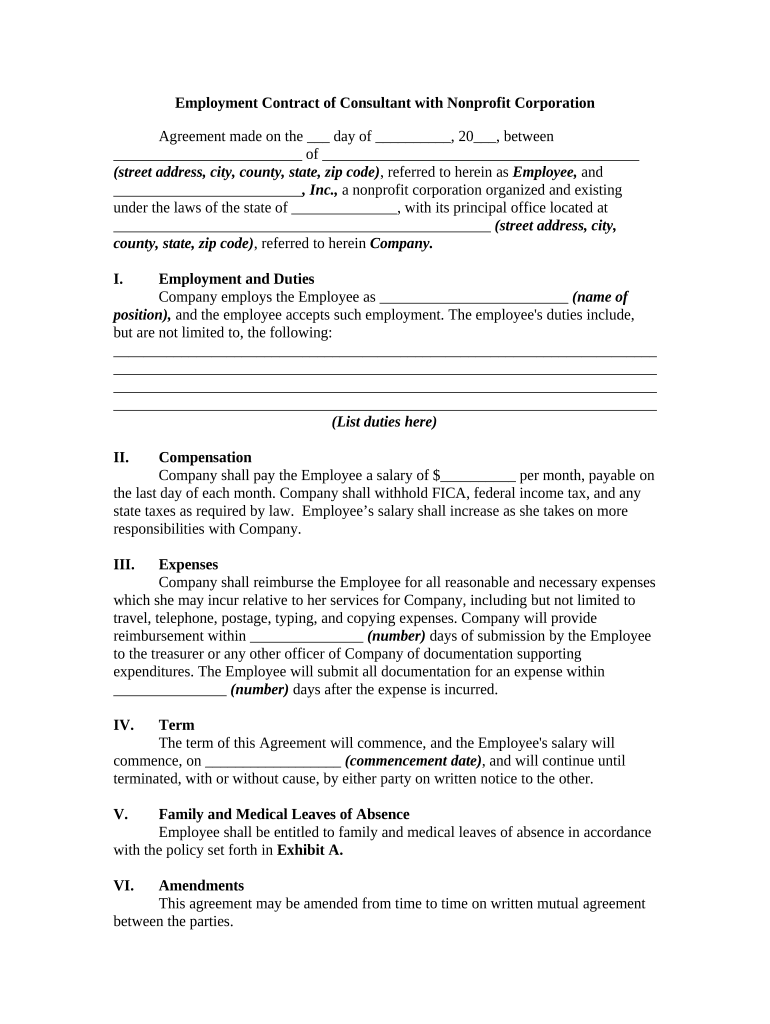
Click ‘Get Form’ to open the employment contract in the editor.
Begin by filling in the date and your name along with your address in the designated fields. This personalizes the contract and establishes your identity as the Employee.
In the 'Employment and Duties' section, specify your job title and list your responsibilities clearly. This ensures both parties understand expectations.
Next, enter your salary details in the 'Compensation' section. Be sure to include any specifics about tax withholdings as required by law.
For 'Expenses', indicate how you will submit documentation for reimbursement and set a timeline for submission after incurring expenses.
Fill out the 'Term' section by specifying the commencement date of your employment. This clarifies when your contract begins.
Review all sections carefully before signing to ensure accuracy and completeness, then proceed to sign electronically using our platform’s signature feature.
Start editing your employment contract today for free on our platform!
Fill out employment contract with online It's free
Sep 8, 2025 A contract offers the advantage of providing additional employment security to those employees who seek that in their employment relationship.Read more
An employment contract outlines the terms and conditions of a job agreement between an employer and employee. Relevance to HR Compliance. Supports legal andRead more
Cookie consent notice
This site uses cookies to enhance site navigation and personalize your experience.
By using this site you agree to our use of cookies as described in our Privacy Notice.
You can modify your selections by visiting our Cookie and Advertising Notice.