Type text, add images, blackout confidential details, add comments, highlights and more.
02. Sign it in a few clicks
Draw your signature, type it, upload its image, or use your mobile device as a signature pad.
03. Share your form with others
Send it via email, link, or fax. You can also download it, export it or print it out.
How to use or fill out sample letter new with our platform
Ease of Setup
DocHub User Ratings on G2
Ease of Use
DocHub User Ratings on G2
Click ‘Get Form’ to open the sample letter new in the editor.
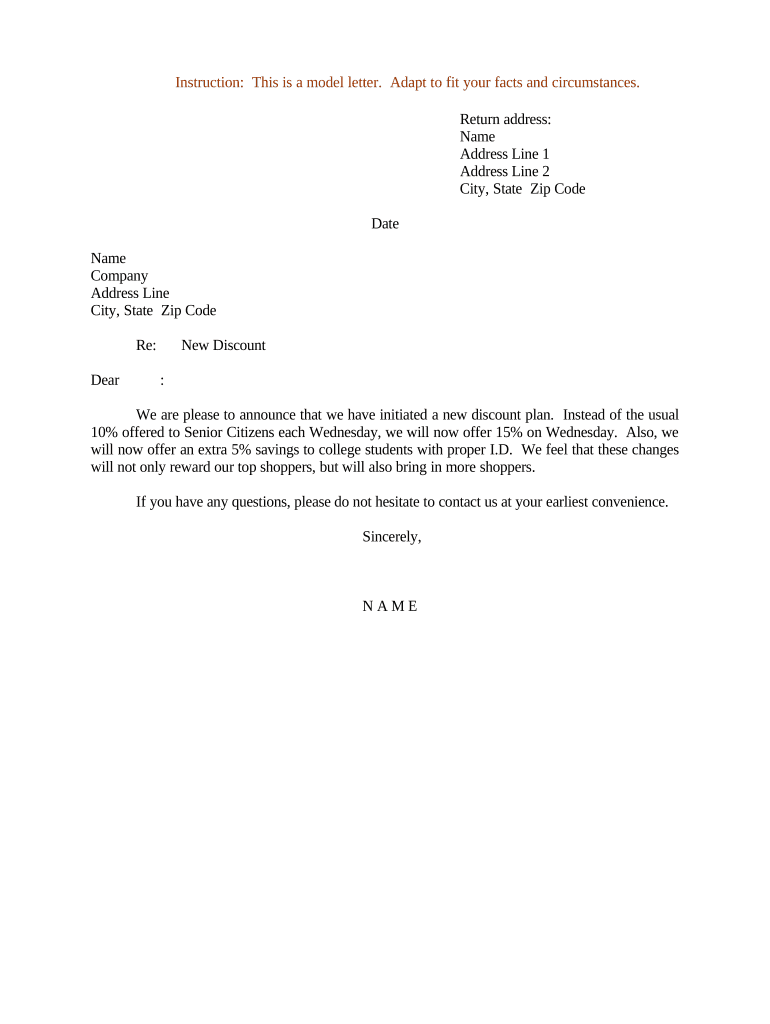
Begin by entering your return address at the top of the letter. Fill in your name, address line 1, address line 2 (if applicable), city, state, and zip code.
Next, input the date on which you are sending the letter. This is important for record-keeping.
In the recipient section, enter the name of the person you are addressing, followed by their company name and address details.
Proceed to customize the body of the letter. Clearly state the announcement regarding the new discount plan and any additional details such as eligibility for senior citizens and college students.
Finally, sign off with your name at the bottom of the letter. Ensure all information is accurate before saving or sending.
Start using our platform today to easily create and manage your documents online for free!
Sample letter new jobSample letter new pdfSample letter new wordSample cover letter for job applicationCover letter templateShort cover letter sampleFree cover letter templateCover letter sample PDF
Security and compliance
At DocHub, your data security is our priority. We follow HIPAA, SOC2, GDPR, and other standards, so you can work on your documents with confidence.
Your cover letter should not be a restatement of the entire resume. Instead, it should be an introduction of your resume, highlighting those skills andRead more
Dec 12, 2023 Welcome to the FOIA Wiki! This is a free and collaborative resource on the United States federal Freedom of Information Act (FOIA).Read more
Cookie consent notice
This site uses cookies to enhance site navigation and personalize your experience.
By using this site you agree to our use of cookies as described in our Privacy Notice.
You can modify your selections by visiting our Cookie and Advertising Notice.