Type text, add images, blackout confidential details, add comments, highlights and more.
02. Sign it in a few clicks
Draw your signature, type it, upload its image, or use your mobile device as a signature pad.
03. Share your form with others
Send it via email, link, or fax. You can also download it, export it or print it out.
How to use or fill out billboards advertising with our platform
Ease of Setup
DocHub User Ratings on G2
Ease of Use
DocHub User Ratings on G2
Click ‘Get Form’ to open the billboards advertising document in the editor.
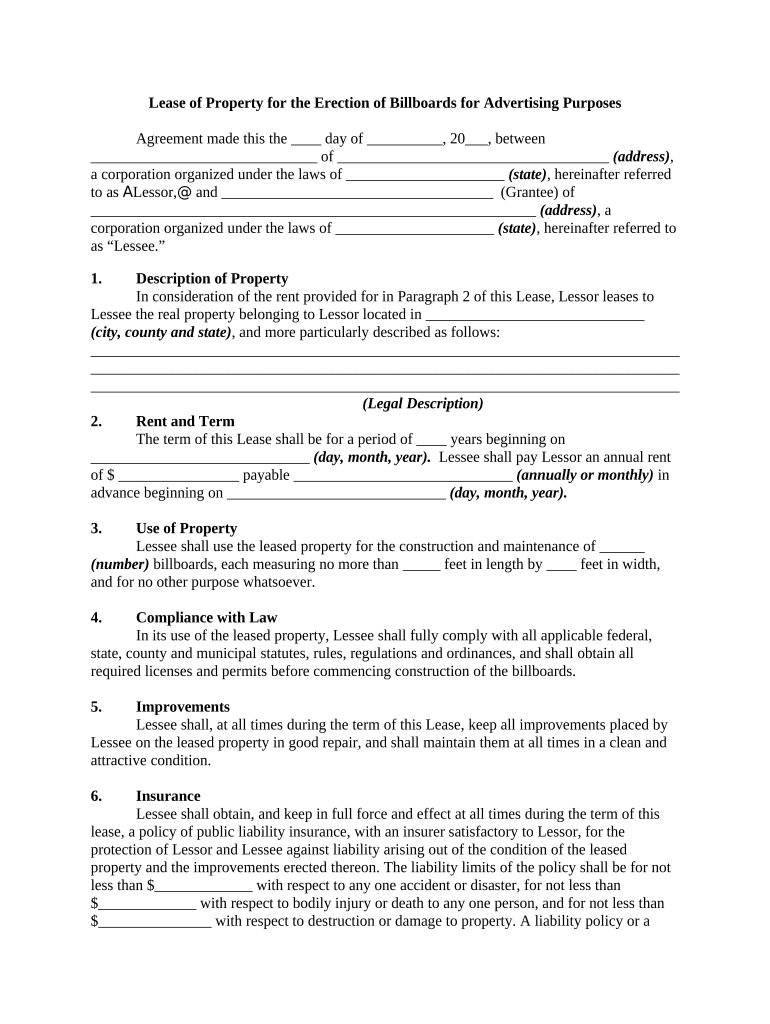
Begin by filling in the Lessor and Lessee information, including names and addresses. Ensure accuracy as this establishes the parties involved.
In the 'Description of Property' section, provide a detailed legal description of the property where the billboards will be erected. This is crucial for clarity and legal compliance.
Specify the rent amount and payment frequency in the 'Rent and Term' section. Clearly indicate when payments begin to avoid any confusion.
Outline how many billboards will be constructed in the 'Use of Property' section, along with their dimensions. This ensures adherence to local regulations.
Review compliance requirements in the 'Compliance with Law' section, ensuring all necessary permits are obtained before construction starts.
Fill out insurance details in the 'Insurance' section, specifying coverage limits to protect both parties against potential liabilities.
Start using our platform today for free to streamline your billboard advertising process!
Rules for billboards and other advertising signs on highways
We issue advertising sign permits for advertising sign installations on private property along regulated state highways within commercial or industrial areas.Read more
One of the most famous outdoor advertising signs in the worldand itself a tourist attraction was the 30- by 100-foot billboard for Camel cigarettes.Read more
Cookie consent notice
This site uses cookies to enhance site navigation and personalize your experience.
By using this site you agree to our use of cookies as described in our Privacy Notice.
You can modify your selections by visiting our Cookie and Advertising Notice.