Type text, add images, blackout confidential details, add comments, highlights and more.

02. Sign it in a few clicks
Draw your signature, type it, upload its image, or use your mobile device as a signature pad.

03. Share your form with others
Send form 163 michigan via email, link, or fax. You can also download it, export it or print it out.

How to use or fill out 163 Michigan Form 2014 with DocHub
Ease of Setup
DocHub User Ratings on G2
Ease of Use
DocHub User Ratings on G2
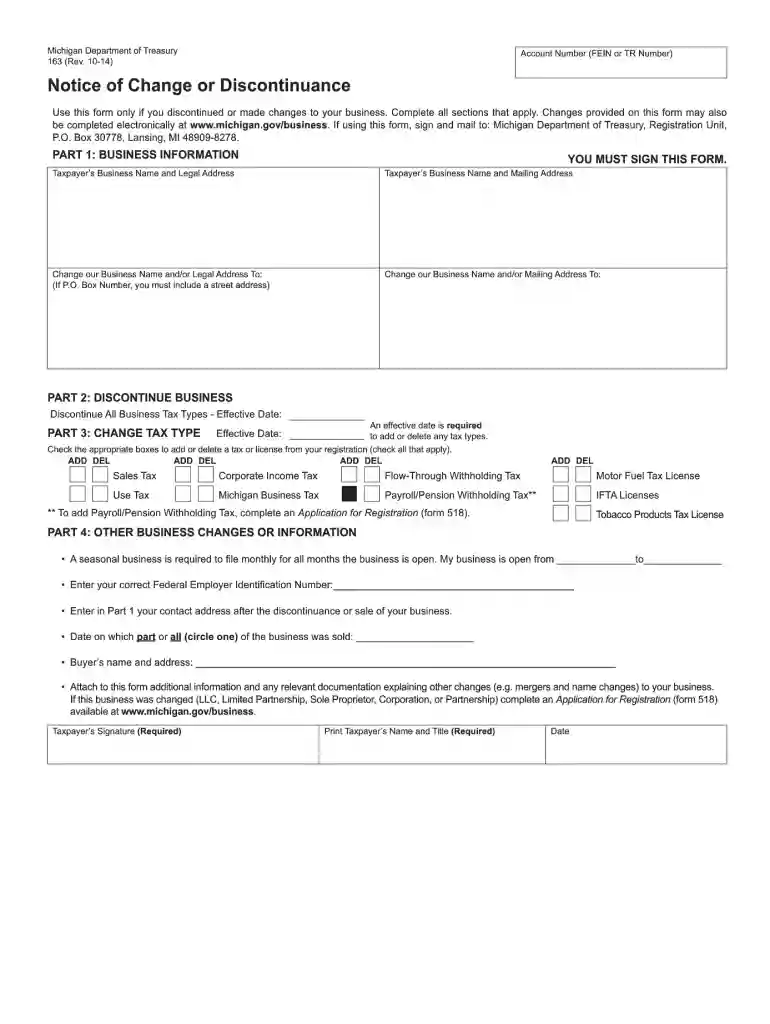
Click ‘Get Form’ to open the 163 Michigan Form 2014 in our platform's editor.
Begin by entering your personal information in the designated fields at the top of the form. This typically includes your name, address, and contact details.
Next, navigate to the section that requires financial information. Carefully input your income details as requested, ensuring accuracy for a smooth processing experience.
Proceed to any additional sections that may require signatures or declarations. Use our platform’s signature feature to sign electronically where indicated.
Review all entered information for completeness and correctness. Utilize the editing tools available to make any necessary adjustments before finalizing.
Once satisfied with your entries, save your document and choose to download or share it directly from our platform for free.
Start using our platform today to effortlessly complete your 163 Michigan Form 2014!
We've got more versions of the 163 michigan form 2014 form. Select the right 163 michigan form 2014 version from the list and start editing it straight away!
163 michigan form 2014 pdf163 michigan form 2014 printableHow to fill out 163 michigan form 2014Michigan Form 163163 michigan form 2014 instructionsPrintable Form 163 Michigan163 michigan form 2014 onlineHow to file Form 163 online
Security and compliance
At DocHub, your data security is our priority. We follow HIPAA, SOC2, GDPR, and other standards, so you can work on your documents with confidence.
The suggested citation for this document is as follows: ITRC (Interstate Technology Regulatory Council). 2014. Contaminated Sediments Remedi- ation, CS-2.Read more
Non-taxable sales will be calculated automatically once gross sales and taxable sales have been entered. These totals must agree with Appendix 2 which isRead more
Cookie consent notice
This site uses cookies to enhance site navigation and personalize your experience.
By using this site you agree to our use of cookies as described in our Privacy Notice.
You can modify your selections by visiting our Cookie and Advertising Notice.