01. Edit your best interest of the child letter example online
Type text, add images, blackout confidential details, add comments, highlights and more.
02. Sign it in a few clicks
Draw your signature, type it, upload its image, or use your mobile device as a signature pad.
03. Share your form with others
Send examples of best interest of child letter via email, link, or fax. You can also download it, export it or print it out.
How to use or fill out sample letter child with our platform
Ease of Setup
DocHub User Ratings on G2
Ease of Use
DocHub User Ratings on G2
Click ‘Get Form’ to open the sample letter child in the editor.
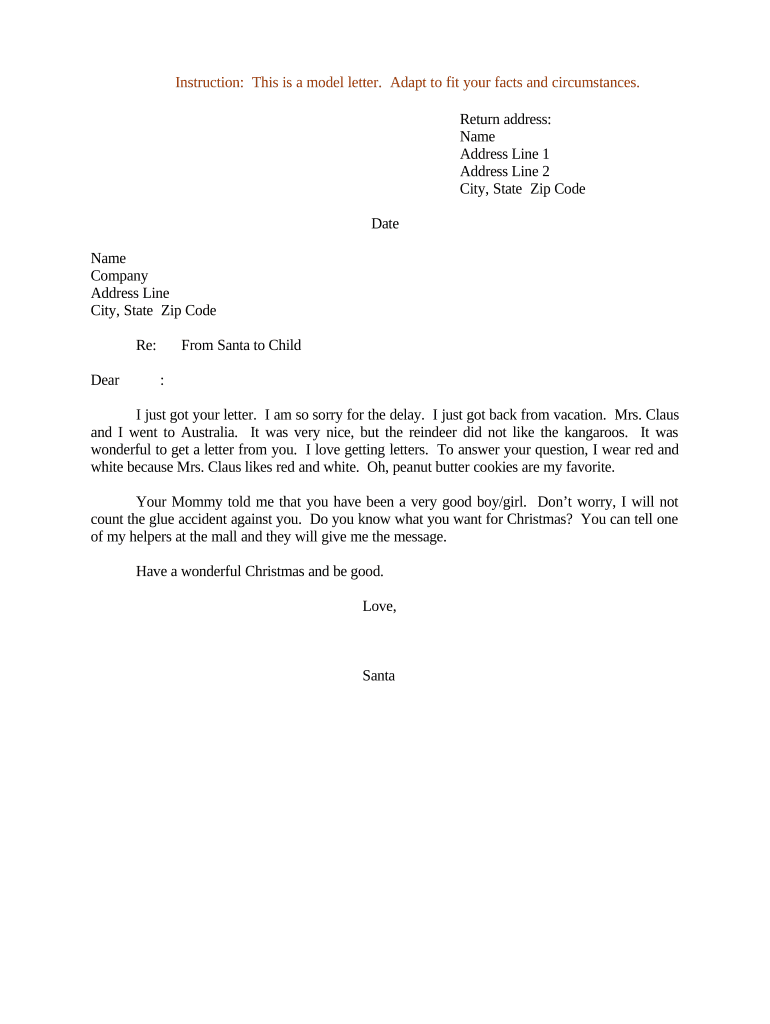
Begin by entering your return address at the top of the letter. Fill in your name, address line 1, address line 2 (if applicable), city, state, and zip code.
Next, input the date on which you are writing the letter. This helps provide context for your message.
In the recipient section, enter the name of the person you are addressing, followed by their company name and address details.
Now, personalize the greeting. Replace 'Dear' with a specific salutation that fits your relationship with the recipient.
Customize the body of the letter to reflect your unique message. Feel free to adapt Santa's responses to suit your needs while maintaining a friendly tone.
Finally, sign off with a warm closing and your name at the bottom of the letter.
Start using our platform today to create personalized letters for free!
Sample letter child to a friendSample letter of consent to travel with one parent PDFSample letter child for travelChild travel consent formSample letter of consent to travel with one parent PDF internationalParental consent letter for travelConsent letter for child travelling abroad with one parentSample letter of consent for child to travel with grandparents
Security and compliance
At DocHub, your data security is our priority. We follow HIPAA, SOC2, GDPR, and other standards, so you can work on your documents with confidence.
Please subpoena the witnesses below to appear before the Court on the date shown. (See Va. Code 17.1-617 regarding limitation on compensation ofRead more
Apr 9, 2026 If the child is traveling with a guardian or alone, both parents should sign the letter. The letter should say: I acknowledge that my childRead more
We invite you and your child to take part in a research study being conducted by [Principal Investigators name] who is a [professor / student] at HampshireRead more
Cookie consent notice
This site uses cookies to enhance site navigation and personalize your experience.
By using this site you agree to our use of cookies as described in our Privacy Notice.
You can modify your selections by visiting our Cookie and Advertising Notice.