Sample letter client 2026

Get Form
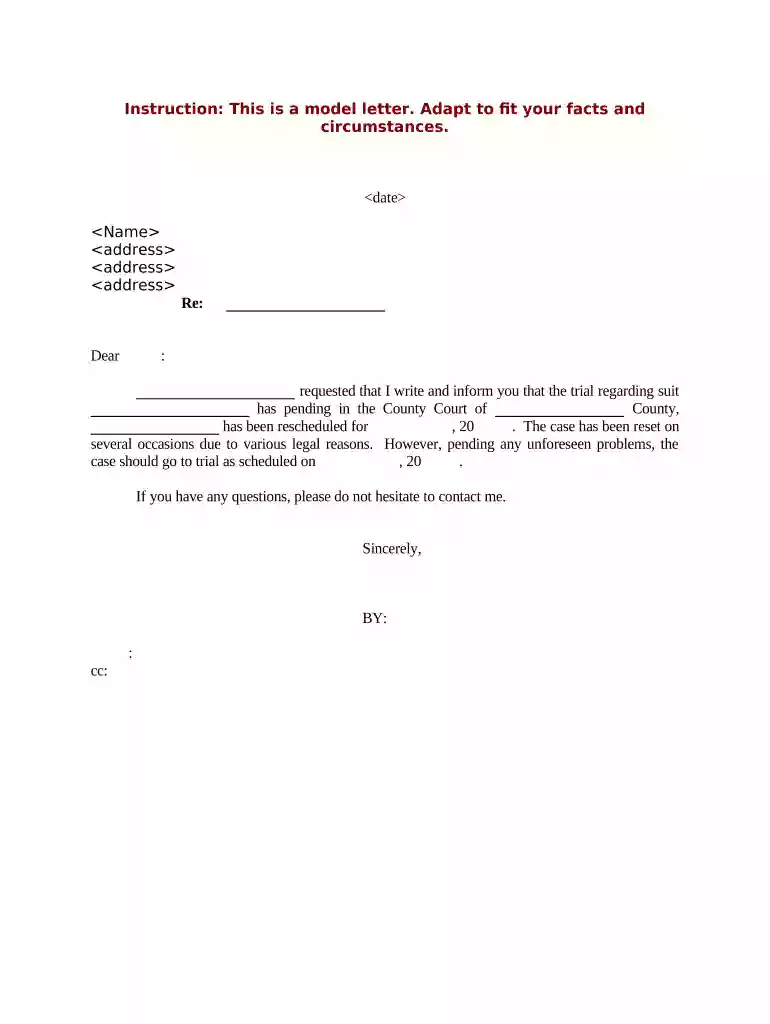
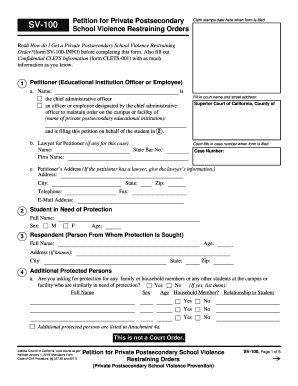
sample letter client Preview on Page 1

Here's how it works

01. Edit your form online
Type text, add images, blackout confidential details, add comments, highlights and more.

02. Sign it in a few clicks
Draw your signature, type it, upload its image, or use your mobile device as a signature pad.

03. Share your form with others
Send it via email, link, or fax. You can also download it, export it or print it out.

How to use or fill out sample letter client with our platform

Form edit decoration
9.5
Ease of Setup
DocHub User Ratings on G2
9.0
Ease of Use
DocHub User Ratings on G2
  1. Click ‘Get Form’ to open the sample letter client in the editor.
  2. Begin by entering the date at the top of the letter. This is crucial for record-keeping and should reflect the current date or when you intend to send the letter.
  3. Next, fill in the recipient's name and address. Ensure that all details are accurate to avoid any delivery issues.
  4. In the 'Re:' section, specify the subject of your correspondence, which helps clarify the purpose of your letter.
  5. Proceed to complete the body of the letter. Clearly state that you are informing them about the rescheduling of their trial, including relevant dates and any necessary context.
  6. Finally, sign off with your name and title in the designated area. If applicable, include a cc line for additional recipients.

Start using our platform today to effortlessly edit and complete your documents online for free!

be ready to get more

Complete this form in 5 minutes or less

Get form

Got questions?

We have answers to the most popular questions from our customers. If you can't find an answer to your question, please contact us.
Contact us

Sure, you’ll find many different applications for this on the web. Nevertheless, if you need to eSign your sample letter client without installing additional software, DocHub is the optimum choice you can make. This powerful editor works on mobile devices just like on desktops. Open our editor in any internet browser, register or sign in to your account, and start processing your forms.

You can complete and sign your sample letter client online, even on a tight deadline. All you need to access high quality editing instruments on any device is a DocHub profile, which you can register within a couple of moments. After you sign up, upload your file or find what you are looking for in our catalog, complete it using the editing instruments you want, and put your electronic signature on it at the end.

What to include in your document request email or letter Greeting. Open with a friendly greeting with a tone that suits the recipient, your relationship, your company culture and the particular request. Introduce yourself. Purpose for written request. Call to action. Benefit to the client. Closing. Contact Information.
General Guidance for Writing to Your Customers and Clients Never use a generic greeting, always use their name. Get to the point quickly and be concise., but dont be impersonal or abrupt. Keep your sentences short and clear. Include everything your client needs to know in the email.
What to include in your document request email or letter Greeting. Open with a friendly greeting with a tone that suits the recipient, your relationship, your company culture and the particular request. Introduce yourself. Purpose for written request. Call to action. Benefit to the client. Closing. Contact Information.

Security and compliance

At DocHub, your data security is our priority. We follow HIPAA, SOC2, GDPR, and other standards, so you can work on your documents with confidence.

Learn more
ccpa2
pci-dss
gdpr-compliance
hipaa
soc-compliance
be ready to get more

Complete this form in 5 minutes or less

Get form

People also ask

Client letters are used by companies to stay connected to their clients for various reasons. A client letter may be for retention purposes, for giving out information about the new product and service offerings of the business or for explaining the terms of the purchase done by a client.
What to include in your document request email or letter Greeting. Open with a friendly greeting with a tone that suits the recipient, your relationship, your company culture and the particular request. Introduce yourself. Purpose for written request. Call to action. Benefit to the client. Closing. Contact Information.
General Guidance for Writing to Your Customers and Clients Never use a generic greeting, always use their name. Get to the point quickly and be concise., but dont be impersonal or abrupt. Keep your sentences short and clear. Include everything your client needs to know in the email.
Client letters are used by companies to stay connected to their clients for various reasons. A client letter may be for retention purposes, for giving out information about the new product and service offerings of the business or for explaining the terms of the purchase done by a client.
General Guidance for Writing to Your Customers and Clients Never use a generic greeting, always use their name. Get to the point quickly and be concise., but dont be impersonal or abrupt. Keep your sentences short and clear. Include everything your client needs to know in the email.

Related links